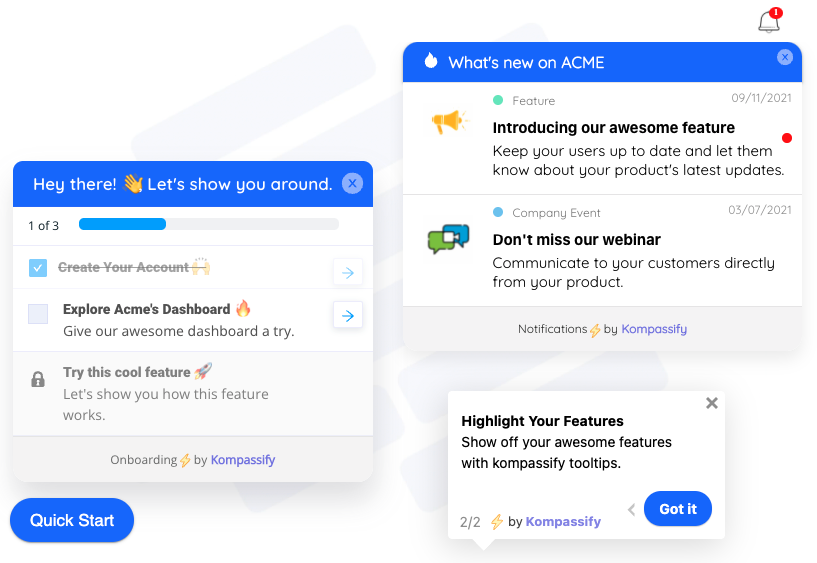
There is a version of every onboarding failure that has nothing to do with what the message said. The copy was clear. The screenshot was right. The step order made sense. It simply arrived at a moment when the user could not act on it: three seconds after signup, while the workspace was still empty; or halfway through a task they were concentrating on; or for the fourth time that week, to someone who had already dismissed it three times.
That moment is decided by a trigger. Triggers are the least discussed and most consequential part of in-app guidance: the same tour, unchanged, can be a useful introduction or an interruption depending entirely on the condition that fires it. This guide is about getting that condition right.
Key Takeaways
- An onboarding trigger has three parts: a starting event, a set of conditions that must all be true, and a frequency rule.
- Seven trigger types cover nearly every case: page-load, element-based, click, product event, time & idle, scroll, and manual.
- Behaviour beats location. Firing on what a user did is consistently more accurate than firing on where they are.
- Guidance needs traffic rules: one interruption per session, an explicit priority order, and show-once by default.
- High reach + high dismissal + low completion is a timing problem, not a copywriting problem.
- Trigger changes should be settings changes; if moving a tour later takes a release, you will never tune it.
What Is an Onboarding Trigger?
Onboarding trigger (definition): the rule that determines when a piece of in-app guidance (a product tour, tooltip, checklist, hotspot, banner or survey) is shown to a given user. A trigger combines a starting event, a set of audience and state conditions, and a frequency rule that governs repeat appearances.
It helps to separate two things that often get discussed as one. The content of a guide answers "what should this user understand?". The trigger answers "when is this user in a position to care?". Teams spend most of their effort on the first question and inherit the second from whatever default the tool offered, usually "show on page load, to everyone, once per session", which is the in-app equivalent of reading a manual aloud to someone who has just walked through the door.
Every trigger, however it is expressed, is made of the same three parts.
on: project.created
if: role = admin AND seen = false
show: once
Miss part one and the guide never appears. Miss part two and it appears to the wrong people. Miss part three and it appears to the right people far too often, which is how a helpful message becomes something users learn to close without reading, the in-app cousin of banner blindness.
Why Timing Decides Whether Guidance Works
A user's capacity to absorb an explanation is not constant. It rises when they have just hit a wall, or just finished something and are deciding what to do next. It collapses while they are mid-task, and it is close to zero in the first seconds after signup, when they are still orienting and have not yet formed the question your guide is answering.
This is why the single most common onboarding mistake is front-loading: everything the product can do, explained at the moment the user knows least about why any of it matters. The fix is rarely shorter copy. It is a later trigger: the same content, held until the user reaches the screen where it applies. Teaching a product over time rather than all at once is the whole idea behind progressive onboarding, and triggers are the mechanism that makes it possible.
The 7 Types of Onboarding Trigger
Tools name these differently, but the underlying mechanics are stable. Learn the seven and you can map any platform's terminology onto them in a minute.
1. Page-load triggers
The guide fires when the user arrives at a URL, or a URL pattern. This is the default in almost every tool and the right choice for anything tied to a specific screen: a welcome screen on first login, an explanation of a settings page, a warning on a screen people frequently misread. Its weakness is that arriving somewhere tells you nothing about readiness; half the people on a page are experts passing through.
2. Element-based triggers
The guide waits until a specific element exists in the DOM before firing, and attaches to it. This is what makes a tooltip reliable in a product where content loads asynchronously: instead of firing two seconds after the page load and hoping the table has rendered, it fires when the table is genuinely there. Element triggers also double as state detection: "the empty-state illustration is on screen" is a precise way of saying "this user has no data yet".
3. Click and interaction triggers
The user does something, and the guidance responds: clicking a hotspot opens an explanation, opening a menu reveals a tip about the option nobody finds, starting a multi-step form launches a walkthrough of it. These are the most respectful triggers available, because the user asked. They are also the most under-used, because they produce smaller reach numbers than firing at everybody.
4. Product event triggers
The guide fires on a meaningful thing happening in the product: a first project created, an import that failed, a fifth export, an invitation sent, a plan limit reached. This is the most accurate trigger type available, because it fires on evidence rather than proximity. It costs more to set up (someone has to define and send the events) and it repays that cost every time, because a message that arrives thirty seconds after a failed import is read.
5. Time and idle triggers
A dwell timer ("on this screen for 20 seconds") or an inactivity timer ("no interaction for 45 seconds") stands in for hesitation. Used carefully, these catch the user who is stuck but has not asked for help, the classic case being a configuration screen where nothing has been typed for a minute. Used carelessly, they interrupt people who were reading, which is why a dwell trigger should almost always be paired with a condition that the user has not yet completed the action.
6. Scroll and viewport triggers
The guide fires when a section actually enters the viewport. On long dashboards and settings pages this is the difference between explaining a chart the user is looking at and explaining a chart eight hundred pixels below the fold. It is also the polite way to run a microsurvey about a specific section: ask once the person has seen it.
7. Manual triggers
Nothing fires automatically; the guidance sits behind a launcher, a help menu, a "show me how" link or a resource centre, and runs when requested. Every tour worth building should also be available this way. Automatic triggers cover the users who do not know what they are missing; manual triggers cover the far more valuable users who have a question and are actively looking for the answer.
A useful default: automatic for discovery, manual for reference. If a guide teaches something a user could not know to ask about, trigger it. If it answers a question a user will eventually have, put it somewhere findable and let them pull it.
The Four Questions Every Trigger Rule Answers
Before you build anything, write the trigger as a sentence. If you cannot answer all four questions, the rule is not finished.
| Question | What it decides | A bad answer | A better answer |
|---|---|---|---|
| Who? | The audience condition | Everyone | Admins on a trial who have not invited anyone |
| Where? | The page or element scope | All pages | The project detail screen, once the toolbar exists |
| When? | The starting event | Immediately on load | After the first project is created |
| How often? | The frequency rule | Every session | Once, and never again after dismissal |
Written out, the finished rule reads like a sentence a colleague could argue with: "Show the invite-your-team tooltip to trial admins, on the project screen, after their first project exists, once." That sentence is reviewable. "Show the invite tooltip on page load" is not, because there is nothing in it to disagree with.
How to Choose the Right Trigger for Each Guide
Different guidance patterns want different triggers. This table is the shortcut most teams end up deriving the hard way.
| Guidance pattern | Default trigger | Frequency | Why |
|---|---|---|---|
| Product tour | First load of the relevant screen, once real content exists | Once, re-openable manually | A tour against an empty account points at things the user cannot use |
| Tooltip | Element appears, or user hovers/clicks it | Once per element | It explains one control; it should exist when the control does |
| Onboarding checklist | Session start, until completed | Persistent, dismissible, resumes | It spans sessions, so it must survive the user leaving |
| Hotspot | Element appears; opens on click | Until clicked once | Passive discovery: it should never block anything |
| Feature announcement | First session after release, for existing users only | Once | New users have no "before" to compare against |
| Microsurvey | Right after the experience being measured | Once per period, with a cap | Memory of the moment decays within minutes |
| Upsell / plan prompt | On the limit being reached, not before | Once, then cool off | Relevance comes from the wall the user just hit |
| Re-engagement message | First login after N days away | Once per absence | The trigger is the return, not the calendar |
The empty-account trap. The most expensive trigger mistake in SaaS is running the main tour immediately after signup. Every step points at an interface with no data in it, so the user sees an explanation of a feature they have nothing to use it on. Either wait until the account has content, or write a separate first-run flow designed for empty states whose only job is getting the first object created.
Segments Turn One Trigger into the Right Trigger
A trigger without an audience condition assumes every user on that screen wants the same thing. They rarely do. The workspace settings page is a setup task for an admin, an irrelevant detour for an invited member, and an evaluation checkpoint for someone comparing tools on a trial.
Adding a segment condition is usually a single extra line in a rule and it removes the largest category of unwanted guidance. Four dimensions carry most of the value:
-
Role
Admin, member, viewer, billing owner. Determines what the user is even able to do on the screen; guidance about a setting someone cannot change is pure noise.
-
Plan
Free, trial, paid tier. Determines whether a feature is available, and whether an upgrade prompt is relevant or insulting.
-
Lifecycle stage
Day 1, week 2, month 6, returning after a lapse. The same tooltip is education in week one and condescension in month six.
-
Prior behaviour
Has created a project, has invited someone, has never opened the reports tab. The most precise dimension, and the one that makes guidance feel like it was written for one person.
If you have not built segments yet, the user segmentation guide covers how to define a useful set in about a week, and personalized onboarding covers what to change once you have them.
Frequency, Priority and Conflicts
Each guide is designed on its own. Users experience all of them at once. Without traffic rules, the tenth guide you publish degrades the nine that came before it, and the damage is invisible in per-guide reporting, because every guide looks fine in isolation.
Cap the interruptions
One interrupting guide per session is a sane ceiling for anything modal or blocking. Passive patterns (hotspots, a checklist widget, an unread badge) do not count against it, which is a good argument for using more of them.
Give guides an explicit priority
When two guides qualify simultaneously, something has to decide. Left implicit, the winner is whichever script happened to evaluate first, which changes between releases. Rank them deliberately: blocking problems beat onboarding, onboarding beats announcements, announcements beat surveys. The loser waits for the next qualifying moment instead of rendering on top.
Default to show-once, and remember dismissals
Most onboarding guidance is a one-time explanation, so once is the correct answer. Note that "seen" and "dismissed" are different signals worth storing separately: someone who closed a tour on step one told you something a completion metric will not.
Give recurring guides a cooling-off period
Anything genuinely repeatable (surveys, upgrade prompts, re-engagement) needs a minimum gap and a lifetime cap. A quarterly survey that fires every session because a condition was left open is the fastest way to teach an entire user base to close your messages reflexively.
✅ Do
- Write each trigger as a full sentence before building it
- Prefer product events over page arrivals when both would work
- Wait for the element, not for a fixed delay
- Add a segment condition to every automatic guide
- Make every automatic tour re-openable on demand
- Cap interruptions globally, not just per guide
- Review triggers when the UI changes: selectors rot
❌ Don't
- Fire the main tour seconds after signup, into an empty account
- Use a fixed timeout to wait for content to load
- Let two modals qualify for the same moment
- Show announcements to users who joined after the release
- Re-show a guide someone explicitly dismissed
- Trigger surveys mid-task, before the thing you're measuring finished
- Leave "every session" as the frequency because it was the default
How to Set Up Onboarding Triggers in 6 Steps
- List the moments, not the messages
- Name the signal that proves each moment
- Pick the trigger type that detects it most directly
- Add audience conditions
- Set frequency and priority
- Watch reach, then tune
1. List the moments, not the messages
Start from the points in your product where a user predictably needs something: the empty workspace, the first import, the configuration screen with the highest support volume, the plan limit, the return after two weeks away. A user flow with drop-off numbers on each step will hand you this list. Writing content first almost always produces a guide in search of a moment.
2. Name the signal that proves each moment
For each moment, write down what is observably true when a user is in it. "Is stuck on configuration" is not observable; "on the configuration screen for more than 30 seconds with no field completed" is. "Is ready for the advanced view" is not observable; "has created three or more projects" is. This step is where most trigger quality is won or lost.
3. Pick the trigger type that detects it most directly
Match the signal to the mechanism from the seven types above, and prefer the most direct option available. If a product event exists, use it. If not, an element that only renders in that state is the next best proxy. A timer is a last resort, because it infers a state rather than observing one.
4. Add audience conditions
Attach role, plan, lifecycle stage or behaviour conditions so the guide only reaches users for whom it is actionable. Be specific about exclusions too: announcements should skip users who joined after the release, and upgrade prompts should skip anyone already on the top plan.
5. Set frequency and priority
Default to once. Decide where this guide sits in the priority order relative to everything already live, and check that it does not collide with an existing guide on the same screen. Keep the full list of live guides and their triggers in one place: the collisions are obvious in a table and invisible in a tool's per-guide view.
6. Watch reach, then tune
Publish, then read the reach number within a few days. Reach far below the qualifying audience means the condition never becomes true, usually a selector that changed or an event that is not being sent. Reach at full audience with instant dismissal means the trigger is right but the moment is wrong. Move it later and measure again.
Onboarding Trigger Examples That Change a Number
Five rules worth copying, written as full sentences. Each one is a small change to a trigger, not a rewrite of a guide.
Move the tour behind the first object
Show the workspace tour to new users, on the project screen, when their first project exists, once. The tour content does not change. Every step now points at something real, and users reach the last step instead of abandoning at step two.
Explain the failure, not the feature
Show the import troubleshooting guide to any user, on the import screen, when an import fails, every time. This is one of the rare cases where "every time" is right: the trigger is a problem the user is actively having, and the guide is the solution to it.
Ask after, never during
Show the one-question survey to users who completed setup, immediately after the final step, once per quarter. Firing on completion rather than on a schedule is what makes the answer about something specific; see the in-app surveys guide for question design.
Let the limit do the selling
Show the upgrade explanation to free-plan users, when they hit the seat limit, once, then not again for 30 days. The user has just discovered the constraint themselves, which is the only moment an upgrade message is information rather than advertising.
Catch the returner
Show the "what changed while you were away" summary to users whose last session was more than 21 days ago, on first load, once per absence. A returning user has a genuinely different need from both a new user and a daily one, and almost nobody triggers for it.
Illustrative pattern, not benchmark data; the point is the direction: identical content, different trigger, different outcome. Measure your own before and after.
Measuring Whether a Trigger Fired Well
Three numbers per guide will diagnose almost every trigger problem you have. Read them together; individually they mislead.
| Symptom | Likely cause | Fix |
|---|---|---|
| Reach far below the qualifying audience | The condition rarely becomes true: a changed selector, an event that stopped firing, an over-narrow segment | Verify the element and event in the live product; widen one condition at a time |
| Full reach, instant dismissal | Right people, wrong moment | Move the trigger later, after the action, not before it |
| Good start rate, drop-off at step 2 | The guide begins before the user has context | Re-trigger on a state where step 1 is already true |
| High completion, no change in behaviour | The trigger found people who already knew | Add a "has not done X" condition |
| Complaints about "too many popups" | No global cap or priority order | Cap interruptions per session; rank the guides |
Pair these with your product analytics so you can see whether the guided users went on to do the thing. A guide that is completed but changes nothing downstream is a trigger that found the wrong audience, a common and expensive mistake precisely because the completion number looks healthy.
Setting Up Onboarding Triggers Without Engineering Time
Triggers only get good through tuning, and tuning only happens if changing one is cheap. When a trigger lives in application code, moving a tour later in the session is a ticket, a review and a release, so it never happens, and the tour stays wrong for a year. With Kompassify the guidance layer sits on top of your live product, and the trigger is a setting:
- Install once, then point and click. A single JavaScript snippet goes in, and every tour, tooltip, checklist and hotspot is built visually on top of your real screens.
- Attach to the element, not a guess. Pick the component the guidance belongs to, so it appears when that component does rather than after an arbitrary delay.
- Target by segment. Add role, plan, lifecycle or behaviour conditions so a guide only reaches the users it is actionable for.
- Fire on real events. Trigger guidance on what a user did (a first project, a completed flow, a limit reached) instead of on where they happen to be.
- Control frequency. Show-once by default, with caps for anything recurring, so guidance never becomes background noise.
- Read the numbers next to the guide. Built-in analytics show reach, engagement and completion per guide, so a trigger can be tuned on evidence and re-published the same day.
Kompassify is GDPR compliant and EU-hosted, free for under 100 monthly active users, with paid plans from $129/month. You can also try a live demo to see how triggered guidance behaves in a real product before installing anything.
Show the Right Guide at the Right Moment
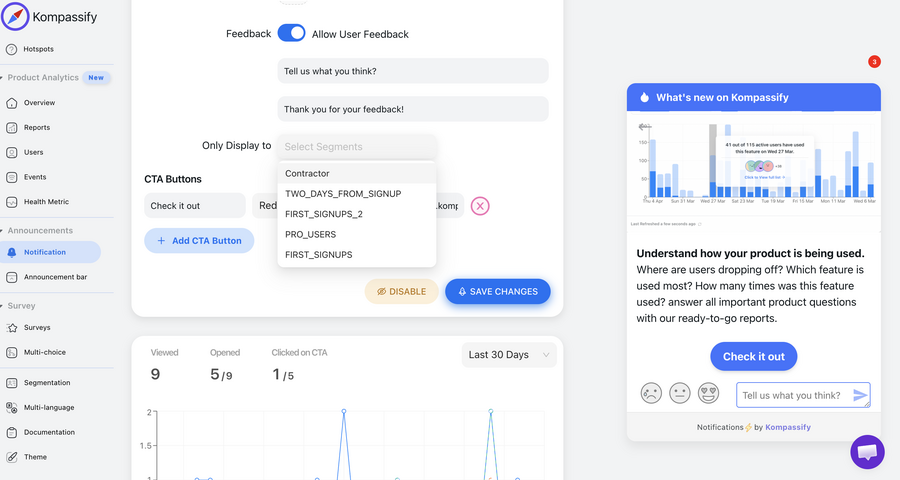
Kompassify adds product tours, onboarding checklists, tooltips and hotspots to your existing product (no code, no release cycle) and lets you set exactly when each one fires: the page, the element, the event, the segment and the frequency. Tune a trigger in the morning and read the results the next day. GDPR compliant, EU-hosted, and free for under 100 monthly active users.
Start for Free →Frequently Asked Questions
What is an onboarding trigger?
An onboarding trigger is the condition that decides when a piece of in-app guidance appears: a product tour, a tooltip, a checklist, a hotspot or a survey. It is a rule made of three parts: an event that starts the evaluation (a page loads, an element appears, a user clicks something, a timer expires), a set of audience and state conditions that must all be true (this segment, this plan, not seen before), and a frequency rule that decides whether the user is allowed to see it again. The content of a guide decides whether it is useful; the trigger decides whether it is welcome.
What are the main types of onboarding trigger?
Seven cover almost every real case: page-load triggers that fire when a user lands on a URL; element-based triggers that wait for a specific component to exist on screen; click and interaction triggers that respond to a user action; event-based triggers that fire on a product event such as a first project created; time-and-idle triggers that wait for a dwell or a pause; scroll and viewport triggers that wait until a section is actually visible; and manual triggers that only fire when the user asks, by opening a help menu or clicking a launcher. Most well-built onboarding uses several of them together.
When should a product tour be triggered?
On the first load of the screen where the tour is useful, for users who have never completed it, and only once the screen has something to point at. A tour triggered on signup often runs against an empty account, so its steps describe features the user cannot use yet. A tour triggered on first arrival at the workspace, after the first project or dataset exists, points at real objects and survives to the last step far more often. Set it to show once, and give people a way to reopen it later from a help launcher rather than firing it again automatically.
What is the difference between a page trigger and an event trigger?
A page trigger fires on location: the user arrived at a URL, so show this. It is easy to set up and easy to over-use, because being on a screen says nothing about whether the user is ready. An event trigger fires on behaviour: the user did a specific thing, or reached a specific state, so show this. Event triggers are more work to define but far more accurate, because they let you speak at the moment a user has proved they need the answer: after a failed import, after inviting a first teammate, after the fifth report export.
How do you stop onboarding messages from stacking on top of each other?
With three rules. First, a global cap: no more than one interrupting guide per session, and a minimum gap between any two. Second, an explicit priority order, so when two guides qualify at once the higher-priority one shows and the other waits its turn instead of both rendering. Third, per-guide frequency: most onboarding guidance should be show-once, dismissals should be remembered, and anything recurring needs a cooling-off period. Without these, every new guide you publish quietly degrades every guide you published before it.
Should onboarding triggers be different for different user segments?
Yes, and it is usually the cheapest improvement available. The same screen means different things to an admin setting up a workspace, an invited member joining an existing one, and a trial user comparing tools. Adding a segment condition to an existing trigger costs one rule and removes the largest source of irrelevant guidance, people being taught things that do not apply to their role, plan or lifecycle stage. Start with role, plan, lifecycle stage and prior behaviour, and keep the number of segments small enough to maintain.
How do you know whether a trigger is set correctly?
Read three numbers per guide. Reach tells you how many qualifying users the trigger actually fired for: a low number usually means the condition is too narrow or the element never exists when you check for it. Engagement tells you what people did once it appeared: high immediate dismissal means the timing is wrong, not the copy. Completion tells you whether it survived to the end. A guide with high reach, high dismissal and low completion is almost always a trigger problem, and moving it later in the session fixes more of them than rewriting the text ever does.
Can you set up onboarding triggers without a developer?
Yes. With a no-code platform like Kompassify you install one JavaScript snippet, then build each guide visually on top of your live product and set its trigger from the dashboard: the page or element it attaches to, the segment that qualifies, the event that starts it, and how often any user may see it. Changing a trigger is a settings change, not a release, so you can move a tour later in the session or narrow it to one segment the same afternoon you notice the problem. Kompassify is GDPR compliant and EU-hosted, free for under 100 monthly active users, with paid plans from $129/month.