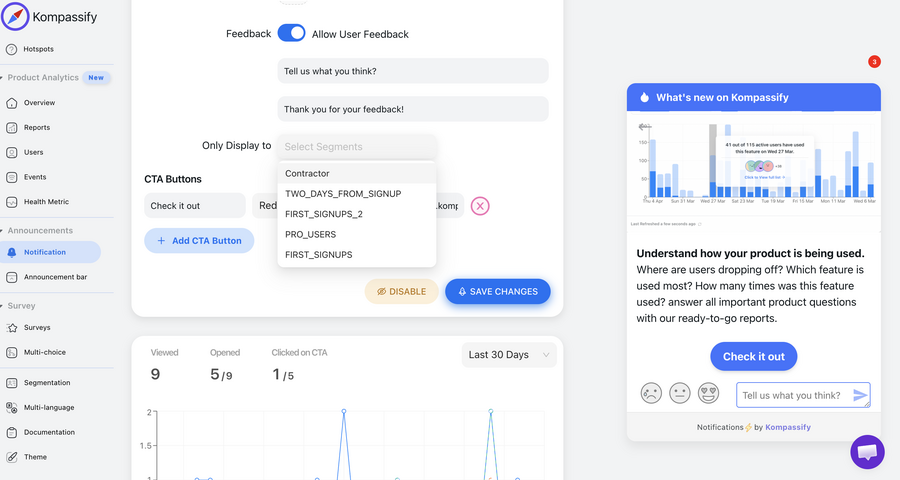
On the same Tuesday afternoon, three people sign up for your product. One is a developer evaluating your API for a build next month. One is an agency owner who needs to show a client something by Friday. One is a marketing manager whose boss asked her to "look into this". They have almost nothing in common (different goals, different timelines, different definitions of success) and your product greets all three with the identical welcome modal and the identical five-step tour.
Two of them leave, and your analytics record it as a generic drop-off. The real cause is that a single onboarding experience can only be optimised for one of those three people. Everyone else gets an experience calibrated for someone they aren't.
User segmentation is the fix, and it's far less academic than its reputation suggests. It doesn't require a research programme or a data warehouse; it requires knowing two or three things about each user and having somewhere to act on them. This guide covers what segmentation is (and isn't), the five dimensions worth segmenting on, how to build your first segments from information you already collect, worked examples across onboarding, adoption and retention, the mistakes that produce segments nobody can use, and how to act on them in-product without engineering time.
Key Takeaways
- A segment is only real if it changes what someone sees. If a grouping produces a chart but never alters an experience, it's a report.
- Five dimensions cover SaaS: who they are, why they came, what they've done, how much value they've had, and where they are in the lifecycle.
- Behaviour beats attributes. What a user has done in your product predicts what they need far better than their industry or company size.
- One signup question buys the biggest win. "What do you want to do first?" is enough to branch onboarding into genuinely different paths.
- Start with two or three segments. Each one is content to write and maintain; add a fourth only when you can name what it will see differently.
- Segments without a delivery mechanism are theatre. The value appears when targeting reaches tours, checklists, tooltips and announcements.
What Is User Segmentation? (Definition & Meaning)
User segmentation is the division of your user base into groups that need meaningfully different things, defined by rules a system can evaluate. In product work the emphasis falls on that last clause: a segment isn't a description, it's a filter your product can run, and then do something with.
User segmentation, defined. Grouping users by shared attributes, intent or behaviour so that each group can be given a different experience. The test of a good segment: name what these users will see that others won't. If you can't, it isn't a segment yet.
Three neighbouring concepts get used interchangeably and shouldn't be:
| Concept | What it is | What it's for |
|---|---|---|
| Segment | A rule a system can evaluate right now | Deciding who sees what, in production |
| Persona | A narrative portrait of a typical user | Aligning a team on who they build for |
| Cohort | A group defined by a shared time window | Measuring change over time, fairly |
| Account tier | A commercial classification | Billing, entitlements, support SLAs |
They're complementary. Personas tell you what to build, cohorts tell you whether it worked, and segments decide who receives it. A team missing the middle piece can describe its users beautifully and still show all of them the same thing.
Why One-Size-Fits-All Onboarding Under-Performs
Here's what the difference looks like in practice: the same product, the same three users, two different first-run experiences:
Nothing on the right required new features. It required knowing which of three answers each person gave to a single question, and having three tours instead of one. That's the shape of most segmentation wins: small branching, applied at the moment where a wrong assumption is most expensive.
-
Relevance is the cheapest conversion lever
The same content shown to the right group at the right moment outperforms better content shown to everyone. Segmentation is how you get the multiplier without writing anything new.
-
It shortens time to value by removing detours
Most onboarding length comes from covering ground a given user doesn't need. Branching cuts the path rather than the explanation, the reliable way to reduce time to value without making guidance worse.
-
It protects your attention budget
Every irrelevant prompt teaches users to ignore the next one. Sending admin-only announcements to admins and plan-specific news to that plan is what keeps your in-app messages worth opening.
-
It makes your averages honest
An activation rate of 30% across three segments might be 60/25/5. The aggregate hides both your best-performing audience and your worst, and the aggregate is what most teams optimise against.
-
It makes feedback interpretable
An in-app survey answered by a mixed population produces mush. The same question asked of one segment produces a decision.
The 5 Dimensions of User Segmentation
Attributes are easy to collect and weakly predictive; behaviour is the opposite. Most teams start on the left and never make it right, which is where the value is.
1. Who they are: demographic and firmographic
Role, seniority, team size, company size, industry, region, language, device. Easy to collect at signup or enrich from the email domain, and genuinely useful for the coarse decisions: which language to show, whether to offer the enterprise path, whether the admin flow or the member flow applies.
2. Why they came: intent
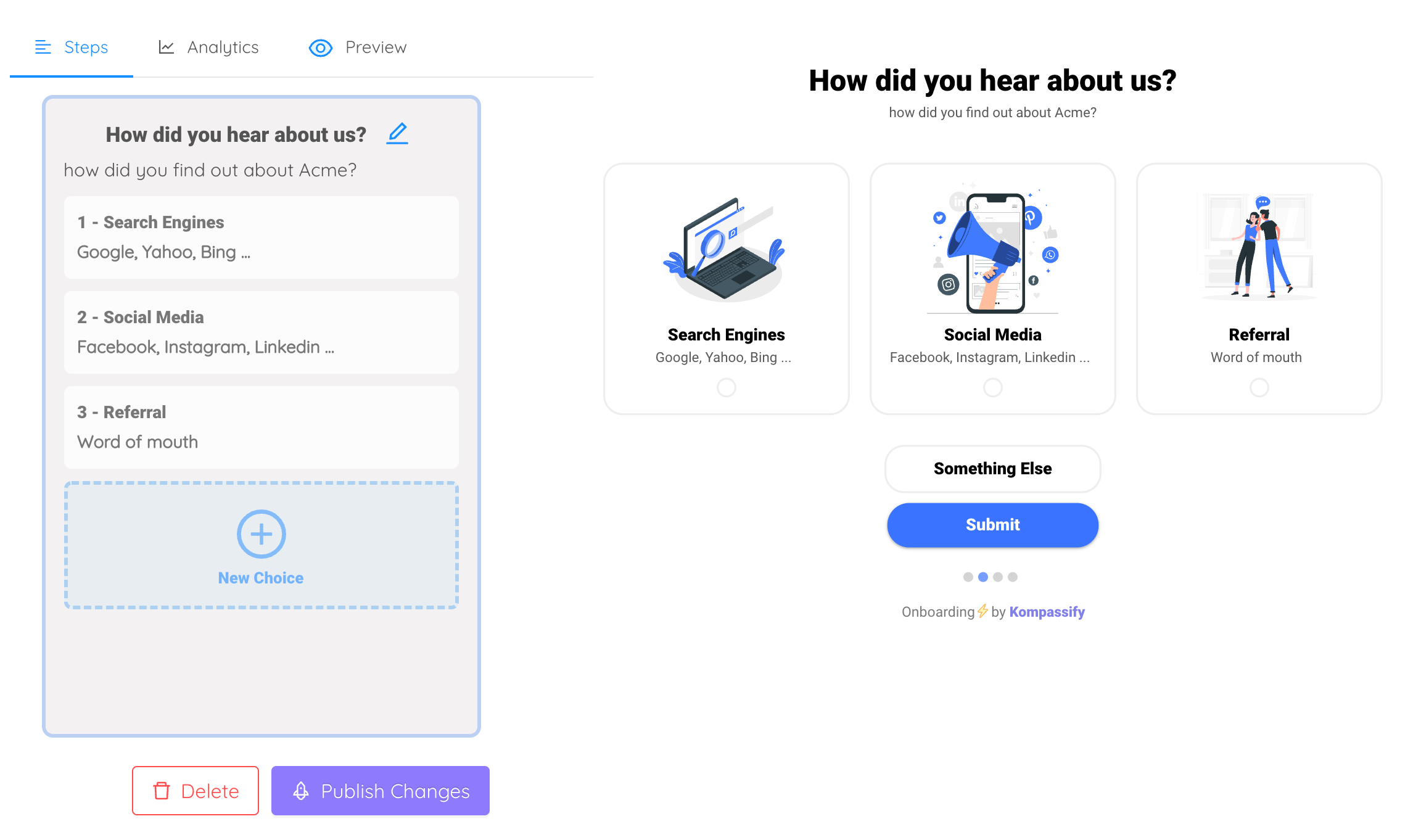
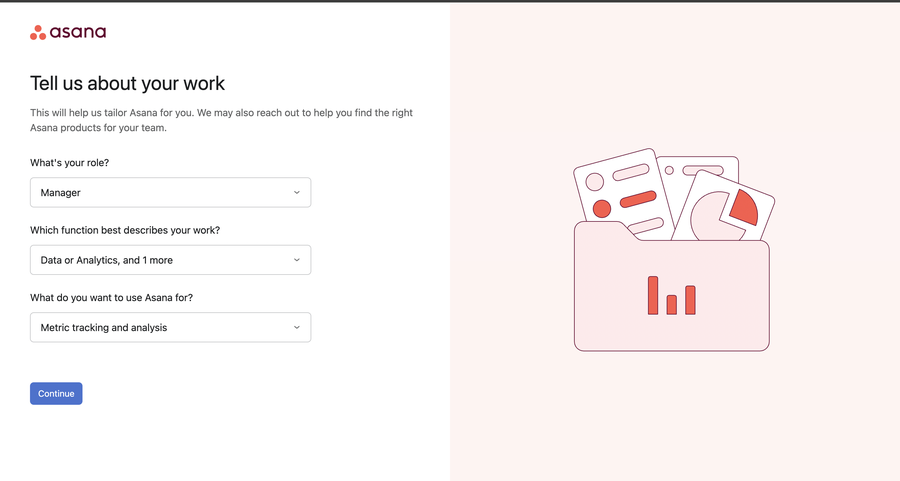
The single highest-value thing you can ask, and the one most signup flows skip. One multi-choice question, "what do you want to do first?", gives you a branch point before the user has done anything at all, which is exactly when they're most likely to leave. Keep it to three to five options, phrased as outcomes rather than features.
3. Where they are: lifecycle stage
Trial, newly paid, established, expanding, at risk, dormant, churned. Lifecycle is the dimension that decides tone: the same feature announcement should read differently to a two-day trial and a two-year customer. It's also the natural trigger for retention work: a segment of "was weekly, hasn't returned in 14 days" is worth more than most churn models.
4. How much value they've had
Not activated → activated → habitual → power user → advocate. This dimension answers "what should we ask of them?": a user who hasn't reached their aha moment should not be asked to invite their team, rate you, or upgrade, and yet that's exactly who most products ask, because they segmented by date instead of by value.
5. What they've done: behavioural
Features used and not used, frequency, recency, depth, steps completed, errors hit. The most predictive dimension by a distance, because it describes reality rather than self-report. "Has viewed the reports screen three times but never created a report" is a segment with an obvious intervention attached, and it's the kind of segment that turns feature discovery from a guess into a targeted nudge.
How to Build Your First Segments in a Week
You do not need a data project. You need one question, two attributes you already have, and somewhere to act.
1. Ask one question at signup
Three to five outcome-shaped options, on one screen, skippable. "What brings you here?" or "which best describes your role?" Store the answer as a user property; this single field will drive more differentiation than any enrichment tool you could buy. Keep the options mutually exclusive and recognisable; if a user has to think hard about which one they are, the branch that follows will be wrong.
2. Add the two attributes you already have
Plan and role, almost always. Both are already in your system, both are stable, and together they resolve most "should this person see this?" questions, including the ones about admin-only features that generate support tickets when shown to everyone.
3. Define three behavioural flags, not thirty
Has completed setup. Has used the core feature at least once. Has returned in the last 14 days. These three booleans, crossed with intent, generate almost every segment an onboarding team needs for its first year, and each one is a single event, not a modelling exercise.
4. Write down what each segment will see differently
Before building anything: a table with one row per segment and one column for the different experience. If a row's cell is empty, delete the row. This step is the difference between segmentation that changes outcomes and segmentation that produces a slide.
5. Ship two branches, measure, then add a third
Two genuinely different onboarding paths shipped this month beat six designed and never launched. Compare activation between the branches in your onboarding metrics, and let the gap tell you whether a third branch is worth its maintenance cost.
User Segmentation Examples That Do Something
| Segment | Definition | What they see that others don't |
|---|---|---|
| Evaluating developer | Intent = "test the API" | A tour that starts at API keys, skips the dashboard entirely |
| Deadline-driven doer | Intent = "deliver something this week" | The shortest path to a shareable output; setup deferred |
| Stalled setup | Started setup > 48h ago, not finished | A resume prompt naming the exact remaining step |
| Looked but never used | Visited feature X 3+ times, never completed it | A hotspot and a 60-second walkthrough on that screen |
| Solo admin, growing | Admin, activated, zero teammates invited | An invite prompt with the collaboration benefit named |
| Quiet regular | Was weekly, nothing for 14 days | A re-engagement message about what changed since |
| Power user | Top decile usage, 90+ days tenure | Advanced features, beta invites, the referral ask |
| Plan-limited | Hit a plan ceiling twice this month | A contextual upgrade explanation, not a generic banner |
Notice the shape of the right-hand column: every entry is a concrete thing someone builds once and targets. That's the tell of a segment worth having. Notice too how many of them are behavioural: "looked but never used" and "stalled setup" are the two highest-yield segments in most SaaS products, and neither requires knowing anything about the user's company.
The Mistakes That Produce Useless Segments
Segmenting on what's easy to collect instead of what predicts
Industry and company size are simple to capture and rarely change what someone needs from your onboarding. What they've done in the product almost always does. If your segmentation is entirely firmographic, you have a CRM taxonomy, not a product one.
Building segments with no delivery mechanism
A beautifully defined segment that no surface can target is a chart. Before defining segments, know where you'll act on them (tours, checklists, tooltips, announcements, emails) because the available surfaces determine which distinctions are worth making.
Over-splitting until nothing can be maintained
Twelve segments means twelve versions of every message, each of which ages. Most teams that over-split end up quietly serving the generic experience to eleven of them, at the cost of the maintenance burden and none of the benefit.
Letting definitions drift silently
"Active user" redefined mid-quarter makes every historical comparison meaningless, and nobody notices for months. Write definitions down, version them, and treat a change to one like a change to a metric, because it is.
Segmenting by signup date and calling it lifecycle
Days since signup is not progress. A user who signed up 30 days ago and has done nothing is not "established"; they're pre-activation, and treating them as a veteran is how products end up asking dormant users for referrals.
One privacy note worth building in from the start. Segment on what you need to change the experience, not on everything you could collect. Fewer, purposeful attributes are easier to justify under GDPR, easier to keep accurate, and easier to explain to a customer who asks what you store about them, and a segmentation scheme that nobody can defend tends to get deleted at the worst possible moment.
User Segmentation: Do vs. Don't
✅ Do
- Ask one intent question at signup
- Define every segment by a rule a system can run
- Write down what each segment sees differently
- Prefer behaviour over firmographics
- Start with two or three branches and measure
- Version your definitions and keep them stable
- Compare activation between segments, not just overall
- Collect only the attributes you'll act on
❌ Don't
- Build segments you have no way to target
- Treat personas as if they were segments
- Split into a dozen groups you can't maintain
- Use days-since-signup as a proxy for progress
- Change a definition without telling anyone
- Ask pre-activation users to invite, rate or upgrade
- Send admin-only news to every seat
- Optimise an aggregate that hides three different stories
Acting on Segments Without Engineering Time
Defining segments is the easy half; the hard half is having somewhere to spend them. With Kompassify, segments become experiences without a release:
- Ask the branching question in-product. A multi-choice onboarding step captures intent and routes each answer to its own path, no signup-form changes required.
- Target every surface. A different product tour per role, a different checklist per goal, tooltips only for people who haven't used a feature, announcements only for the plan they apply to.
- Segment on behaviour, not just attributes. Reach the users who stalled at step three, or who opened a feature twice without finishing, the segments that carry the most upside.
- Compare segments side by side. Analytics broken out by segment show which path works for whom, so the branching gets edited on evidence rather than instinct.
- Change it the same day. Because guidance publishes live, a segment that turns out to be wrong costs an afternoon, not a sprint.
Kompassify is GDPR compliant and EU-hosted, free for under 100 monthly active users, with paid plans from $129/month.
Show Each User the Product They Came For
Kompassify lets you branch onboarding by role, goal and behaviour: different tours, checklists, tooltips and announcements per segment, all on top of your existing product with no code. See which path works for whom, and change it the same day. GDPR compliant, EU-hosted, and free for under 100 monthly active users.
Start for Free →Frequently Asked Questions
What is user segmentation?
User segmentation is the practice of dividing your users into groups that behave differently and need different things, so the product can treat them differently. In SaaS the groups that matter are usually defined by role, by the job the user came to do, by what they have already done in the product, by how much value they have had, and by where they are in their lifecycle. The working definition to hold onto: a segment is only real if it changes what someone sees or receives. A grouping that produces a chart but never changes an experience is a report, not a segment.
What is the difference between segmentation and personas?
A persona is a narrative description of a typical user, their goals, context and frustrations, used to align a team on who they are building for. A segment is a machine-readable rule that a product can act on right now: plan equals Pro, role equals admin, has not connected a data source in seven days. Personas inform what you build; segments determine who sees it. Teams that have personas but no segments usually have empathy without targeting; teams with segments but no personas often target precisely at the wrong thing.
What are the main types of user segmentation?
Five dimensions cover most SaaS needs. Demographic and firmographic: role, company size, industry, region. Intent: the job the user said they came to do, usually captured at signup. Behavioural: what they have actually done in the product, which is the most predictive of the five. Value: how much benefit they have received, from not-yet-activated to power user. Lifecycle: trial, new, established, at risk, churned. Most useful segments in practice combine two: behaviour plus lifecycle, or intent plus role.
How do you segment users for onboarding?
Ask one question at signup and branch on the answer. A short multi-choice question, 'what do you want to do first?' or 'which best describes your role?', costs one screen and lets you show each group a different first-run path, a different checklist and a different first feature. Then layer behaviour on top: users who completed setup see a different next step from users who stalled. Two branches implemented well beat eight designed on a whiteboard and never shipped.
How many user segments should you have?
Start with two or three and add one only when you can name the different experience it will receive. The constraint isn't analytical, it is operational: each segment is content someone has to write, maintain and keep accurate. Ten segments with the same generic tour is worse than three with genuinely different first-run paths, because it costs ten times the upkeep and delivers the same experience. Grow the count when a segment's needs visibly diverge, not when the taxonomy feels incomplete.
What makes a user segment useless?
Three things. It is not actionable: you can describe the group but you cannot show them anything different. It is not stable: the definition drifts, so this month's numbers can't be compared with last month's. Or it is too small to matter: a segment of forty users in a base of fifty thousand rarely justifies its own experience. Before creating a segment, answer one question: what will these users see that others won't? If there is no answer, you are building a chart.
How do you act on segments without engineering time?
With a no-code platform like Kompassify you can define segments from user attributes and in-product behaviour, then target guidance at them directly: a different product tour per role, a different onboarding checklist per stated goal, tooltips only for users who have not yet used a feature, announcements only for the plan they apply to. Everything publishes to your live product without a release, and analytics compare segments against each other so you can see which experience works for whom. Kompassify is GDPR compliant and EU-hosted, free for under 100 monthly active users, with paid plans from $129/month.