Two people sign up for your product within a minute of each other. One is an engineer who wants to know whether your API can do the one thing their build is blocked on. The other is an operations lead whose boss asked them to have the team migrated by Friday, who will never touch an API key, and who needs to invite eleven colleagues. Your onboarding greets them both with the same five-step tour.
Whatever that tour says, it is wrong for at least one of them, and usually for both, because a flow written to be acceptable to everybody ends up written for nobody. This is the structural weakness of generic onboarding: it optimizes for the average user, and the average user does not exist. Personalized onboarding is the correction. Instead of one path, the product asks, or observes, who this person is and what they came to do, then shows the shortest route to that specific outcome.
The good news is that this is far less exotic than it sounds. Most of the gain comes from two or three branches driven by a single question on a welcome screen, not from a machine-learning model. This guide covers what personalized onboarding actually means, the four signals worth branching on, the five-level ladder from "one flow for everyone" to genuinely adaptive guidance, a six-step method for building your first branch, worked examples, and (the part most articles skip) how to tell whether the branch you built was worth its maintenance cost.
Key Takeaways
- Personalized onboarding means routing, not decorating. Putting the user's first name in a modal is not personalization; changing which steps they see, in which order, is.
- One question beats a data warehouse. A single self-identification question on the welcome screen, "what brings you here?", is the cheapest, most accurate routing signal most products will ever have.
- Four signals are worth branching on: what users declare, what their account context implies, what they do in the first session, and where they sit in their lifecycle.
- Branch on outcomes, not job titles. Two roles that need the same first win belong in the same branch; one role with two different goals needs two.
- Every branch has a maintenance cost. A stale branch is worse than a generic one, because it confidently teaches a workflow that no longer exists.
- Measure branches like-for-like. Compare a segment that saw its branch against the same segment that saw the generic flow, never one segment against everyone.
What Is Personalized Onboarding? (Definition & Meaning)
Personalized onboarding is a first-run experience whose content and sequence change according to who the user is and what they are trying to accomplish. The product gathers a small number of signals (a declared role or goal, account context, early behaviour) and uses them to select which guidance that user receives: which tour launches, which checklist appears, which steps get skipped, which empty state greets them.
Personalized onboarding, defined. An onboarding experience that branches on a signal about the user in order to shorten their path to their own first meaningful outcome. The test is substitution, not surface: if you swapped one user's flow for another's and neither would notice a difference in what they were asked to do, the experience is not personalized; it is merely personalized-looking.
That test matters, because "personalization" gets claimed for a lot of things that do not change anything. Merge-tagging a first name into a welcome modal is cosmetic. So is showing a company logo, or writing "Welcome back" instead of "Welcome." None of it alters the work the user has to do next, which is the only thing standing between them and activation. Real personalization is structural: it removes steps, reorders them, or replaces them.
| Concept | What it is | Its job | Example |
|---|---|---|---|
| Personalized onboarding | A first-run flow that branches on a signal about the user | Shorten the path to this user's first win | Developers get an API-key checklist; ops leads get an invite-and-import checklist |
| User segmentation | The analytical work of grouping users meaningfully | Define who the groups are | "Admins at companies with 50+ seats", "solo trial users" |
| Progressive onboarding | Guidance revealed over time as it becomes relevant | Control when a user learns something | The sharing tooltip appears the first week, not on day one |
| Adaptive onboarding | Personalization that keeps updating as behaviour changes | Keep the guidance current with the user | A user who already imported data never sees the import tour |
| Cosmetic personalization | Variable text or imagery inside an identical flow | Tone, nothing structural | "Hi Sarah 👋" on the same modal everyone gets |
Segmentation and personalization are the two halves of one job, and they fail apart. Segments with no differentiated experience attached are tidy spreadsheets nobody acts on; branching without segments underneath is guesswork with extra steps. If you have not defined your groups yet, start with the segmentation guide and come back; this guide is about what to show each group once you know who they are.
Why One Generic Onboarding Flow Under-Performs
A single flow has to serve every reason anyone ever signs up. That constraint forces three compromises, and each one costs activation.
It teaches the wrong things. Every step that is irrelevant to a given user is a step they must sit through to reach the one that matters. New users spend their attention early and fast; a flow that spends three of its five steps on features this person will never open has burned most of the budget before arriving at the point. That is friction with none of the usual excuses: the product knew enough to skip those steps and did not.
It stretches time-to-value. Different users have genuinely different first wins. For one, value lands when a test call returns a 200; for another, when their first teammate accepts an invite; for a third, when real data appears on a dashboard. A generic flow can only aim at one of those, so everybody else's time-to-value is padded with a detour through somebody else's win.
It hides the failure. This is the expensive part. Aggregate onboarding numbers average the branches together, so a flow that works beautifully for one group and fails completely for another looks like a flow with a mediocre completion rate. Teams then optimize the copy, the button colour, the step count, improvements aimed at an averaged user who is really two distinct populations, one of which was never being served at all.
The diagnostic: split your existing onboarding completion rate by any obvious attribute you already have: plan, role, company size, signup source. If the spread between the best and worst group is wide, you do not have an onboarding problem to fix with copy. You have a routing problem, and personalization is the fix.
The Four Signals Worth Personalizing On
You can personalize on almost anything, which is exactly why most teams stall: the option space is infinite and none of it feels obviously right. In practice only four families of signal are worth the trouble, and they differ in how early they are available and how much they cost to collect.
The four signal families ordered by availability: you can act on a declared answer before the first screen renders, while behavioural and lifecycle signals only become useful once the user has spent time in the product.
1. Declared signals: what the user tells you
A single question on the welcome screen: Which best describes your role? or, better, What do you want to do first? It is the highest-leverage signal available because it is instant, unambiguous, and reflects intent rather than an inference about intent. It also has the useful property of being self-correcting: a user who picks the wrong option usually notices immediately.
Ask about the goal rather than the job title where you can. Titles are noisy across companies; goals map directly onto flows. And ask exactly once: an onboarding questionnaire that runs to five screens is a survey the user did not agree to take, and every question after the first has to earn its place by changing something visible.
2. Contextual signals: what the account already implies
Data you hold before the user does anything: the plan they picked, the number of seats, whether they created the workspace or were invited into it, their company's size, which marketing page they arrived from. The invited-versus-inviter distinction alone is worth a branch in almost every B2B product: the person who chose your product and the colleague who was told to use it need entirely different first sessions, and only one of them is motivated by default.
3. Behavioural signals: what the user actually does
What they clicked first, which page they returned to, what they skipped, where they stalled. Behaviour is the most honest signal you have, and it costs the user nothing to provide, but it arrives late, which is why it cannot carry the first two minutes on its own. Its strength is in the days after: the user who has opened the reports page three times without creating a report has told you precisely what tooltip to show, and the user who already connected their data source should never see the "connect your data source" step again.
4. Lifecycle signals: where they are in their journey
Day one and day thirty are different products for the same person. Lifecycle personalization means retiring onboarding guidance once it is consumed, promoting the next capability when the previous one is habitual, and treating the trial's final days differently from its first. It is the signal that keeps in-app guidance from calcifying into permanent clutter, and it pairs naturally with progressive onboarding.
The Personalization Ladder: Five Levels
Personalized onboarding is not a switch you flip. It is a ladder, and each rung costs more to build and maintain than the one below it while returning less additional value than the one below it. Knowing which rung you are on, and which one is actually worth climbing to, saves quarters of work.
Effort climbs at every rung, but the payoff curve flattens right after level 2, which is why two or three well-chosen branches beat an adaptive system nobody has time to maintain.
The practical reading: level 2 is where most teams should live, and where a surprising number never arrive because they were waiting to build level 4. Two branches driven by one welcome-screen question, each ending at a genuinely different first win, will out-perform a generic flow immediately and cost a fraction of what an adaptive system costs to keep honest. Climb to level 3 once your two branches have proven themselves; treat level 4 as something you earn.
How to Personalize User Onboarding in 6 Steps
The method below assumes no data infrastructure and no engineering sprint. It assumes you know your product and can talk to a few customers.
- Name the two to four distinct first wins your users come for.
- Work backwards to the shortest step sequence for each one.
- Pick the cheapest signal that tells you which group a new user is in.
- Design the routing moment, usually one question, asked once.
- Build a shared core plus the smallest possible branch on top of it.
- Instrument each branch separately, then prune what does not earn its keep.
1. Name the distinct first wins, not the personas
Start at the end. For each kind of customer you serve, finish this sentence: "This user has succeeded the moment they ______." The answers are your branches. If two personas produce the same sentence, they do not need separate flows however different their job titles look on a slide. If one persona produces two sentences, that persona needs two branches.
Keep the list to four at the absolute maximum, and be ruthless about what counts as a win. "Explored the dashboard" is not a win. "Saw their own data in a chart," "received their first webhook," "got a teammate to accept an invite": those are wins, because the user would describe them as progress without being prompted. This is the same discipline as defining an aha moment, applied once per group instead of once per product.
2. Work backwards to the shortest path for each win
For each win, list the minimum steps required to get there from a cold signup, then delete everything that is not load-bearing. Most teams find the branches share a core (create the account, name the workspace) and diverge in three to five steps. Note the divergence point: that is where your branching logic has to live, and it is usually later than expected, which is good news for maintenance.
Write each path as a checklist before you build anything. If a path needs more than about five steps to reach its win, the problem is not that onboarding needs personalizing; it is that the path itself is too long, and no amount of routing will fix it.
3. Choose the cheapest signal that reliably routes
Look at your four signal families and ask which one separates your groups with the least effort. In most products the honest answer is a declared question, because the alternative, inferring intent from company size or referral source, is both less accurate and more work. Use contextual data when it is unambiguous (invited users are genuinely a different population; enterprise plans genuinely imply admin setup) and leave behavioural rules for the second iteration.
A useful sanity check: if you cannot state the routing rule in one sentence a new teammate would understand, "users who pick 'I'm here to evaluate the API' get the developer branch", the rule is too complicated to debug six months from now.
4. Design the routing moment
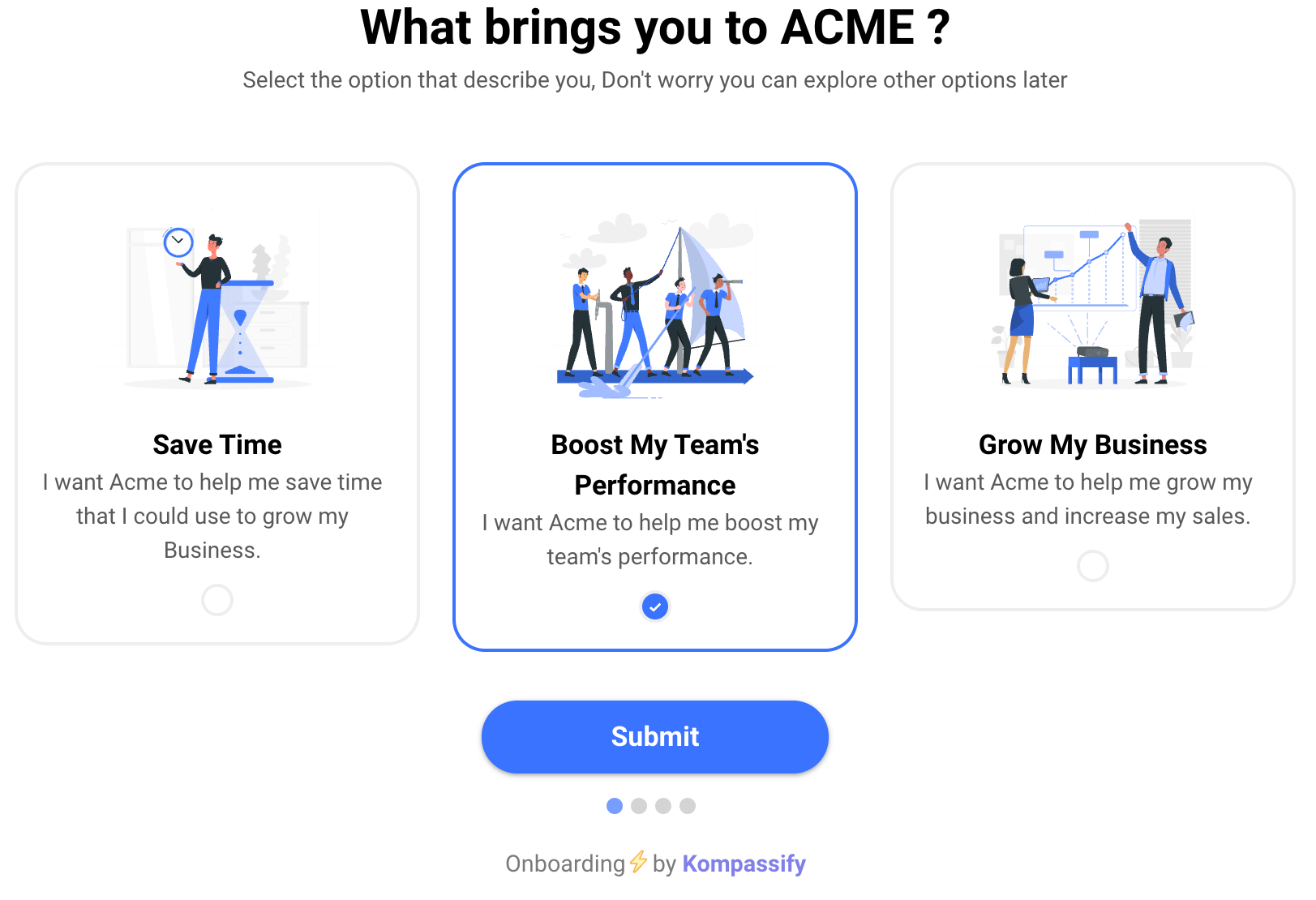
The welcome screen is where personalization is won or lost. Ask one question, offer three or four options with a short clarifying line under each, make the options describe outcomes in the user's language rather than your feature names, and give people an obvious way past it. Never make the answer feel like a commitment; users who cannot tell which option is theirs will pick at random, and a random answer is worse than no answer because it routes them confidently into the wrong flow.
The demo below is the whole mechanic in one picture: one question on the left, and the checklist on the right rebuilding itself around the answer. Watch what changes: not the greeting, but the work.
One question, three paths. The first step is shared (everyone creates a workspace) and the branch takes over exactly where the goals diverge.
5. Build a shared core, then the smallest branch on top
The maintenance trap is duplication. If each branch is a full copy of the flow, a change to the shared part means editing it three times, and the third copy is the one that will be forgotten. Keep every step that all branches share in one place, and let each branch contain only what is genuinely different. A good branch is three or four steps, not fifteen.
Build two branches first, even if you named four wins; the third and fourth can wait until the first two have reported back. Shipping two is how you learn what your branching costs to maintain before you commit to a structure you cannot sustain. Each branch is usually one onboarding checklist plus a short product tour for the step that needs the most explanation.
6. Instrument each branch separately, from day one
Track completion, drop-off per step, and downstream activation for each branch as its own line, never rolled into an onboarding total. This is not a reporting nicety: it is the only mechanism that tells you which branches to keep. Teams that skip it end up six months later with five flows, no evidence, and no defensible way to retire any of them.
Add the retirement rule up front, while nobody is attached to anything: a branch that does not out-perform the generic flow for its own segment within a stated window gets merged back. Named in advance, that decision is administrative. Named afterwards, it becomes an argument.
Personalized Onboarding Examples That Change Something
Three patterns that recur across SaaS products, each branching on a different signal family.
-
The dispatcher welcome screen (declared signal)
One question, "what do you want to do first?", with three outcome-shaped options, each launching a different checklist. The most common and most effective pattern, because it converts a two-minute guessing problem into a two-second answer. The variant that fails is the one that asks about job titles instead of goals, then discovers that "Product Manager" covers four incompatible intentions. The multi-choice onboarding pattern exists precisely for this moment.
-
Invited vs. inviter (contextual signal)
The person who created the workspace needs setup: configuration, integrations, permissions, billing. The colleague they invited needs none of it; they need to know what this tool is for, where their work lives, and what to do in the next five minutes. Serving both the admin flow is how products end up with engaged admins and dormant teams. This branch requires no question at all; you already know which one they are.
-
The observed stall (behavioural signal)
A user opens the same screen three times without completing the action it exists for. Instead of the generic tour, they get one contextual tooltip on the control they are missing, triggered by the behaviour, not the calendar. This is personalization at its cheapest and most obviously welcome, because the help arrives exactly where the user was already struggling. It also pairs well with empty states that adapt to what the user has and hasn't set up.
-
Depth by plan (contextual signal)
A self-serve trial user and an enterprise account with a rollout deadline need different densities of guidance. The trial user wants to reach a win alone and fast; the enterprise admin needs the configuration path laid out in full, plus material they can forward to their own team. Same product, same features: two legitimately different amounts of hand-holding, decided by data you already hold at signup.
When Personalized Onboarding Becomes Too Much
Personalization has a ceiling, and teams usually hit it in one of three ways.
Branch sprawl. Every branch is a flow somebody has to re-check whenever the product changes. Five branches is not five times the work of one; it is five times the work every release, forever. A stale branch is strictly worse than a generic one: it teaches, confidently and in your product's voice, a workflow that no longer exists. If your team cannot commit to reviewing every branch each time the underlying screens change, you have more branches than you can afford.
Personalization the user did not consent to. There is a line between helpful and unsettling, and it sits roughly where the product reveals it knows something the user never told it. Referencing a role the user selected is fine. Referencing their employer's headcount, inferred from a data vendor, is not, even when it is accurate, especially when it is accurate. The rule of thumb: never show a user something you would be uncomfortable explaining out loud. Personalization built on data you cannot justify collecting is also a compliance problem, not just a taste problem.
Over-fitting to a signal that goes stale. A role declared at signup describes that person on that day. Three months later they may have a different job, a different goal, or a colleague using their account. Declared signals should route the first session and then yield to behaviour, which stays current for free. Onboarding that is still insisting on a choice made in month one is not personalized; it is stuck.
The two rules that keep this healthy: never create a branch you cannot measure separately, and never keep a branch you cannot prove. Both are easy to honour on day one and nearly impossible to retrofit later.
How to Measure Whether Personalization Worked
The comparison that matters is like-for-like: users in a given segment who saw their branch, against users in that same segment who saw the generic flow. Comparing the developer branch to your overall average tells you nothing, because developers were never average; that is the whole premise of building the branch.
| What to measure | How to read it | What it tells you |
|---|---|---|
| Activation rate, per branch | Branch segment vs. same segment on the generic flow | The verdict. If the branch does not win here, nothing else redeems it |
| Time-to-value, per branch | Signup → that branch's own defined first win | Whether the shorter path is actually shorter in practice |
| Flow completion, per branch | Started vs. finished the checklist or tour | Whether the branch is followable: a diagnostic, not a goal |
| Step-level drop-off | Where inside the branch people stop | Usually the real story: one bad step, not a bad branch |
| Routing accuracy | Share who switch paths, skip, or answer then behave otherwise | Whether your question is legible: a wrong answer routes confidently into the wrong flow |
| Long-run retention, per branch | Cohort retention by entry branch | Whether the faster win was a real win or a shortcut past the value |
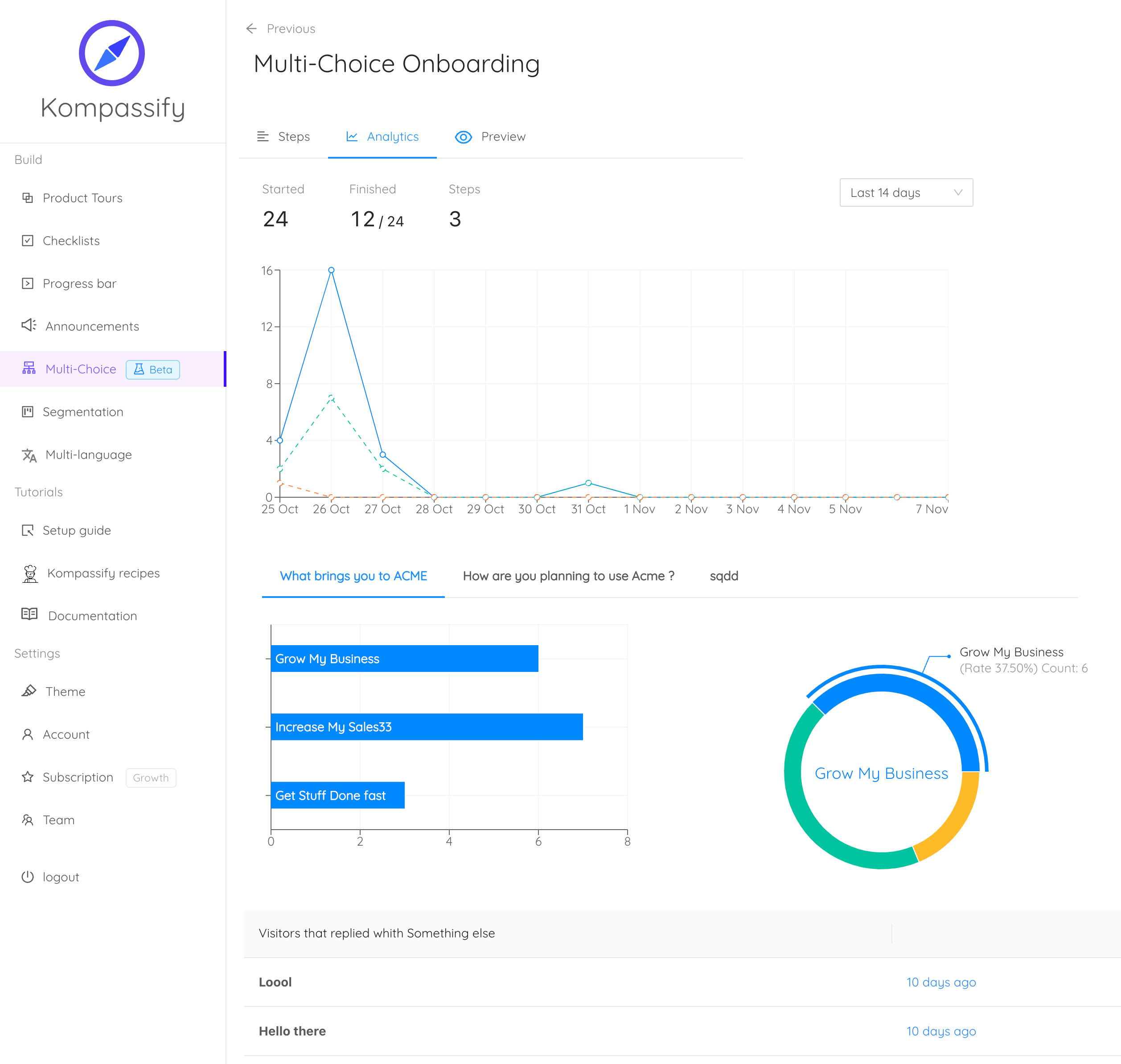
Step-level drop-off deserves special attention, because it is where most personalization post-mortems go wrong. When a branch under-performs, the instinct is to conclude that branching was a mistake. Far more often, three of the four steps worked and the second one asked for something the user did not have yet. Look inside the branch before you judge it. For the wider measurement frame, which onboarding numbers are worth a dashboard at all, see the user onboarding metrics guide, and for the activation definition underneath all of this, how to increase user activation.
Personalized Onboarding: Do vs. Don't
✅ Do
- Branch on the user's goal, not their job title
- Ask one routing question, and make the options outcome-shaped
- Ship two branches before you design four
- Keep the shared steps in one place, so a change lands once
- Track every branch separately from the day it launches
- Let behaviour override a declared answer as it ages
- Write the retirement rule before anyone is attached to the flow
- Give users an obvious way to skip or switch paths
❌ Don't
- Mistake a merge-tagged first name for personalization
- Open with a five-question onboarding survey nobody agreed to
- Duplicate whole flows per segment; the copies will drift
- Build branches you have no way to measure separately
- Surface inferred data the user never gave you
- Keep routing off a role declared six months ago
- Wait for an adaptive system before shipping two simple branches
- Judge a whole branch when one step inside it is the problem
Building Personalized Onboarding Without Engineering Time
The reason most teams stay on level 0 is not disagreement about the value; it is that branching normally means product code: a routing question, per-user state, conditional flows, and a way to change all of it without a release. With Kompassify, the branching lives in the guidance layer instead of the codebase:
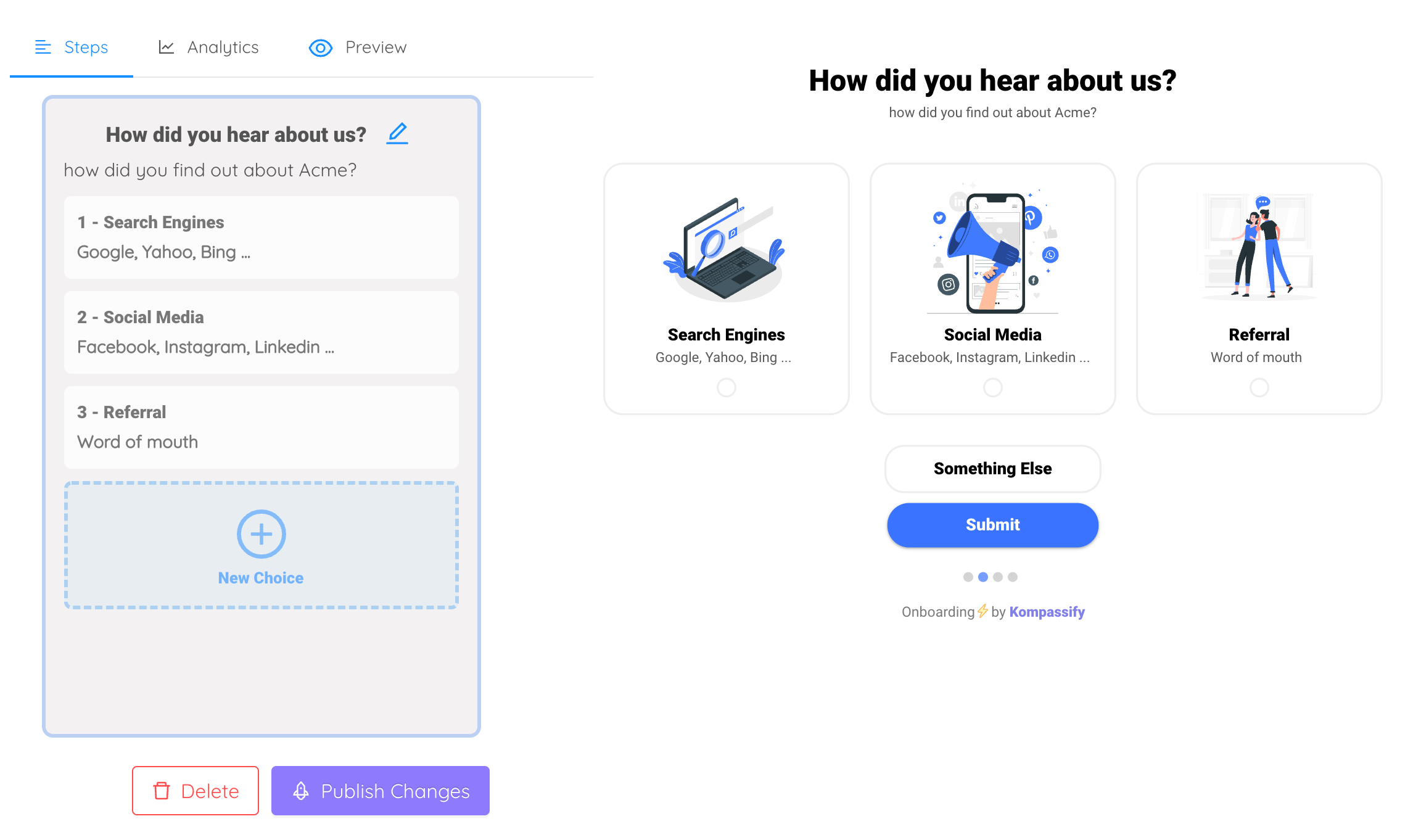
- A welcome screen that dispatches. Ask the routing question with a multi-choice welcome step and send each answer into its own flow; the answer becomes the branch, no product code involved.
- Segment targeting on every flow. Target tours, checklists, hotspots and announcements by role, plan, company attributes, or behaviour, so each user only ever meets the branch meant for them.
- Per-user tracking, so guidance retires itself. Consumed steps stay consumed: users never re-watch a tour they finished, which is what stops level-2 personalization from decaying into clutter by month three.
- A visual editor on your live product. Build each branch on top of the real interface and publish without a release cycle, which is what makes maintaining three branches realistic rather than theoretical.
- Analytics per flow. Completion and drop-off reported for each branch separately, the evidence you need to keep the branches that work and merge back the ones that don't.
You define the paths; the platform handles the routing, the state, and the measurement. Kompassify is GDPR compliant and EU-hosted, free for under 100 monthly active users, with paid plans from $129/month.
Give Every User the Onboarding They Came For
Kompassify lets you build role-based welcome screens, segment-targeted product tours, and branch-specific onboarding checklists on top of your existing product: no code, no release cycle, with per-branch analytics to prove which paths work. Stop averaging your new users into one flow. GDPR compliant, EU-hosted, and free for under 100 monthly active users.
Start for Free →Frequently Asked Questions
What is personalized onboarding?
Personalized onboarding is a first-run experience that changes based on who the user is and what they came to do, instead of showing every new account the same fixed sequence. The product collects a small number of signals: a role or goal the user declares at signup, firmographic data like company size or plan, behaviour observed in the first session, or where the user sits in their lifecycle, and uses them to decide which steps, tours, checklists and messages that particular user sees. The point is not novelty: it is shortening the distance between signing up and the user's own first useful outcome, which is different for a developer evaluating an API than for an ops manager who was told to migrate the team by Friday.
How do you personalize user onboarding?
Start from outcomes, not from data. Identify the two to four distinct first wins your users actually come for, then work backwards to the shortest step sequence for each one. Next, pick the cheapest reliable signal that tells you which group a new user belongs to, usually one question on the welcome screen, plus whatever your signup form already captures. Build one branch per group as its own checklist or tour, keep everything they share in a common core so you are not maintaining duplicated flows, and instrument each branch separately so you can see whether it beats the generic path. Ship two branches first; add a third only once the first two prove they earn their maintenance.
What is the difference between personalized onboarding and user segmentation?
Segmentation is the input; personalized onboarding is the output. Segmentation is the analytical work of dividing your users into meaningful groups (by role, company size, plan, use case, or behaviour) and it produces a definition: "admins at companies with more than fifty seats." Personalized onboarding is what you then show that group: a different welcome screen, a different checklist, a tour that skips the three steps they will never use. Segments with no differentiated experience attached to them are just tidy spreadsheets, and personalization without segments underneath it is guesswork.
What data do you need to personalize onboarding?
Far less than most teams assume. The highest-value signal is usually the one you can get for free: a single self-identification question on the welcome screen, "What brings you here?" or "Which best describes your role?", which is cheap to collect, instantly actionable, and often more accurate than inferred data because the user tells you their intent rather than you guessing it. After that, use what your signup already captures (plan, company size, invited-versus-inviter, referral source) and what the first session reveals (which page they landed on, which feature they touched first, whether they got stuck). A dedicated data warehouse and a machine-learning model are not prerequisites; they are optimizations you can add long after the first branch is live.
Can you personalize onboarding without asking users questions?
Yes, and often you should. Behavioural personalization reacts to what the user does rather than what they declare: someone who opens the reporting page three times without creating a report is told how to create one; someone who has already imported their data does not get the import tour. Contextual signals work the same way: the plan they chose, the page they were invited into, the integration they connected. Behaviour-based branching avoids the friction of an extra question and never goes stale the way a declared role does, but it costs you the first few minutes of the session, because you have nothing to act on until the user has done something. Most strong onboarding uses both: one question to route the first session, then behaviour to adapt everything after it.
When does personalized onboarding become too much?
When the number of branches outgrows the team's ability to keep them correct. Every branch is a flow that must be re-checked whenever the product changes, and a stale branch is worse than a generic one because it teaches users a workflow that no longer exists. The other failure mode is personalization the user can feel but did not consent to: surfacing inferred details that read as surveillance rather than helpfulness. Two practical rules: never create a branch you cannot measure separately, and never show a user something that would be uncomfortable to explain out loud. If a branch cannot demonstrate that it beats the generic flow, merge it back.
How do you measure whether personalized onboarding worked?
Compare each branch against the generic flow on the same outcome, within the same segment. The metric that matters is activation, the share of users in that segment who reach their first meaningful outcome, supported by time-to-value and completion rate for the flow itself. The comparison must be like-for-like: developers who saw the developer branch versus developers who saw the generic flow, never developers versus everyone. Watch drop-off step by step inside each branch too, since personalization frequently fails not because the branch was wrong but because one step in it was. Track branches separately from day one; retrofitting per-branch measurement afterwards is how teams end up unable to justify the flows they built.
How do you build personalized onboarding without code?
With a no-code onboarding platform like Kompassify, you build each branch as its own flow in a visual editor on top of your live product, then target it with segment rules: role, plan, company size, or behaviour, so each user only ever sees the branch meant for them. A multi-choice welcome screen can collect the routing answer and dispatch users into the right path, checklists and product tours carry each branch, and per-user tracking retires guidance once it has been consumed so nobody sees the same tour twice. Built-in analytics report each branch separately, which is what lets you retire the ones that do not earn their keep. Kompassify is GDPR compliant and EU-hosted, free for under 100 monthly active users, with paid plans from $129/month.