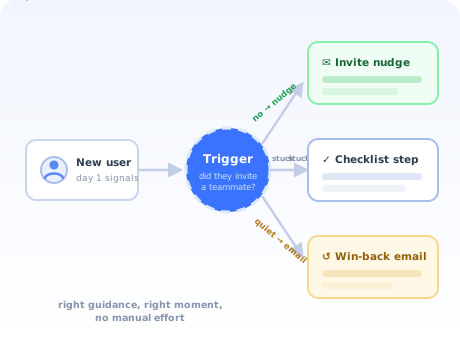
Manual onboarding has a ceiling, and every growing SaaS team hits it. At ten signups a week, a founder can welcome each user personally. At a hundred, the welcome email becomes a template. At a thousand, whole cohorts of new users arrive, wander, and quietly leave without anyone on the team ever knowing they existed.
The instinctive answer, hire more onboarding people, scales linearly at best. The structural answer is automation: let software watch what each new user has and has not done, and deliver the right guidance at the right moment, for every user, at any hour, in any timezone.
The catch is that "automated" has a bad reputation, earned by drip campaigns that ignore behaviour and product tours that lecture users about screens they have already mastered. This guide is about the other kind: automation that reacts to what users actually do, and therefore feels less like a machine and more like a colleague who happens to be paying attention.
Key Takeaways
- Automation is the machinery, not the strategy. Whether you run product-led or high-touch onboarding, the repetitive steps should not be done by hand.
- Five layers automate well: in-app guidance, lifecycle emails, behavioural triggers, segmentation, and follow-ups. Bespoke setup and frustrated users do not.
- In-app beats email as the backbone. Guidance in the product reaches users at the moment they can act; email's job is to bring them back when they go quiet.
- Trigger on behaviour, not on the calendar. "Day 3" knows nothing about the user. "Created a project but never invited anyone" knows exactly what to say next.
- Segment before you automate. One flow for everyone is how automation gets its robotic reputation.
- Measure activation, not flow completion. A finished checklist is a means; a user reaching real value is the end.
What is onboarding automation? (Definition & meaning)
Definition: Onboarding automation is the use of triggered, rule-based experiences, in-app tours, checklists, tooltips, lifecycle emails, and follow-up messages, to guide new users to value without a human doing it manually for each account. The system observes what each user has and has not done, and delivers the next piece of guidance automatically.
Two things in that definition are easy to miss. First, automation is defined by the delivery, not the content: the same welcome, the same walkthrough, the same check-in a good customer success manager would do by hand, executed by rules instead of by calendar reminders. Second, the word observes: good automation is conditional. It knows this user already connected their data source, so it skips that step. It knows that user has not returned in five days, so it reaches out. Automation without observation is just a broadcast schedule.
Onboarding automation vs self-serve onboarding
The two get used interchangeably, but they answer different questions. Self-serve onboarding is a delivery model: the decision that users should reach value without needing a call with your team. Onboarding automation is the machinery: the triggers, segments, flows and sequences that deliver guidance without manual effort. Every self-serve motion runs on automation, but so do high-touch ones: the best enterprise onboarding teams automate the routine steps precisely so their humans can spend every hour on the conversations that genuinely need one.
The five layers of onboarding automation
"Automate onboarding" sounds like one project. It is five, and they are best built in this order.
1. In-app guidance: the backbone
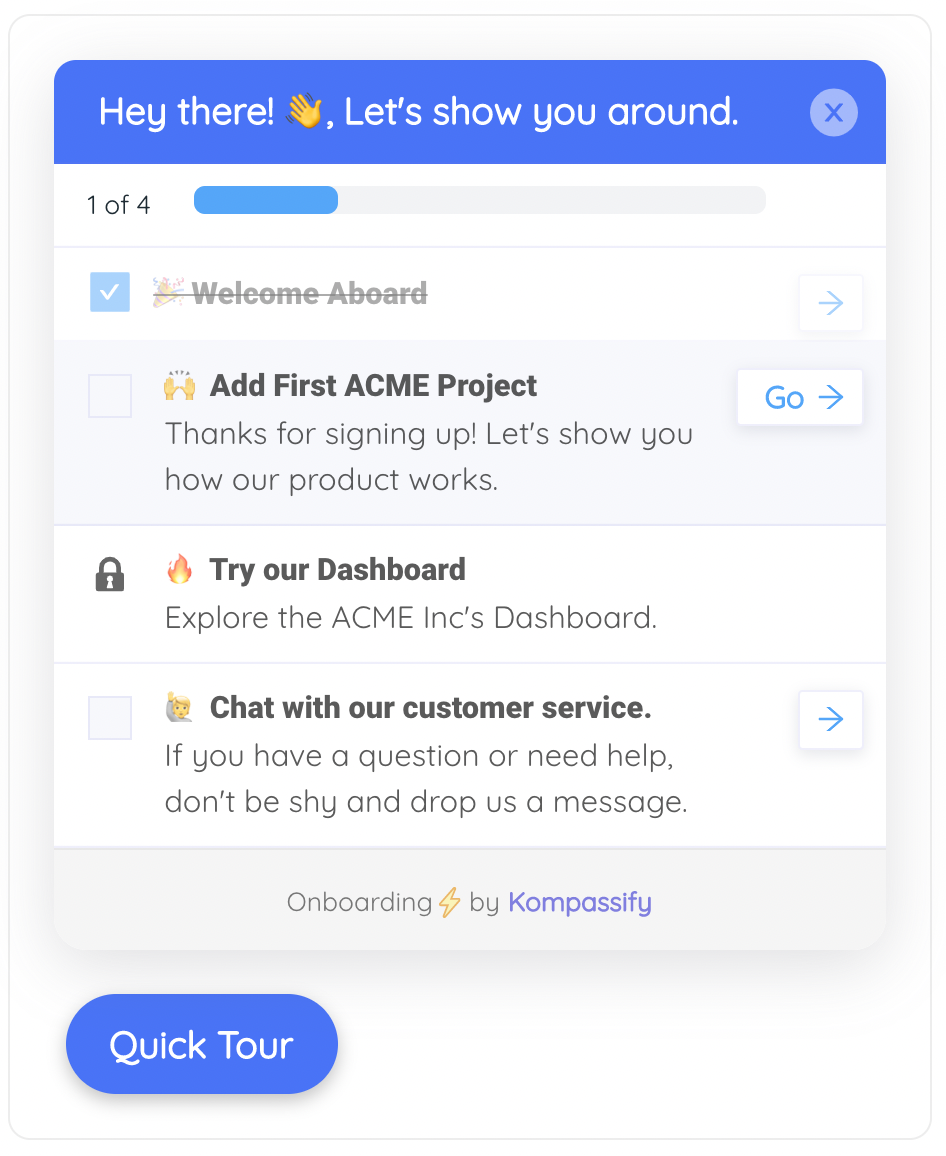
The welcome flow, the onboarding checklist, the product tour, the contextual tooltips on tricky controls. This layer earns first place because it works at the only moment that matters, while the user is in the product, able to act. Everything else supports it.
2. Behavioural triggers: the intelligence
Rules that fire on what a user does or conspicuously fails to do: created a project but invited nobody → show the collaboration nudge; visited the integrations page twice without connecting → offer the setup walkthrough; hit an error three times → open the help panel. Triggers are what separate automation that adapts from automation that recites. Our guide to onboarding triggers covers the patterns in depth.
3. Segmentation: the routing
A developer evaluating your API and a marketer clicking around the dashboard should not see the same onboarding. One or two multiple-choice questions at signup (role, goal) are enough to route each user into a flow that talks about their job. This is the single cheapest way to make automation feel personal, and the machinery behind it is plain user segmentation.
4. Lifecycle email: the recovery channel
In-app guidance has one blind spot: it only works when the user shows up. Email exists to fix exactly that: the day-3 nudge to the user who never returned, the "your report is ready" pull, the milestone congratulations. Build it around the in-app layer, referencing what the user has and has not done, rather than as an independent calendar-driven drip. Our onboarding email sequence guide covers the sequence itself.
5. Follow-ups and surveys: the feedback loop
The layer teams forget: automation that learns. A one-question in-app microsurvey after the first milestone ("was anything confusing?"), a targeted question to users who stalled at the same step, an NPS touchpoint after week four. This is how the flow improves without you guessing.
How to automate user onboarding in 6 steps
- Map the manual journey and mark what repeats
- Define the activation milestone
- Build the in-app backbone
- Add behavioural triggers where users stall
- Layer email around the product, not instead of it
- Review the analytics monthly and fix the biggest leak
1. Map the manual journey and mark what repeats
Write down everything that currently happens between signup and success: every email someone sends, every call, every "how do I…" ticket. Then mark each item: identical for every account, identical within a segment, or genuinely bespoke. The first two columns are your automation backlog; the third is your humans' actual job. Most teams find the majority of their onboarding effort sits in the first two columns.
2. Define the activation milestone
Automation needs a destination. Pick the concrete action that separates users who stick from users who vanish: the first report generated, the first teammate invited, the first workflow run. This is your aha moment, and every trigger, tour and email you build should push toward it. Automation aimed at "engagement" in general optimises nothing.
3. Build the in-app backbone
A short welcome flow that asks one routing question, a checklist of three to five real setup actions, and contextual tooltips on the controls that generate support tickets. Resist the urge to tour the entire interface: the backbone's job is to get the user to the milestone from step 2, not to prove the product has many screens. Keep the first-time user experience ruthlessly focused.
4. Add behavioural triggers where users stall
Open your analytics, find the two or three places new users most often go quiet, and write a trigger for each: a nudge, a shortcut, an offer of help. This is deliberately step 4, not step 1: triggers built before you know where users actually stall are guesses, and guessed triggers are how products end up interrupting users who were doing fine.
5. Layer email around the product, not instead of it
Give email the jobs only email can do: reach users who are not in the product. The rule that keeps sequences honest is conditional on behaviour: the "how to get started" email goes only to users who have not started; the user who activated on day one graduates straight to the advanced tips. Nothing marks a sequence as robotic faster than congratulating a user on a step they finished last week.
6. Review the analytics monthly and fix the biggest leak
Automated does not mean finished. Once a month, read the funnel: where do users drop out of the checklist, which trigger fires but converts nobody, which email is ignored? Fix the single biggest leak, ship it, and re-measure. An automated flow that is reviewed monthly compounds; one that is set and forgotten decays as the product changes underneath it.
What should stay human
The goal of automation is not zero human contact; it is spending human contact where it changes the outcome. Three moments consistently justify a person:
-
Genuinely bespoke setup
Complex integrations, data migrations, multi-team rollouts. The steps differ for every account, which is the definition of what automation cannot do. Automate the scheduling and the preparation checklist around the call, not the call.
-
Frustrated users
A user who has hit the same wall three times does not want a tooltip. A trigger can detect the frustration (repeated errors, rage-clicks, abandoned attempts) but the right payload is a fast route to a human, not another automated message.
-
Commercial conversations
Pricing questions, contract terms, expansion discussions. Automation can surface the signal, an account nearing its plan limit, but the conversation itself is judgement work, and users know instantly when it is not.
The hybrid rule: automate the routine, personalise the routing, and staff the exceptions. If your team is manually sending the same three onboarding emails to every signup, you have humans doing robot work. If your automation is trying to talk a frustrated enterprise customer off a ledge, you have robots doing human work. Both are expensive; only one of them also loses customers.
Onboarding automation: Do vs. Don't
✅ Do
- Trigger on behaviour, not on days since signup
- Ask one routing question and branch the flow by role
- Skip steps the user has already completed
- Give email the recovery job, in-app the guidance job
- Detect frustration and route it to a human fast
- Measure activation and time to value, not completions
- Check what share of signups actually enter the flow
- Review and prune the flow monthly
❌ Don't
- Run one identical sequence for every user
- Send "how to get started" to users who already started
- Tour every feature on first login
- Let calendar-based drips ignore in-product behaviour
- Answer repeated failure with another automated nudge
- Celebrate checklist completion while activation stalls
- Stack three tools with overlapping, conflicting messages
- Set the flow live and never look at it again
Automating onboarding without engineering time
The classic blocker: everything above sounds right, and every piece of it lands in the engineering backlog behind the actual product. Six months later the "automated onboarding" project has shipped a welcome email.
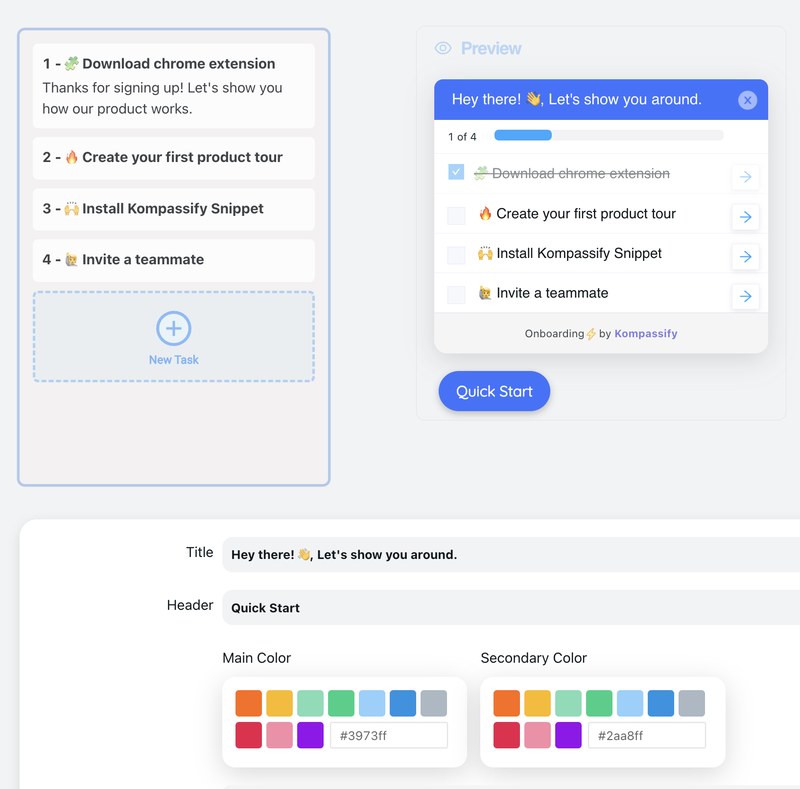
This is the problem no-code onboarding platforms exist to solve. With Kompassify, the in-app backbone (product tours, checklists, tooltips, announcements and in-app surveys) is built in a visual editor and shipped without a release. Flows target segments, fire on the pages and conditions you define, skip themselves for users who no longer need them, and report completion and drop-off in built-in analytics. The product team iterates on onboarding weekly while engineering ships the roadmap; free up to 100 monthly active users, from $129/month after that, GDPR-compliant and hosted in the EU.
Put Your Onboarding on Autopilot: the Attentive Kind
Kompassify automates your in-app onboarding with no-code tours, checklists, tooltips and surveys, triggered by behaviour, targeted by segment, measured end to end. Free up to 100 monthly active users, GDPR-compliant and hosted in the EU.
Start for Free →Frequently Asked Questions
What is onboarding automation?
Onboarding automation is the use of triggered, rule-based experiences, in-app tours, checklists, tooltips, lifecycle emails, and follow-up messages, to guide new users to value without a human doing it manually for each account. The system watches what a user has and has not done, and delivers the right guidance at the right moment automatically. Done well, it feels like attentive service; the user gets help exactly when they need it, at any hour, in any timezone.
What is the difference between onboarding automation and self-serve onboarding?
Self-serve onboarding is a delivery model: the decision that users should be able to reach value without talking to your team. Onboarding automation is the machinery that makes any model work: the triggers, segments, in-app flows and email sequences that deliver guidance without manual effort. High-touch teams automate too. They automate the routine steps so humans can spend their time on the conversations that actually need a human.
What parts of user onboarding can be automated?
Five layers automate well: in-app guidance (welcome flows, product tours, checklists, tooltips), lifecycle email sequences, behavioural triggers that react to what a user does or fails to do, segmentation that routes different roles and use cases to different flows, and follow-ups such as nudges to inactive users or surveys after key milestones. What automates badly: bespoke configuration for complex accounts, pricing and contract questions, and rescuing a frustrated user. Those moments need a human.
How do you automate user onboarding?
Six steps: map the manual journey and mark which steps repeat identically for every account; define the activation milestone the automation should drive toward; build the in-app layer first (welcome flow, checklist, contextual tooltips); add behavioural triggers for the moments users stall; layer email around the in-app experience rather than instead of it; and review the flow's analytics monthly, fixing the biggest drop-off each cycle. Start with one segment and one milestone, not the whole journey at once.
Does automated onboarding feel impersonal?
Only when it is built as one generic sequence blasted at everyone. Automation that branches on role and goal, reacts to what the user has actually done, and skips what they have already completed feels more personal than a busy human running the same call script for every account. The rule of thumb: automate the routine, personalise the routing, and keep humans for judgement calls, complex setups and frustrated users. Our guide to personalized onboarding covers the routing side.
Should onboarding emails or in-app guidance come first?
In-app first. Guidance inside the product reaches users at the exact moment they can act on it, while email reaches them somewhere else, at some other time, competing with a full inbox. Email still matters. It can pull users back into the product when they go quiet, which in-app guidance cannot do because it only fires when the user is present. The two work as a system: in-app guides the session, email restarts it.
How do you measure automated onboarding?
The same way you measure any onboarding: activation rate as the primary metric, time to value as the secondary, and early retention as the final judge. Flow-level numbers, checklist completion, tour completion, email open rates, are diagnostics for locating drop-off, not goals in themselves. A useful extra for automation specifically is coverage: what share of new users actually entered the automated flow, since a trigger misconfiguration can silently exclude half your signups.