Every organisation has a story about the tool nobody uses. It was chosen carefully, it beat three competitors in evaluation, the integration works, the licences renew every year, and the actual work still happens in a spreadsheet somebody maintains by hand. Nothing broke. The rollout just quietly failed, and because it failed quietly, nobody had to explain it.
That is the thing worth understanding about a software rollout: the risk is almost never technical. Deployment is a solved problem: provisioning, SSO, permissions, data migration are hard but they are engineering, and engineering finishes. What does not finish on its own is the part where a few hundred people who were perfectly productive last Tuesday choose to be temporarily slower and worse at their jobs in exchange for a benefit somebody else described to them in a kick-off meeting. A software rollout plan exists to make that trade survivable.
This guide is the practical version. What a rollout plan actually has to contain, why rollouts fail in the weeks after go-live rather than during it, how to choose between a big bang and a phased rollout strategy, an eight-step process you can lift wholesale, how to size and gate your waves, the adoption metrics that mean something, and how to deliver the guidance inside the software itself, which is the difference between a rollout that holds and one that decays the moment the training is over.
Key Takeaways
- Deployment ends when the software works; a rollout ends when people use it. Most plans are deployment schedules with a go-live date and no adoption plan behind it.
- Phased beats big bang unless a hard dependency forces one date. Waves let each group's problems get fixed before the next group meets them, and keep support load inside what your helpdesk can absorb.
- Every wave needs a go/no-go gate with real numbers. "Wave 2 starts on the 14th" is a calendar. "Wave 2 starts when 70% of Wave 1 has completed the core task" is a plan.
- Training decays; in-app guidance doesn't. A session learned two weeks before go-live is mostly gone by the time it's needed; guidance that appears at the moment of the task keeps working, including for the joiner who arrives in month six.
- Licences assigned is not an adoption metric. Measure reach, activation, depth, and durability, and watch for the quiet reversion back to the old tool.
- Name the retirement date early. A rollout with no end date for the old way becomes permanent parallel running, which is the most expensive possible outcome.
What Is a Software Rollout? (And What a Rollout Plan Contains)
A software rollout is the planned process of putting a new tool into the hands of the people meant to use it and getting them to do their real work in it. The distinction that matters, and the one most plans blur, is between deployment and rollout.
Software rollout, defined. Deployment is a technical event: it ends when the software is installed, accessible, and functioning. A rollout is a behavioural one: it ends when the intended users are performing the intended work in the new tool without needing help to do it. You can have a flawless deployment and a failed rollout; that is, in fact, the standard failure mode.
Which means a rollout plan is not a project timeline with a go-live date on it. A usable plan answers eight questions in writing, and if it cannot answer them, it is a deployment schedule wearing a rollout plan's name:
| The question | What a weak plan says | What a usable plan says |
|---|---|---|
| What is this for? | "Modernise our stack" | "Cut quote turnaround from 3 days to same-day, for the 60 people in Sales Ops" |
| Who is affected, in what order? | "Everyone, on the 1st" | Named waves, sized, sequenced, with an owner per wave |
| What must each group do on day one? | "Log in and explore" | The two or three tasks that replace their current workflow, listed per role |
| How do they learn it? | "90-minute training session" | Guidance inside the tool at the moment of the task, plus a short session for context |
| Who do they ask when it breaks? | "Raise a ticket" | A named champion per team, a help path inside the app, and an SLA people believe |
| What are we measuring? | "Licences assigned" | Reach, activation, depth, durability, with thresholds per wave |
| What if a wave fails? | (unanswered) | An explicit go/no-go gate, and what gets fixed before the next wave |
| When does the old way stop? | (unanswered) | A dated retirement, announced up front, enforced |
Rollouts come in a few flavours and the plan shape changes slightly with each: an internal rollout of a new tool to employees, a migration rollout replacing something people already rely on (hardest: you are competing with a working habit), and a feature rollout inside a product your users already have, which is closer to announcing a new feature than to a full deployment. The eight-step process below is written for the first two; most of it transfers to the third at smaller scale.
Why Software Rollouts Fail (It's Almost Never the Software)
Post-mortems on failed rollouts tend to blame the tool, because the tool cannot argue. The real causes are boringly consistent, and every one of them is preventable at planning time:
-
The "why" was written for the buyer, not the user
The business case that justified the purchase (consolidation, licence savings, better reporting for leadership) is frequently of zero interest to the person being asked to change. If the answer to "what's in it for me?" is "management gets a nicer dashboard," people will comply in the minimum way that avoids trouble, which looks exactly like adoption in a licence report and nothing like it in practice.
-
Training happened weeks before anyone needed it
The standard sequence (a training session, then a gap, then go-live) is designed around trainer availability, not human memory. By the time the task actually arrives, most of the session is gone, and what remains is the vague feeling that this was explained once and asking again would be embarrassing. Guidance delivered at the moment of the task doesn't have this problem, which is the entire argument for putting it inside the tool.
-
The old way still worked
Every rollout runs against a functioning alternative: the spreadsheet, the shared inbox, the personal template that has been fine for four years. As long as reverting is possible and faster, a meaningful share of people will revert, not out of resistance, but because they had a deadline that afternoon. Rollouts that never name a retirement date for the old way are quietly choosing permanent parallel running.
-
Getting help was harder than giving up
The moment of truth is a stuck employee at 4pm. If help means finding a PDF, searching an intranet, or filing a ticket with a two-day SLA, the rational move is the old tool. This is ordinary user friction, and it compounds: each unresolved stall makes the next attempt less likely.
-
Nobody measured behaviour, only effort
Licences assigned, sessions delivered, attendance rates: all of these measure what the rollout team did, none of them measure what employees do. A rollout can report 100% on every one of them while the actual work has not moved at all. Without behavioural metrics, the failure is invisible until renewal.
-
There was a launch, but no month two
Attention, budget, and champion time are all front-loaded onto go-live day. But the questions that decide whether a rollout holds arrive in weeks three to eight: the edge cases, the quarterly process nobody rehearsed, the new joiner in month six who missed every session. Plans that end at go-live are planning for the easy half.
Notice the shape: five of the six are about what happens after the software works. That is why the adoption gap is measured in behaviour, not installation, and why it opens up at four predictable points.
Big Bang vs. Phased Rollout: Choosing Your Rollout Strategy
There are really only two software rollout strategies, plus one hybrid worth knowing. The choice sets everything else in the plan: timeline, support staffing, how much parallel running you tolerate, and how much you can learn before you are committed.
A big bang rollout moves everyone on the same date. A phased rollout moves people in waves, each behind a decision point. The tempting mental model is "big bang is risky, phased is safe," but that is not quite it: the real difference is when you find out. Big bang concentrates all discovery into one week at full scale. Phased spreads it out and buys you the chance to fix things between groups.
| Strategy | How it works | Choose it when | The cost |
|---|---|---|---|
| Big bang | Everyone cuts over on one date; the old system goes read-only or off | The system has one shared data set that can't be split (payroll, ERP, a single ledger), or a contract/compliance deadline dictates the date | All problems arrive simultaneously at full scale, with no rehearsal and a support queue you cannot staff for |
| Phased (by wave) | A pilot, then progressively larger groups, each behind a go/no-go gate | The default. Anywhere the work can be split by team, region, or account without breaking a shared process | Parallel running for weeks; two sets of instructions; requires the discipline to actually hold a gate |
| Phased (by feature) | Everyone gets the new tool, but only for one workflow at a time | The tool replaces several workflows and one of them is clearly the easiest win | People live in two tools at once, which is confusing in a different way; sequence it tightly |
| Parallel run | Both systems used for the same work, deliberately, for a fixed window | The output must be reconciled and proven identical (financial, regulatory) | Double work: only justifiable with a hard end date, or it becomes permanent |
The hybrid trap. "We'll do a phased rollout, but everyone gets access on day one so keen people can start early" sounds generous and quietly becomes a big bang. Access is the rollout. If Wave 3 can log in during Wave 1, you have not sequenced anything; you have just staggered the emails.
The 8-Step Software Rollout Plan
The process below assumes a phased rollout of a tool that replaces an existing way of working, the common and hardest case. Steps 1 to 4 happen before anyone outside the project sees the software; steps 5 to 8 are the rollout proper.
- Define the outcome in the users' terms, not the buyer's
- Map the audience and the day-one tasks per role
- Choose the strategy and design the waves
- Prepare the environment, the data, and the guidance
- Run the pilot, and recruit the sceptics
- Launch each wave behind a gate
- Support the middle weeks, where rollouts actually die
- Retire the old way and hand over to business as usual
1. Define the outcome in the users' terms
Write one sentence naming the group, the work, and the change: "Sales Ops turns around a custom quote the same day instead of in three days." That sentence has to survive contact with the person doing the work; if a quote specialist reads it and thinks "that would genuinely make my Tuesdays better," you have a rollout. If they read it and think "that's a management metric," you have a compliance exercise, and you should find the version of the benefit that is true for them before going further. There usually is one; it is just not the one in the business case.
Write down the counter-argument too, honestly: what gets worse in the first weeks. It always does. Naming it up front costs you nothing and buys you credibility you will need in week three, when it happens.
2. Map the audience and the day-one tasks
List every affected group and, for each, the two or three tasks they must be able to complete on their first day in the tool, expressed as the work, not the feature ("issue a credit note," not "use the billing module"). This list is the spine of everything downstream: it decides what the pilot tests, what the guidance covers, what "activation" means in your metrics, and what a wave's gate measures.
Keep it brutally short. Ten day-one tasks is a curriculum, and a curriculum will not be learned. Three is a rollout. Everything else is month two, and can be taught in the tool later, when it is needed: the same logic behind progressive onboarding, which teaches a product over time instead of all at once.
Then segment. A finance controller, a field technician, and a team lead do not need the same rollout, and giving all three the same generic walkthrough is how you make guidance annoying for everybody. Grouping people by what they actually need to do, the same discipline as user segmentation in product work, is what makes targeted in-app guidance possible later.
3. Choose the strategy and design the waves
Pick big bang or phased using the table above, and if phased, size the waves. A workable default: a pilot of roughly 5–10% of users, then waves that roughly double, so each group is bigger than the last but never so big that a bad week becomes a company-wide event. Two weeks between waves is a good starting spacing, long enough for the delayed problems to surface, short enough to keep momentum.
Then define the gate for each wave before it starts, in numbers. Not "wave 2 starts on the 14th" but "wave 2 starts when 70% of wave 1 has completed the core task at least twice and open tickets are below X." A gate you set in advance is a decision; a gate you evaluate afterwards is a rationalisation.
5–10% of users
~25% of users
Everyone remaining
4. Prepare the environment, the data, and the guidance
The technical readiness list is familiar: access and SSO, permissions per role, integrations, and (the one that sinks more rollouts than any other) the data and the saved configurations people depend on. If someone's twelve saved filters, their templates, or three years of history don't come across, they will keep the old tool open regardless of what the plan says. Migrating the top five artefacts per role is worth more than a week of training.
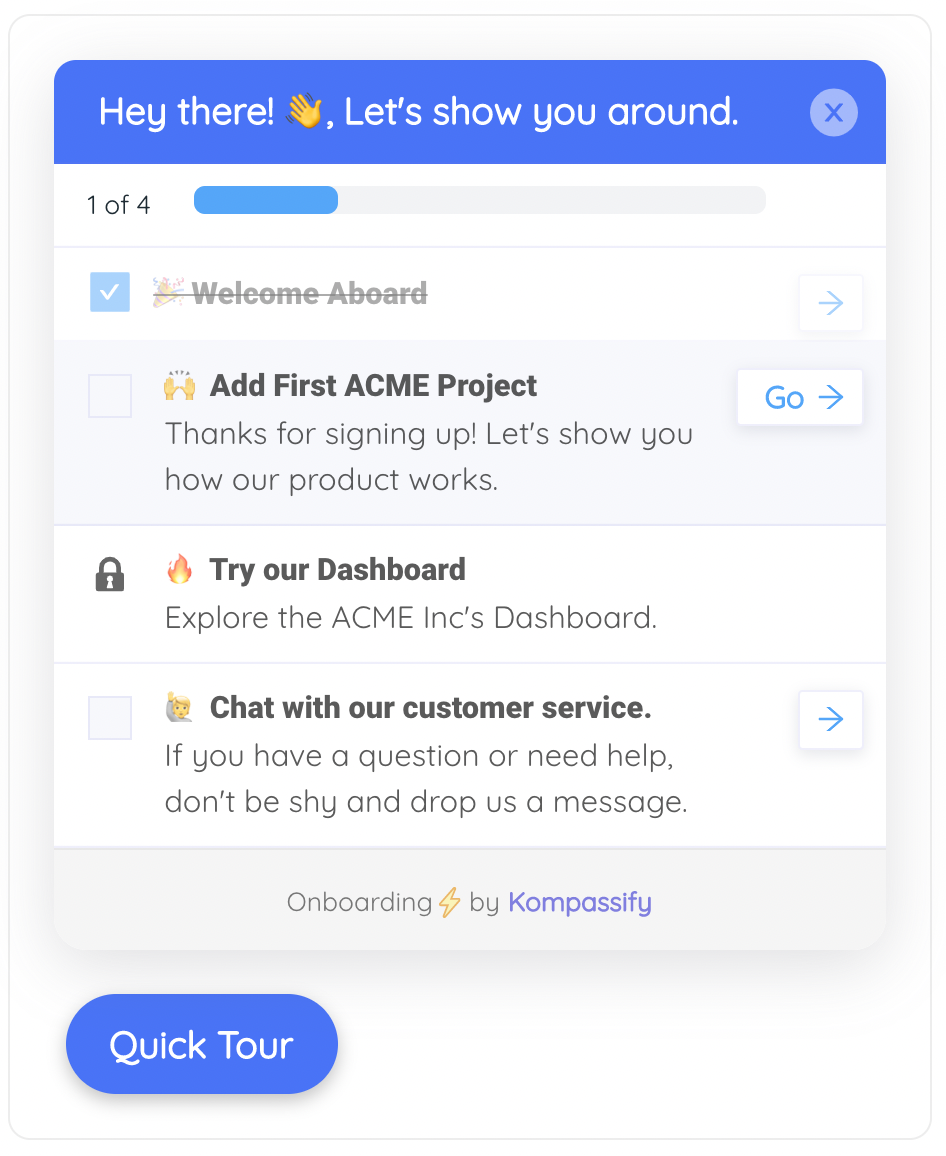
Prepare the guidance at the same time, not afterwards, and decide where it lives. A deck and a PDF are a defensible baseline, but the only guidance with a decent half-life is the kind that appears in the tool at the moment of the task: a short product tour on first login, a checklist of the day-one tasks that tracks itself, tooltips on the four fields everyone gets wrong, and a help path inside the app so being stuck never means leaving the screen.
5. Run the pilot, and recruit the sceptics
A pilot staffed entirely with volunteers tells you what the rollout looks like for people who wanted it. That is the least useful population you could survey. Deliberately include two or three people who think this is a waste of time; they will find the workflow the tool handles badly, and you would much rather learn about it from five people in week two than from three hundred in week six.
Run the pilot against the real day-one task list, watch where people stall, and fix the guidance before wave 2 rather than adding it to a backlog. The pilot's output is not a thumbs-up; it is a list of specific repairs (three tooltips, one reworded step, one migrated template, one workflow the vendor has to confirm) and evidence for the gate.
6. Launch each wave behind a gate
Each wave gets the same package: a short message from someone the group actually reports to (not the project team) explaining what changes and when the old way stops, access granted on the day, the in-app guidance targeted to that wave, a named champion in the room, and a visible support path. Then you watch the numbers against the gate you set in step 3.
Holding a gate when the numbers are bad is the single hardest and most valuable discipline in a rollout. It is also the cheapest: delaying wave 3 by a week costs a week, while running wave 3 into a known unfixed problem costs you the credibility you need for every rollout after this one.
7. Support the middle weeks, where rollouts actually die
Support capacity is almost always planned around go-live day, which is the wrong day. The questions that matter arrive in weeks two to six: the monthly process nobody rehearsed, the quarterly close, the customer edge case, the person who was on holiday for the whole launch. Staff for that, and keep the champions active past the applause.
This is also where in-app guidance earns its keep twice over. Every recurring question is a tooltip or a step you can add that week (no release, no retraining) and every new joiner afterwards gets the fixed version automatically. It is the mechanism that turns a rollout into durable digital adoption rather than a launch that decays.
8. Retire the old way and hand over to business as usual
Announce the retirement date at the start of the rollout, not at the end, and then actually enforce it, read-only first, then off. Every week the old tool stays fully available is a week the rollout is optional, and optional rollouts settle at whatever adoption level the least convinced team decides on.
Then hand it over properly: someone owns the in-app guidance from now on, the day-one tasks become part of employee onboarding for new joiners, and the adoption dashboard has a named reader with a monthly slot. A rollout without an owner after go-live is a rollout that has to be re-run in eighteen months.
The Rollout Timeline: What Happens in Each Phase
Rollout timelines are the part people most want a template for, and the part where a template is most misleading: a 40-person tool and a 4,000-person ERP do not share a calendar. What does transfer is the shape: a preparation phase longer than anyone budgets, waves spaced by learning rather than by convenience, and a support tail that outlives the launch.
Two things in that shape are consistently underestimated. The first is preparation: the data migration and the guidance both take longer than the deployment, and both are on the critical path for whether wave 1 succeeds. The second is the support band; note that it is not centred on any launch day. It spans the middle, because that is when the awkward questions arrive.
A useful test for your timeline. Ask what specifically would have to happen for you to delay wave 3 by a week. If there is no answer, the waves are not gated; they are just dates, and the rollout will proceed at the same speed whether it is working or not.
What to Measure During and After a Software Rollout
The measurement failure in most rollouts is not that nothing is tracked; it is that what gets tracked measures the rollout team's activity instead of employees' behaviour. Licences assigned, sessions run, attendance, emails sent: all can hit 100% in a rollout that changed nothing. Four layers, in order, fix that.
| Layer | The question | What to measure | When it should move |
|---|---|---|---|
| Reach | Did they turn up at all? | % of the wave who signed in at least once | Days 1–5 of the wave |
| Activation | Did they do the real thing? | % who completed the day-one task: the work, not the tour | Week 1–2 of the wave |
| Depth | Are they using what the business case rests on? | Weekly use of the two or three workflows that justify the tool | Weeks 2–6 |
| Durability | Did the habit hold? | Still active at weeks 4 and 8; reversion to the old tool | Weeks 4–12 |
Alongside those, two operational signals give you the earliest warning of trouble. Time-to-first-successful-task, how long between first login and the first real piece of work completed, is the internal equivalent of time to value, and when it stretches, everything downstream sags with it. And support tickets per hundred users per wave should fall from one wave to the next; if wave 3 generates the same ticket rate as the pilot, nothing you learned in between actually got fixed.
Watch the distribution, not just the average. A rollout at 68% activation is either broadly healthy or two departments at 95% and one at 12%, and those need completely different responses. The team at 12% usually has a specific reason: a workflow the tool handles badly, a manager who never bought in, or a migration that dropped something they needed. Averages hide exactly the thing you can fix.
Software Rollout: Do vs. Don't
✓ Do
- Write the benefit in the words of the person doing the work, and name what gets worse first
- Cut the day-one task list to three items per role
- Put the sceptics in the pilot on purpose
- Set each wave's gate in numbers before the wave starts
- Migrate the saved filters, templates, and history people actually rely on
- Deliver guidance inside the tool, at the moment of the task
- Staff support for weeks 2–8, not for launch day
- Announce the old system's retirement date at the start, and enforce it
- Give the guidance and the adoption dashboard a named owner after go-live
✗ Don't
- Report licences assigned as an adoption metric
- Run the training three weeks before anyone can use it
- Let wave 3 have access during wave 1; that's a big bang with extra emails
- Staff the pilot entirely with volunteers and enthusiasts
- Treat the gate as a formality once the date is in the calendar
- Leave the old tool fully available indefinitely "just in case"
- Ship one generic walkthrough to every role
- Judge the rollout on the org-wide average and miss the department at 12%
- End the plan at go-live
Running a Software Rollout Without Engineering Time
The hardest line item in a rollout plan is usually the guidance, because the obvious ways to produce it are all bad. Documentation nobody reads is cheap and useless. Live training is expensive, decays within days, and has to be re-run for every joiner. And building help into the software itself is rarely available to you at all: if it is a vendor's product you cannot change it, and if it is internal, you are competing for developer time against the roadmap.
Kompassify exists for exactly that gap: it layers guidance on top of software you already run, without touching its code.
- Guidance on any web app, without a release cycle. Add product tours, tooltips, and hotspots to the tool your employees are using, built in a visual editor on your live application. No developer, no deployment window.
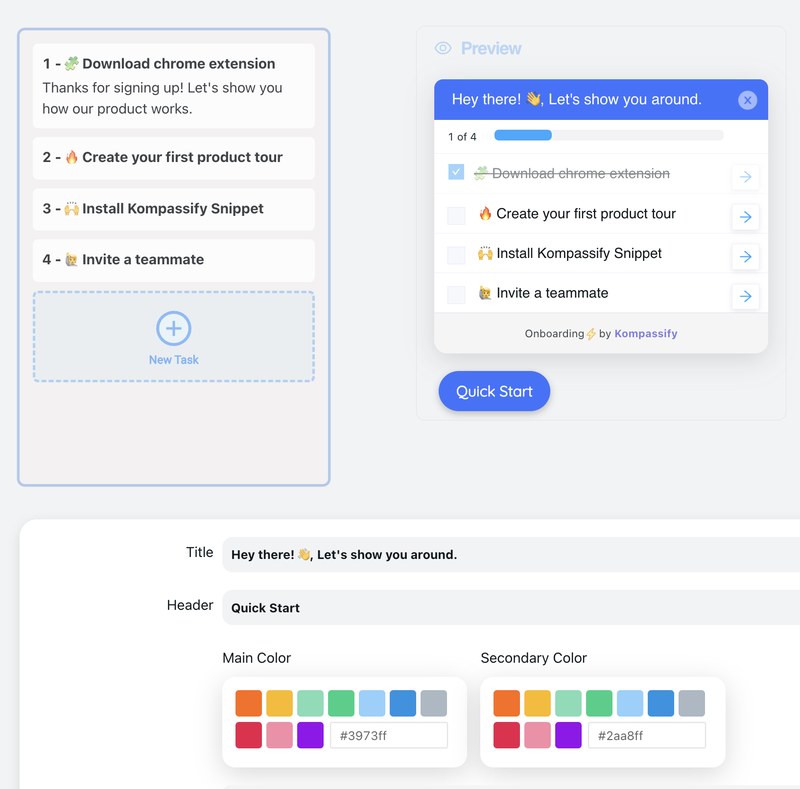
- Day-one tasks as a self-tracking checklist. An onboarding checklist turns your three day-one tasks into visible progress that persists per person, so someone who gets pulled away mid-setup returns to where they left off, not to the beginning.
- Targeting that matches your waves. Show each wave, department, or role only the guidance meant for it, and switch a wave on by changing who is targeted, not by re-running a training session.
- Announcements for the milestones. Wave dates, new workflows, and the old system's retirement can be delivered inside the tool where people already are, instead of in an email thread they have muted.
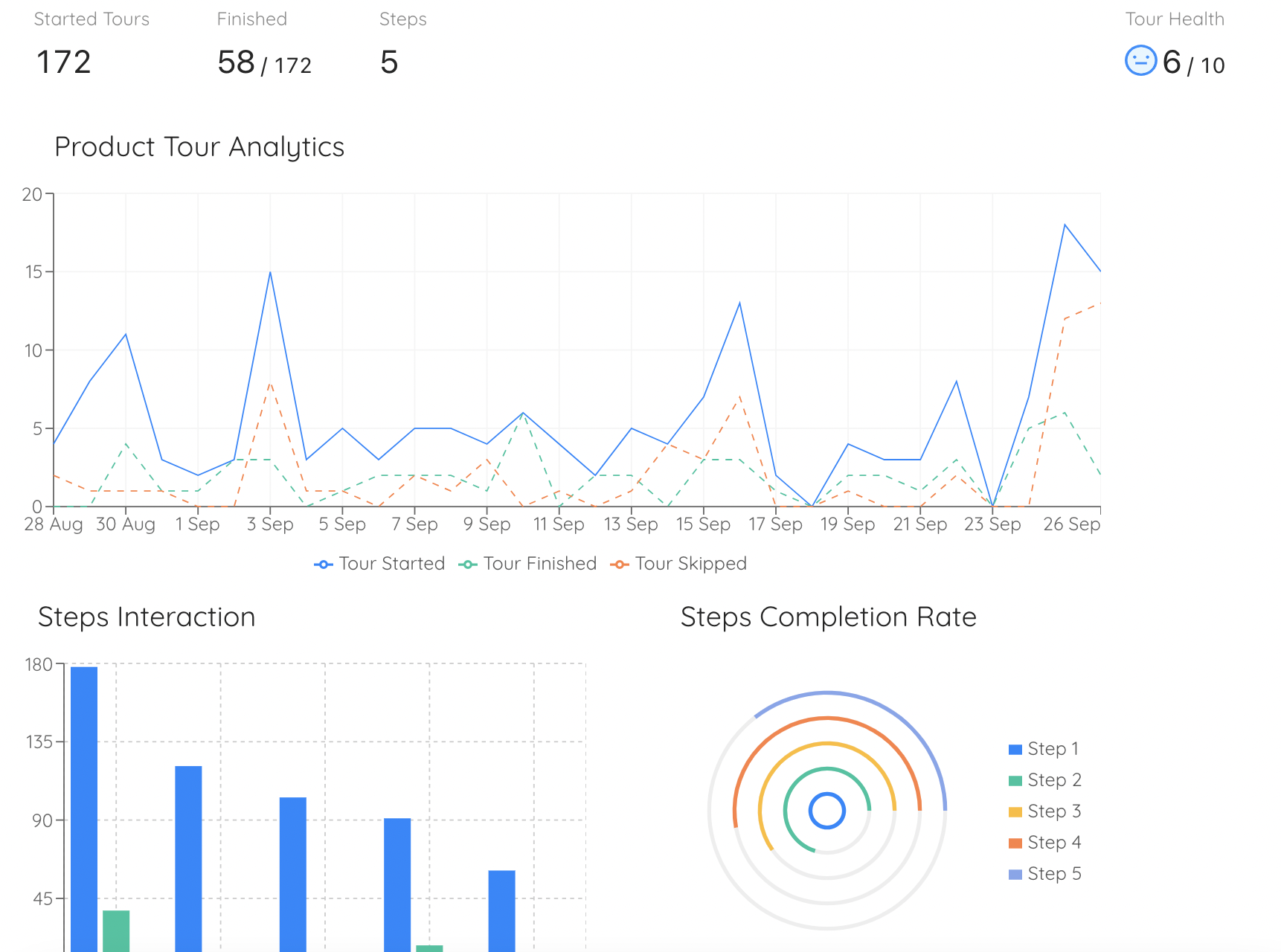
- Analytics per step. Built-in reporting shows completion and drop-off for every step of every flow, so the wave-2 guidance is a repaired version of wave 1's rather than a hopeful rewrite.
- Guidance that keeps working after the rollout. The joiner who arrives in month six meets the same guided first day as wave 1 did, with nobody scheduling anything.
Kompassify is GDPR compliant and EU-hosted, free for under 100 monthly active users, with paid plans from $129/month, which means you can run a pilot wave end to end before the rollout has a budget line.
Make the New Tool the Easy Option
Kompassify adds product tours, checklists, tooltips, and announcements on top of the software your teams already use: no code, no release cycle, targeted wave by wave, and measured step by step. Give every employee a guided first day, including the ones who join six months after go-live. GDPR compliant, EU-hosted, and free for under 100 monthly active users.
Start for Free →Frequently Asked Questions
What is a software rollout?
A software rollout is the planned process of putting a new tool into the hands of the people who are meant to use it, and getting them to actually use it in their daily work. It is broader than deployment: deployment is a technical event that ends when the software is installed and accessible, while a rollout ends when the intended users are doing the intended work in the new tool without help. A rollout plan therefore covers audience and sequencing, the migration of data and workflows, the guidance and training people receive, the support path when they get stuck, the adoption metrics being watched, and the date the old tool is switched off.
What should a software rollout plan include?
A usable software rollout plan answers eight questions in writing: what outcome the rollout is for (in the business's terms, not the tool's), who is affected and in what order, what each group must be able to do on day one, how they will learn it, who they ask when it breaks, what will be measured and at what thresholds, what happens if a wave fails its gate, and when the old way is retired. Anything else (vendor timelines, licence counts, integration diagrams) is supporting detail. If those eight answers are missing, the plan is a deployment schedule wearing a rollout plan's name.
What is the difference between a big bang and a phased rollout?
A big bang rollout moves everyone to the new software on the same date; a phased rollout moves people in waves: a pilot group first, then progressively larger groups, each behind a go/no-go decision. Big bang is faster, avoids running two systems in parallel, and is the honest choice when the tool is genuinely all-or-nothing (a payroll cutover, a system with a single shared data set). Its cost is that every problem arrives at once, at full scale, with no rehearsal. A phased rollout takes longer and requires a period of parallel running, but each wave teaches you something you can fix before the next one, and the support load stays inside what your helpdesk can absorb. Unless a hard dependency forces a single cutover date, phased is the lower-risk default.
How do you roll out new software to employees?
Define the outcome you want in business terms, map who is affected and what each group has to be able to do, pick a rollout strategy (usually phased), recruit a pilot group that includes the sceptics as well as the enthusiasts, prepare the environment and migrate the data and workflows people depend on, put the guidance inside the tool itself rather than only in a deck or a PDF, run each wave behind a go/no-go gate with real adoption metrics, and only then retire the old way. The single biggest predictor of success is where the help lives: training people learn in a session decays within days, while guidance that appears in the tool at the moment of the task keeps working for every new joiner.
Why do software rollouts fail?
Almost never because the software does not work. Rollouts fail because employees were never given a reason to change that made sense from where they sit, because the training happened weeks before anyone needed it, because the new tool did not yet do the one thing their old workaround did well, because getting help was slower than reverting to the old way, or because nobody measured anything beyond licences assigned. The failure mode is quiet: the software stays installed, the licences stay paid for, and the work quietly carries on in spreadsheets and email. That is why rollout plans need adoption metrics and an explicit retirement date for the old way, not just a go-live date.
What metrics should you track during a software rollout?
Track four layers, in order. Reach: how many of the intended users have signed in at all. Activation: how many completed the first real task the rollout exists for, not a tour, the actual work. Depth: how many use the two or three workflows that carry the business case, weekly. Durability: how many are still doing it four and eight weeks later, and how many have quietly reverted to the old tool. Support load per wave and time-to-first-successful-task belong alongside them as early warning signals. Licences assigned and training attendance are not adoption metrics; they measure your effort, not the employees' behaviour.
How long should a software rollout take?
Long enough to learn between waves and short enough that the change does not lose momentum. For a departmental tool, a common shape is one to two weeks of pilot, then two to four waves spaced roughly two weeks apart, with the old system retired four to eight weeks after the final wave. The spacing matters more than the total: each gap must be long enough for the wave's problems to surface (most support tickets arrive several days after go-live, not on the day) and for you to fix the guidance before the next group meets the same wall. Rollouts that stretch past a quarter tend to stall, because parallel running becomes the new normal and nobody feels obliged to move.
How can you train employees on new software without building anything?
Put the training inside the tool instead of beside it. With a no-code digital adoption platform like Kompassify, you add product tours, tooltips, checklists, and announcements on top of the software your employees already use, built in a visual editor on your live application, targeted to the wave or department being rolled out, and published without a release cycle or a developer. New joiners get the same guidance months later without anyone rerunning a training session, and built-in analytics show exactly which step people abandon. Kompassify is GDPR compliant and EU-hosted, free for under 100 monthly active users, with paid plans from $129/month.