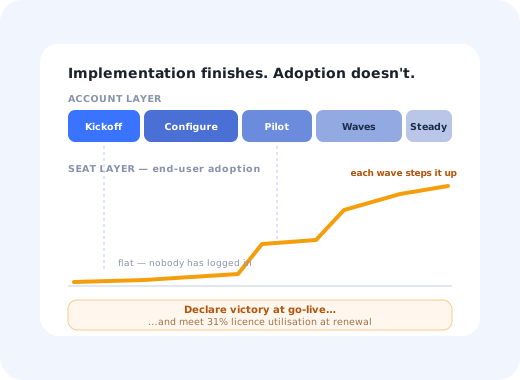
There is a particular kind of enterprise account that everyone in the company is proud of for about eleven months. The implementation ran to plan. Security signed off. The integration works. The kickoff deck had the customer's logo on it and the go-live email went out on schedule. Then the renewal conversation happens, someone divides active users by licences purchased, and the number is thirty-one percent.
Nothing went wrong in that story. What happened is that the company ran an implementation and called it onboarding. Implementation is what you do to an account: configure, integrate, migrate, launch. Enterprise onboarding is that plus the much larger, much less project-managed job of getting hundreds or thousands of individual people, who did not choose your product and were not consulted about it, to use it well enough that removing it would hurt.
The gap between those two jobs is where enterprise revenue is quietly lost. It is also entirely addressable, provided you accept the thing that makes enterprise onboarding hard: you are not onboarding a customer, you are onboarding five different kinds of person at once, and each of them has a different definition of success.
This guide covers what enterprise onboarding is and where it diverges from self-serve onboarding, the five stakeholders and what each one needs, the two-layer problem of account versus seats, an eight-step process from kickoff through pilot and rollout waves to steady state, how to build a mutual success plan, the metrics that predict renewal, and how to deliver end-user guidance at a scale no training programme can reach. For the general shape of a customer onboarding process at any size, our customer onboarding guide covers the six stages; this one is about what changes when the account is large.
Key Takeaways
- Implementation is not onboarding. One configures an account; the other changes what a few thousand people do on a Tuesday morning. Only the first usually has a plan.
- Five stakeholders, five onboardings: economic buyer, administrator, champion, IT and security, and end users. Programs that serve only the first four renew exactly once.
- End users did not choose you. Self-serve onboarding assumes consent; enterprise onboarding has to earn it before it can teach anything.
- Deliver one narrow outcome early. A pilot with a single willing team inside the first weeks protects the project from the long silent configuration phase that kills sponsorship.
- Roll out in waves, not organisation-wide. Each wave gives you a chance to fix the guidance before the next few hundred people meet it.
- Licence utilisation is the renewal metric. The buyer will compute active users ÷ seats paid for whether or not you show it to them, so show it, early and often.
What Is Enterprise Onboarding?
Enterprise onboarding: definition
Enterprise onboarding is the process of taking a large organisation from signed contract to genuine, widespread use of a product. It combines an account-level implementation (configuration, integration, data migration, security review) with a seat-level adoption programme that has to reach every individual user, most of whom had the tool assigned to them rather than choosing it. Success is measured not at go-live but at the point where usage is broad enough that the purchase would be painful to reverse.
| Self-serve onboarding | Enterprise onboarding | |
|---|---|---|
| Who decided | The user, for themselves | Someone else, on their behalf |
| Timeframe | Minutes to a first outcome | Weeks to a pilot, months to full adoption |
| Blockers | Confusion, friction, empty states | Security review, procurement, migration, competing priorities |
| Definition of done | One user reached value | Several departments changed how they work |
| Main failure mode | Drop-off during setup | Successful launch, low utilisation, quiet non-renewal |
| Who delivers it | The product | A CSM or implementation team and the product, together |
The row worth arguing about is the last one. Enterprise onboarding is frequently treated as a purely human discipline: a customer success manager, a project plan, a series of training sessions. That works for the account layer and fails completely at the seat layer, because there is no version of "a CSM onboards four thousand end users" that exists. At scale, the only thing that can reach every user is the product itself, which is why digital adoption tooling and enterprise customer success ended up in the same conversation.
The Five Stakeholders
Each of these people can end your renewal on their own, and each needs something different from onboarding. Write down who occupies each role before kickoff; if you cannot name all five, that gap is your first risk.
The economic buyer
Bought a business outcome, not software. They will not log in more than a handful of times, and they judge the project entirely on evidence that the outcome is arriving.
What they need from onboarding: a stated outcome, a measurement method, and a short regular report they did not have to ask for.
The administrator
Owns permissions, integrations, provisioning and every question the rest of the organisation will send them for the next three years. Usually inherited this job on top of another one.
What they need: a deep, well-documented admin onboarding, sensible defaults, and a way to answer their colleagues without becoming a helpdesk.
The champion
Argued for this internally and is now personally associated with the decision. Your most valuable asset and your single biggest concentration risk.
What they need: early wins they can show colleagues, and a deliberate effort to build a second and third champion so the account does not depend on one career.
IT and security
Reviewing data handling, hosting, SSO, retention and compliance. Their timeline is not negotiable and rarely correlates with your quarter.
What they need: documentation before they ask, a named technical contact, and no surprises about where data lives. Run this in parallel with configuration, never after it.
The end users
The largest group, the least consulted, and the one that decides the renewal. They have an existing way of working that functions, and your product is currently a disruption to it.
What they need: to understand what changed for their job in one sentence, and then in-product guidance at the moment they are stuck, not a recorded webinar.
The consent problem. Self-serve onboarding can assume the user wants to be there. Enterprise end users often do not, and resistance is a rational response to being handed extra work. Onboarding that opens by explaining why the company bought the tool loses them immediately; onboarding that opens by showing what is now faster in their own workflow does not. Our guide to change management for software adoption covers this dynamic in depth.
Two Layers: Onboarding the Account and Onboarding the Seats
The most useful mental model for enterprise onboarding is that there are two programmes running at once, with different owners, different timelines and different failure modes. Most companies resource the first one properly and improvise the second.
Layer 1: the account
Owned by implementation / customer success- Kickoff and mutual success plan
- Security review, SSO, provisioning
- Configuration and integrations
- Data migration from the incumbent tool
- Admin enablement and documentation
- Go-live and stakeholder reporting
Layer 2: the seats
Owned by nobody, in most companies- First-login experience for each role
- Role-specific walkthroughs and checklists
- Contextual help at the steps that generate tickets
- Announcements when workflows change
- Guidance for the second and third waves of users
- Re-onboarding for joiners, six months later
The right-hand column is where the renewal is decided, and its owner is usually "the training session we ran in March". That session reached perhaps a third of the affected people, half of whom were doing something else during it, and none of whom needed the information on that particular Thursday. Layer two has to be delivered inside the product, at the moment of need, or it does not happen at all, the same argument our guide to training employees on new software makes for internal rollouts.
The Enterprise Onboarding Timeline
An Eight-Step Enterprise Onboarding Process
- Hand over from sales without losing what was promised
- Run a kickoff that produces a mutual success plan
- Start security and procurement in parallel, not after
- Configure for the pilot team, not for the whole organisation
- Run a pilot with one willing team and instrument it
- Build the end-user guidance before the first wave, using what the pilot taught you
- Roll out in waves, improving guidance between each
- Convert the project into a steady-state adoption programme
1. Hand over from sales without losing what was promised
The most expensive information in an enterprise account is what the buyer believed they were getting, and it usually lives in a sales rep's head. Make the handover document explicit: the business outcome as the customer described it, the specific promises made, the political situation, and any commitment about timing. A customer repeating something in kickoff that your implementation team has never heard is the first crack in the project, and it is entirely avoidable.
2. Run a kickoff that produces a mutual success plan
The kickoff meeting's output should not be a slide deck. It should be a one-page shared document naming the business outcome, how it will be measured, who is responsible for what on both sides, and the dates. The value is in the conversation it forces: a customer who cannot name a measurable outcome has bought a tool without a reason, and it is far cheaper to discover that in week one than in month ten. Write down their obligations too: nominated admins, data to be supplied, people to be made available.
3. Start security and procurement in parallel, not after
Security review is the most common cause of an enterprise onboarding slipping a quarter, and it is almost always started too late because it feels like an obstacle rather than a phase. Trigger it on day one, provide documentation before it is requested, and name a technical contact on your side. Nothing about the timeline of a security review responds to enthusiasm, so the only lever you have is starting early.
4. Configure for the pilot team, not for the whole organisation
Enterprise configuration expands to fill whatever time is available, because every stakeholder has an opinion and none of them are wrong. Cut it: configure only what the pilot team needs to do real work. Every additional field, permission tier and integration debated in month one is a decision made without evidence, and the pilot is about to give you the evidence for free.
5. Run a pilot with one willing team and instrument it
Choose a team that volunteered, has a real use case, and is respected internally; enthusiasm matters more than size. The pilot's purpose is not to prove the product works; it is to find out where real users of this organisation get stuck, which is never quite where you expected. Instrument it properly: watch where people stall, count support requests by topic, and ask a short in-app question at the end. Every one of those becomes end-user guidance for the waves that follow.
6. Build the end-user guidance before the first wave
This is the step that separates enterprise onboarding from enterprise implementation, and it is the one most often skipped because the pilot succeeded and momentum says launch. Take what the pilot taught you and turn it into in-product guidance: a short role-specific walkthrough on first login, a persistent checklist for the multi-session setup, and tooltips on the three fields that generated the most questions. Live training sessions can supplement this; they cannot replace it, because they are one-time and the joiners keep arriving.
7. Roll out in waves, improving guidance between each
An organisation-wide launch gives you exactly one chance to get the end-user experience right, and no mechanism for learning. Waves (by department, region or business unit) give you several, and each wave should measurably outperform the last because you fixed what the previous one struggled with. Wave planning is also political cover: an early wave that goes well is the internal evidence your champion needs to bring the reluctant departments along.
8. Convert the project into a steady-state adoption programme
Onboarding does not end at full rollout, because the population keeps changing. New joiners arrive every month with no context; teams reorganise; the product ships features that change the workflow. Steady state means the first-login guidance still runs for every new employee, a quarterly review checks utilisation by department against the mutual success plan, and product changes reach users as in-app announcements rather than as a surprise on a Monday morning.
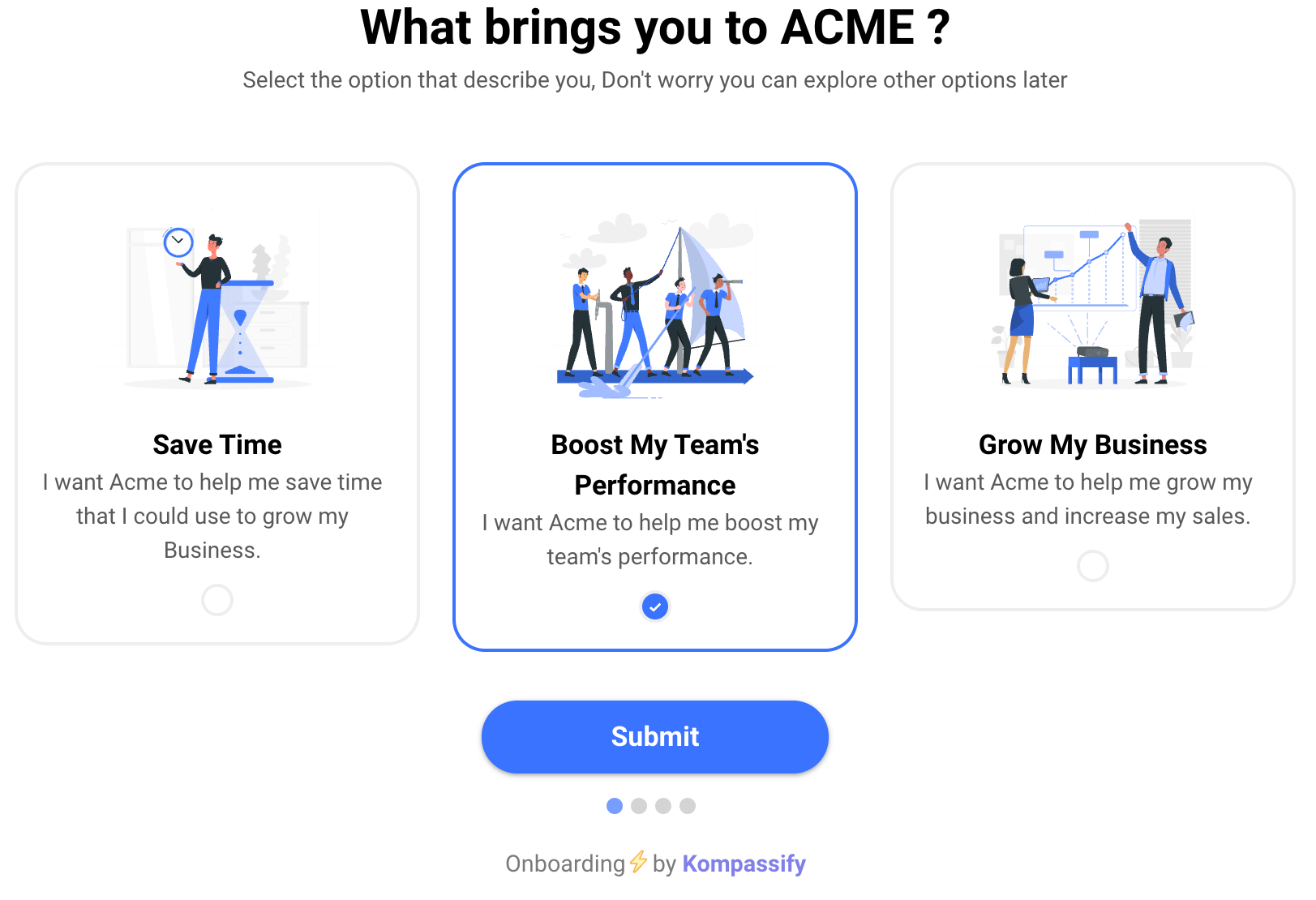
Enterprise Onboarding Metrics
Report account-level and seat-level metrics side by side. An implementation dashboard that shows only milestone completion will look green right up until the renewal call.
| Layer | Metric | What it tells you |
|---|---|---|
| Account | Time to first business outcome | How long before the buyer has evidence, the metric that protects sponsorship |
| Milestone adherence vs. the mutual success plan | Whether the project is on track, and which side is causing slippage | |
| Number of independent champions | Concentration risk. One is a single point of failure, three is a customer | |
| Seat | Licence utilisation (active users ÷ seats) | The number the buyer will compute at renewal. Show it first |
| Activation rate of provisioned seats | Whether people who were given access ever did anything | |
| Departmental breadth of usage | Whether adoption spread beyond the pilot team or stopped there | |
| Core workflow completion without support | Whether end-user guidance is working, or tickets are hiding the problem | |
| Both | Health score trend after go-live | The composite early-warning signal for a quiet non-renewal |
Report utilisation to the customer before they calculate it themselves. A quarterly note that says "you are at 41% utilisation, here are the three departments that have not started, and here is what we propose" turns an awkward renewal statistic into a joint project. The same number discovered by the buyer in month eleven turns into a negotiation about reducing seats.
Enterprise Onboarding: Do vs. Don't
✅ Do
- Name all five stakeholders before kickoff
- Produce a mutual success plan with dates and owners on both sides
- Start security review on day one, in parallel
- Deliver one narrow business outcome early
- Pilot with a willing team and instrument what stalls them
- Build in-product guidance from what the pilot taught you
- Roll out in waves and improve between them
- Deliberately create a second and third champion
- Report licence utilisation before the customer asks
❌ Don't
- Treat go-live as the end of onboarding
- Configure the whole organisation before the pilot
- Rely on live training sessions to reach end users
- Launch to everyone at once
- Let the entire account depend on one champion
- Explain to end users why the company bought it
- Report milestone completion as if it were adoption
- Leave joiners after month six with no onboarding at all
- Discover the utilisation number in the renewal meeting
Delivering the Seat Layer With Kompassify
The account layer is a human job and always will be. The seat layer is not. No customer success team can personally onboard several thousand people, and no training calendar survives the arrival of next quarter's joiners. Kompassify puts that layer inside the product, where every user meets it automatically:
- Role-targeted first-login flows. A finance user, an engineer and an administrator each get a walkthrough built for their job, from the same deployment, no engineering work per role.
- Checklists that persist. Enterprise setup spans sessions and interruptions; a checklist that remembers progress per user means someone who was pulled into a meeting returns to step four, not step one.
- Guidance where the tickets come from. Put tooltips and hotspots on the exact fields your pilot flagged, and change them between rollout waves without a release cycle.
- Announcements that reach the right department. When a workflow changes, tell only the people it changed for, segmented in-app, not a company-wide email nobody reads.
- Onboarding that keeps running. New joiners in month nine get the same first-login experience as wave one, automatically, with no training session required.
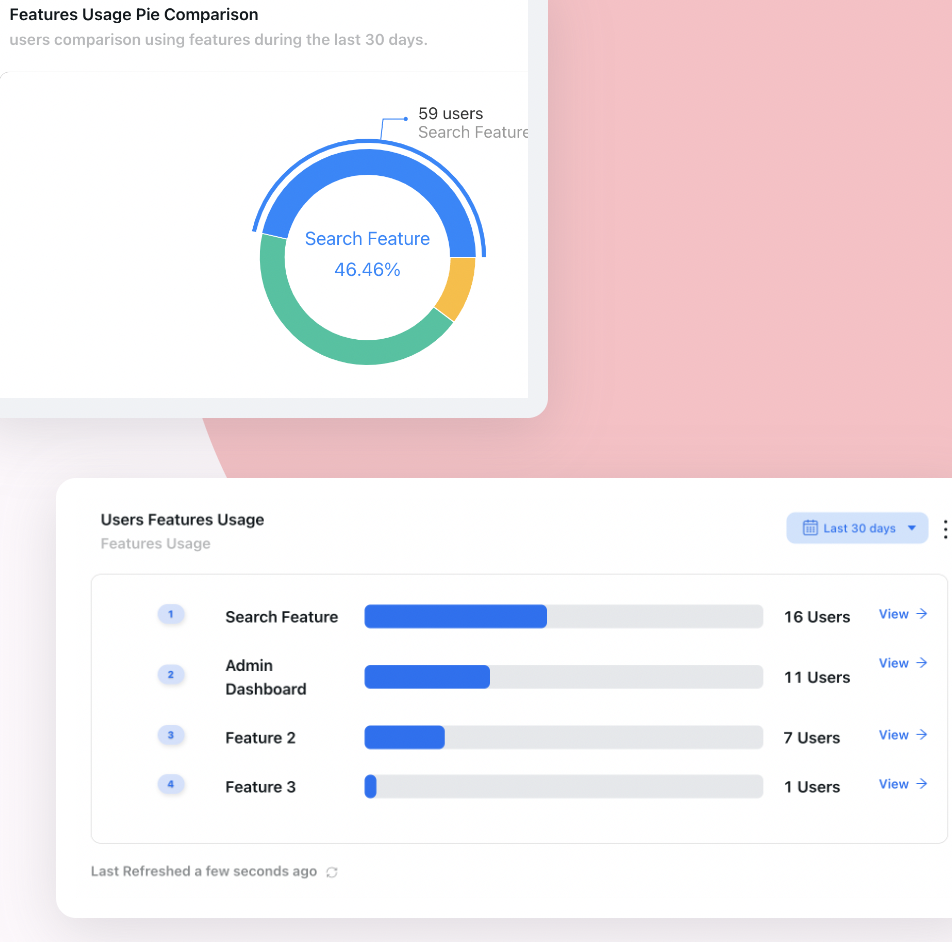
- Per-step, per-segment analytics. See which departments completed the core workflow and which never started, the evidence behind every utilisation conversation.
- Enterprise-appropriate hosting. Kompassify is GDPR compliant and EU-hosted, which shortens exactly the security conversation that delays these projects.
Kompassify is free for under 100 monthly active users, with paid plans from $129/month.
Onboard Every Seat, Not Just the Account
Kompassify adds role-targeted product tours, onboarding checklists, tooltips and in-app announcements to your customers' deployments, so end users get guidance at the moment they are stuck, joiners are onboarded automatically, and you can show adoption by department. GDPR compliant, EU-hosted, and free for under 100 monthly active users.
Start for Free →Frequently Asked Questions
What is enterprise onboarding?
Enterprise onboarding is the process of taking a large organisation from signed contract to genuine, widespread use of your product. It differs from ordinary customer onboarding in that the buyer, the administrator, the security reviewer, the internal champion and the eventual end users are five different people with five different definitions of success, and satisfying only the first four is the standard way enterprise accounts renew once and churn at year two. It is therefore two jobs stacked on top of each other: onboarding the account, and then onboarding every individual seat inside it.
How is enterprise onboarding different from self-serve onboarding?
Self-serve onboarding optimises for one person getting to value alone, in minutes, with no human involved. Enterprise onboarding involves a project, a timeline measured in weeks or months, a security and procurement review that has nothing to do with your product's usability, data migration from an incumbent system, and a population of end users who did not choose the tool and may not want it. The single largest difference is consent: a self-serve user picked you, while most enterprise end users had you assigned to them, which changes what onboarding has to accomplish before it can teach anything.
Who are the stakeholders in enterprise onboarding?
Five, and each needs a different onboarding. The economic buyer signed for a business outcome and wants evidence it is arriving. The administrator has to configure, integrate and maintain the thing. The champion is the internal advocate whose reputation is now attached to the decision. IT and security need compliance, SSO and data handling satisfied before anyone can log in. And the end users, the largest group and the least consulted, simply need to do their jobs in a tool they did not choose. Onboarding programs that address only the first four are the ones that renew once.
What is a mutual success plan?
A mutual success plan is a short shared document, written with the customer during kickoff, that states the business outcome the purchase is meant to produce, how it will be measured, what each side is responsible for, and the dates by which each milestone happens. Its value is not the plan itself but the conversation that produces it: it forces the customer to name a measurable outcome rather than a vague goal, and it makes their obligations, providing data, nominating admins, scheduling training, explicit before they become the reason a rollout slipped.
How long should enterprise onboarding take?
Set the timeline from the customer's own constraints rather than an internal target. What matters far more than total duration is that a first, narrow business outcome is delivered early, a working pilot with one team inside the first few weeks, because momentum in an enterprise implementation is fragile and a long silent configuration phase is where projects lose their sponsors. A useful structure is a short kickoff, a configuration phase run in parallel with security review, a pilot with a single willing team, then rollout in waves rather than one organisation-wide launch. Shortening time to value matters more than shortening the project.
Why do enterprise customers churn after a successful implementation?
Because implementation and adoption are different things, and only the first one has a project plan. The account gets configured, integrated and launched, the implementation is declared complete, and then usage settles at a fraction of purchased seats because nobody onboarded the individual users. At renewal the buyer compares licence count to active users and reaches an obvious conclusion. The second common cause is champion loss: the person who drove the purchase leaves, and nobody remaining can explain why the tool is there.
What metrics matter in enterprise onboarding?
Split them into account-level and seat-level. At account level: time to first business outcome, milestone adherence against the mutual success plan, and the number of independent champions rather than one. At seat level, which is where renewals are actually decided: activation rate of provisioned seats, breadth of departments actively using the product, and the share of end users completing the core workflow without support. A single derived number worth reporting is licence utilisation, active users divided by seats paid for, because it is the number the buyer will compute at renewal whether or not you show it to them.
How do you onboard thousands of end users at once?
Not with training sessions, which reach a fraction of people and are forgotten within days. At scale, end-user onboarding has to live inside the product: role-targeted walkthroughs that appear on first login, checklists that persist across sessions, and contextual tooltips on the steps that generate support tickets. With a no-code platform like Kompassify a customer success team can build and change that guidance on the live product, target it by department or role so a finance user never sees an engineer's flow, and track completion per step to see which teams are actually adopting. Kompassify is GDPR compliant and EU-hosted, free for under 100 monthly active users, with paid plans from $129/month.