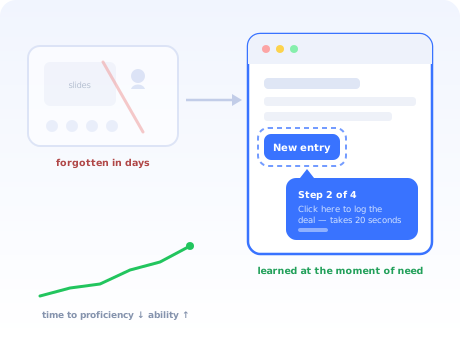
The traditional way to train employees on new software goes like this: book a room (or a video call), walk everyone through the interface for ninety minutes, share the slides, and wish them luck. Attendance is logged, the training box is ticked, and within a fortnight the help desk is drowning in questions the session definitely covered.
Nobody in that room did anything wrong. The format itself is fighting human memory: people retain what they immediately apply and lose what they merely watch. A feature demonstrated on Tuesday, needed for the first time the following Thursday, might as well never have been demonstrated.
This guide is about training that survives contact with real work. It compares the eight methods honestly, including where the classic ones still earn their place, and lays out a six-step plan built around the principle that fixes most of it: move the training into the software, at the moment of need.
Key Takeaways
- People retain what they apply, not what they watch. Training separated from doing decays in days; training at the moment of need sticks.
- Train tasks, not features. Employees do not need to know the software; they need to do their job in it. Build everything from a task list per role.
- No single method suffices. A kickoff for the why, in-app walkthroughs for the how, champions and a questions channel for the exceptions.
- Training is permanent, not an event. Every future hire needs it too, which rules out any plan that only exists as a calendar invite.
- Measure ability, not attendance. Adoption, depth of use and time to proficiency tell the truth; completion certificates do not.
- Remote changes nothing except the urgency. In-app guidance works identically in every timezone; the session-based model is what breaks.
Why software training fails: the forgetting problem
Almost every failed training programme fails the same way, and it is worth naming precisely because the fix follows from it.
Software knowledge is procedural, sequences of actions in an interface, and procedural knowledge fades fast unless it is used. A training session compresses dozens of procedures into one sitting, days or weeks before the employee performs any of them on real work. By the time each procedure is needed, it is gone. The employee then does what people at work always do: improvises, asks a neighbour, files a ticket, or quietly retreats to the old tool. None of those failure modes appear in the training attendance report, which is why the programme looks successful right up until the adoption numbers arrive.
The design principle that follows: minimise the distance between learning and doing. Every method in this guide is judged on one axis: how close does it deliver knowledge to the moment of use? The closer, the more sticks; everything else is logistics.
The 8 training methods compared
| Method | Best for | Honest weakness |
|---|---|---|
| 1. Live kickoff session | The why, the context, the questions | Terrible at how-to; forgotten in days; new hires never get it |
| 2. Interactive walkthroughs | Core tasks, learned by doing, in the real tool | Needs someone to build and maintain them per task |
| 3. In-app checklists & tooltips | First-week structure; answers at the point of confusion | Guides the willing; cannot create motivation by itself |
| 4. Short task videos | Visual tasks; watch-then-do reference | Go stale with every UI change; nobody watches long ones |
| 5. Written guides / knowledge base | Searchable reference, edge cases, new joiners | Only helps those who search; maintenance debt |
| 6. Champions / super-users | Peer help, local credibility, edge cases | Champions burn out if they replace, not supplement, materials |
| 7. Sandbox practice | High-stakes tools where mistakes are costly | Transfer to the live system is weaker than teams expect |
| 8. Office hours / drop-in support | The launch fortnight; the long tail of odd questions | Doesn't scale; attendance embarrasses some strugglers away |
The pattern in the table: the methods closest to the moment of use (walkthroughs, checklists, tooltips) carry the how-to load best, while humans (kickoff, champions, office hours) carry motivation, context and exceptions. Videos and written guides are the reference layer behind both, and our guides to onboarding videos, user guides and the knowledge base cover how to build each well.
How to build a software training plan in 6 steps
- Map the audience by role and by disruption
- Write task-based objectives, not a feature syllabus
- Run a short kickoff that sells the why
- Build the in-app layer for each role's core tasks
- Stand up the human support layer for the first weeks
- Measure proficiency and keep the training on permanently
1. Map the audience by role and by disruption
"The employees" is not an audience. Split them twice: by role (which tasks will each group do in the new tool?) and by disruption (whose daily routine is rebuilt versus who gets a new login?). A finance team whose whole workflow moves needs guided, hands-on treatment; a team that will touch the tool monthly needs a two-minute orientation and a good search box. Uniform training over-serves one group and abandons the other.
2. Write task-based objectives, not a feature syllabus
The unit of training is a sentence of the form "a [role] can [complete task] without help." A sales rep can log a deal. A manager can pull the weekly report. Ten to fifteen such sentences per role, ordered by frequency, are the entire curriculum, and anything in the software that no sentence needs does not get taught. This single decision cuts most training programmes in half and doubles their relevance.
3. Run a short kickoff that sells the why
Keep the live session, but change its job. Thirty minutes: why the organisation is switching, what happens to the old tool and when, what is genuinely in it for the people in the room, where help lives from day one. Then stop. Every minute of feature demonstration you cut from the kickoff is a minute that was going to be forgotten anyway; the why is the one content that only a credible human can deliver. (The kickoff is also where your change management and training plans meet.)
4. Build the in-app layer for each role's core tasks
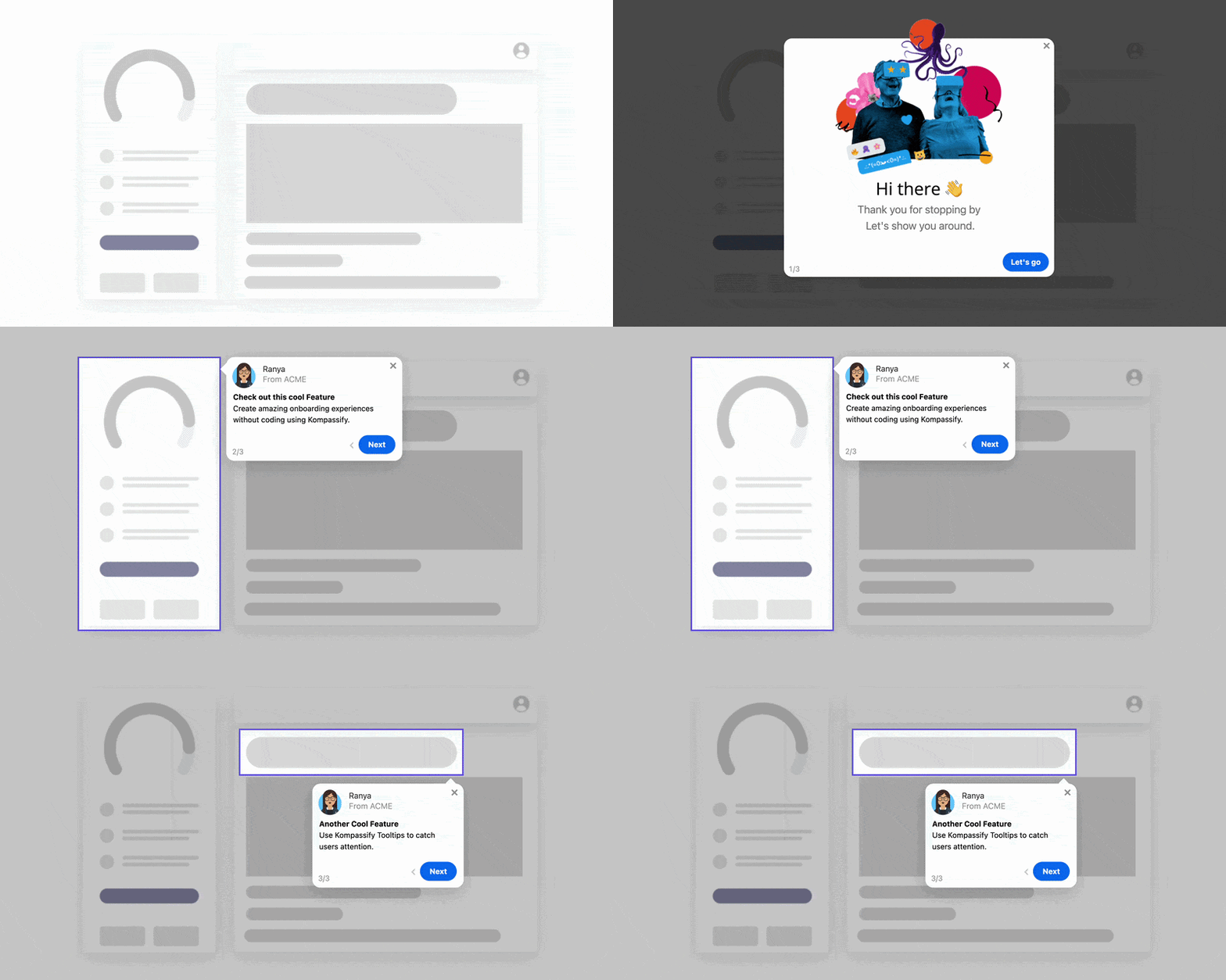
This is the heart of the plan. For each task sentence from step 2, build guidance inside the tool: an interactive walkthrough that steps the employee through the real task on the real screen, a first-week checklist that strings the core tasks together in order, and tooltips on the controls people hesitate over. Delivered this way, the training happens at the exact moment of use, the one place the forgetting problem cannot reach, and it runs identically for the person hired eight months from now.
5. Stand up the human support layer for the first weeks
In-app guidance handles the expected paths; humans handle everything else. For the launch window: one or two named champions per team with early access and a direct line to the rollout owner, a public questions channel where answers accumulate searchably, and optional drop-in office hours for the strugglers who will not post publicly. The champions' job is explicitly supplementary; the moment they become the primary training channel, they burn out and the plan has failed silently.
6. Measure proficiency and keep the training on permanently
Attendance measures nothing. Track: what share of each team actively uses the tool, whether the trained workflows are the ones being used, how long new users take to reach normal speed, and what still generates tickets. Walkthrough analytics sharpen this: when half a team abandons the same guided step, you have found the exact sentence of the curriculum that needs rework. And leave everything running: the checklist, the walkthroughs, the tooltips. The rollout ends; the hiring never does.
Training remote and hybrid teams
Everything above applies to remote teams; the difference is that remote removes the safety nets that let session-based training limp along in an office. There is no floor-walker noticing a struggling colleague, no over-the-shoulder rescue, and "the training session" becomes a recording that competes with everyone's actual job across four timezones.
The in-app model is indifferent to all of it. A walkthrough runs the same in every timezone, at each person's own pace, on their real work; the questions channel gives strugglers a low-embarrassment route to help; and the analytics tell the rollout owner who is stuck, the information the office floor used to provide for free. For distributed organisations, training in the flow of work is not an optimisation; it is the only model that was ever going to scale. Multi-language guidance helps here too; see our multi-language onboarding guide.
Training employees: Do vs. Don't
✅ Do
- Build the curriculum from tasks per role
- Put the how-to inside the tool, at the moment of need
- Keep the kickoff short and spend it on the why
- Give champions early access and a direct escalation line
- Let answers accumulate in a searchable channel
- Track adoption, depth and time to proficiency
- Keep all guidance running for new joiners forever
- Update walkthroughs the day the UI changes
❌ Don't
- Teach every feature to every employee
- Train weeks before anyone can apply it
- Measure attendance and call it effectiveness
- Make champions the primary training channel
- Ship a 45-minute training video and expect it watched
- Let the vendor's generic course stand in for your process
- End all training support at go-live
- Forget the employees who join after the rollout
Building the in-app training layer without engineering
The obvious objection to step 4: the new software is a third-party tool; you cannot exactly ask the vendor to build your walkthroughs, and your own engineers cannot modify someone else's product. This is precisely the gap digital adoption platforms fill.
Kompassify layers interactive walkthroughs, checklists, tooltips and announcements over any web application with no code: your team builds the guidance in a visual editor, targets it by team or role, and publishes changes instantly when the tool's UI or your process evolves. The built-in analytics show who completed which walkthrough and where people drop off, replacing attendance sheets with actual proficiency data. It is free up to 100 monthly active users, from $129/month beyond that, GDPR-compliant and hosted in the EU, relevant when the tools you are training on carry employee and company data.
Turn the New Tool Into Its Own Trainer
Kompassify adds no-code interactive walkthroughs, checklists and tooltips to any web app, so employees learn each task at the moment they do it, and every future hire gets the same training automatically. Free up to 100 monthly active users, GDPR-compliant, EU-hosted.
Start for Free →Frequently Asked Questions
What is the best way to train employees on new software?
Train in the flow of work: short, task-based guidance delivered inside the software at the moment the employee needs it, interactive walkthroughs for core tasks, a first-week checklist, and tooltips on confusing controls, supported by a brief kickoff session for context and a visible channel for questions. This beats the traditional approach of long upfront classroom sessions, because people retain what they immediately apply and forget what they merely watched.
Why does classroom software training fail?
Because of the gap between learning and doing. A session held before go-live teaches features the employee cannot yet use on real work; by the time they need each feature, days or weeks later, the instructions have faded. Classroom sessions also run at one pace for every attendee, cover every feature instead of each person's tasks, and exist only once: anyone hired after the rollout never gets one. Live sessions still have a role, but it is context and questions, not how-to.
How long does it take to train employees on new software?
Measured honestly, time to proficiency, not time to complete a course, expect days to weeks depending on the tool's depth and how much of the old workflow changes. The practical way to shorten it is not longer training but faster access to answers at the moment of need: guidance inside the tool, searchable task-based documentation, and named people to ask. Track proficiency per team and keep training available permanently for new joiners.
What should a software training plan include?
Six elements: an audience map splitting employees by role and by how much their workflow changes; task-based learning objectives per role rather than a feature list; a kickoff that sells the why; in-app guidance covering each role's core tasks; a support layer of champions, office hours and a questions channel for the first weeks; and a measurement plan tracking usage and proficiency rather than attendance. The plan should also state how new joiners get trained after the rollout ends, the part most plans forget.
How do you measure software training effectiveness?
Ignore attendance and course completions: they measure exposure, not ability. Measure whether trained employees actually use the tool (adoption rate), whether they use the workflows the training covered (depth), how quickly they reach normal working speed (time to proficiency), and what they still ask support about (ticket themes). If walkthrough analytics show where people abandon a guided task, you also learn exactly which step of the training to fix.
How do you train remote employees on new software?
Remote teams magnify the weaknesses of session-based training: timezones, recordings nobody watches, no floor-walkers to catch struggling colleagues. The answer is to make the tool itself the classroom: interactive walkthroughs and checklists work identically for every employee in every timezone, at each person's own pace, and analytics replace the trainer's ability to see who is stuck. Add a searchable questions channel and short optional live Q&A calls, and remote training stops depending on geography at all.
Who should run software training: HR, IT, or the vendor?
Ownership works best split by layer: the rollout owner (often IT or operations) owns the plan and the in-app guidance; team leads and champions own the role-specific content, because they know the real workflows; and the vendor's materials serve as raw input, not the training itself. Vendor courses teach the product in general, while your employees need your configuration, your process and your vocabulary. HR typically owns ensuring new joiners are included permanently.