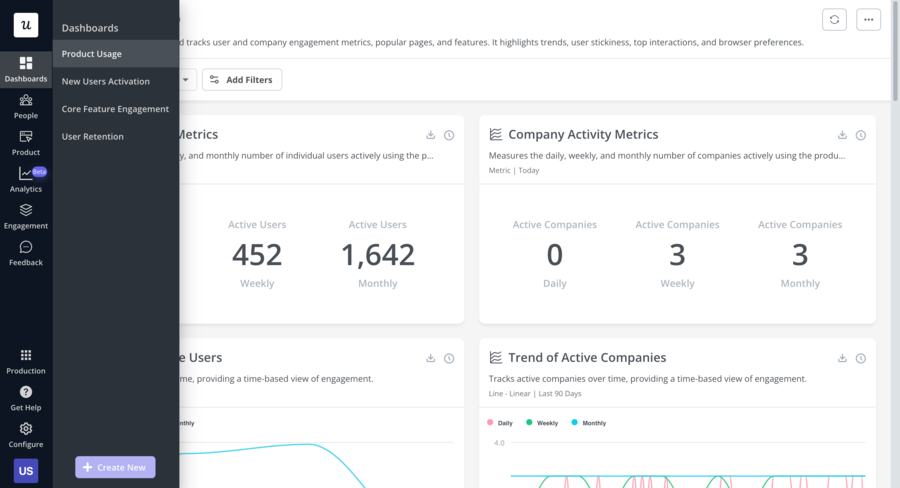
Userpilot has established itself as a strong contender in the product adoption space. Its combination of in-app guidance and native product analytics is genuinely useful, and its pricing is at least publicly visible, which already puts it ahead of some competitors.
But a growing number of product teams hit the same wall: the Starter plan at $299/month doesn't include onboarding checklists, resource centers, or A/B testing. Those are Growth plan features, which starts at $799/month. Session replay is an add-on on top of that. For teams that want a fuller feature set without a step-change in price, the math stops working quickly.
And for early-stage products or small teams, there's no free tier at all, which makes it hard to evaluate properly before committing.
If any of that describes your situation, this article covers the top 5 Userpilot alternatives with full feature breakdowns and transparent pricing so you can find the right fit.
Key Takeaways:
- Userpilot's main limitation is feature gating: Onboarding checklists and resource centers are locked behind the $799/month Growth plan. Session replay is a further add-on. Teams on Starter miss out on some of the most impactful onboarding features.
- Kompassify is the most accessible full-feature alternative: It covers the same core use cases as Userpilot, in-app product experience, product analytics, NPS surveys, segmentation, multi-language support, with a free plan for up to 100 MAU and paid plans starting at $129/month.
- Pendo leads on analytics depth: Deep funnel analysis, session replay, retention reports, and cohort analysis make it the strongest alternative for analytics-heavy teams. Pricing is enterprise-level and sales-gated.
- Appcues is the best choice for mobile: The only alternative on this list with native iOS and Android support. Starting at $750/month, it's built for teams with cross-platform onboarding needs.
- UserGuiding adds a knowledge base and AI assistant: A solid no-code option for SMB and mid-market SaaS teams that want onboarding plus a standalone knowledge base and product updates page. Starts at $249/month.
- Intro.js is the only developer-first open-source option: Free for non-commercial use, commercial licenses from $9.99 one-time. No dashboard, analytics, checklists, or surveys. Just code-based product tours.
Before diving in, here's a full comparison table summarizing all five alternatives, their features, and pricing:
| Userpilot | Kompassify | Pendo | Appcues | UserGuiding | Intro.js | |
|---|---|---|---|---|---|---|
G2 Score |
4.6 |
4.8 |
4.4 |
4.6 |
4.7 |
23.1K (GitHub) |
Capterra Rating |
4.6 |
4.7 |
4.5 |
4.8 |
4.7 |
N/A |
Starting Price |
$299/mo |
Free |
$15k+/year (custom) |
$750/mo |
$249/mo |
Free |
Transparent Pricing |
✅ |
✅ |
❌ |
✅ |
✅ |
✅ |
Product Tours |
✅ |
✅ |
✅ |
✅ |
✅ |
✅ |
Onboarding Checklists |
⚠ Growth plan only |
✅ |
✅ |
✅ |
✅ |
❌ |
NPS Surveys |
⚠ Add-on on Starter |
✅ |
⚠ Higher tier |
✅ |
✅ |
❌ |
Product Analytics |
✅ All plans |
✅ (Business plan) |
✅ |
⚠ Basic |
⚠ Basic |
❌ |
Session Replay |
⚠ Add-on (Growth+) |
❌ |
✅ (Core+) |
❌ |
❌ |
❌ |
Resource Center |
⚠ Growth plan only |
❌ |
✅ |
✅ |
✅ |
❌ |
User Segmentation |
✅ |
✅ |
✅ |
✅ |
✅ |
❌ |
No-Code Builder |
✅ |
✅ |
⚠ Steep learning curve |
✅ |
✅ |
❌ |
Mobile App Support |
⚠ Add-on |
❌ |
✅ |
✅ |
❌ |
❌ |
Free Plan |
❌ |
✅ Up to 100 MAU |
✅ Up to 500 MAU |
❌ |
⚠ No product tours |
✅ Non-commercial |
GDPR / EU Data Hosting |
✅ |
✅ |
✅ |
✅ |
✅ |
N/A |
Why Product Teams Are Looking for Userpilot Alternatives
Userpilot is a genuinely solid platform. Its product analytics are native and well-integrated, and its no-code builder is well-regarded. For teams with the budget and the analytics use case, it delivers real value.
But the friction points are real and consistent enough that they drive a meaningful number of teams to look elsewhere.
Feature Gating on the Starter Plan
The Starter plan at $299/month is more limited than it appears at first glance. Onboarding checklists, one of the highest-impact activation tools in any product adoption stack, are locked behind the Growth plan. So is the resource center and A/B testing. NPS surveys are available on Starter but require an add-on.
For many product and customer success teams, checklists are the core tool they signed up to use. Discovering they need to upgrade to a $799/month plan to access them is a significant friction point.
"Userpilot looks affordable until you realize checklists require the Growth plan. That's a $500/month jump just to get a feature that most competitors include by default."
No Free Plan for Early-Stage Teams
Userpilot offers a 14-day free trial but no ongoing free tier. For startups and early-stage products, that's a meaningful constraint, especially when tools like Kompassify offer a fully functional free plan up to 100 MAU. If you're pre-product-market fit or running a lean operation, committing $299/month before validating onboarding flows is a significant ask.
Session Replay Is a Paid Add-On
Session replay is available on Userpilot, but only as an add-on for Growth and Enterprise plan users. For teams that want a single platform covering both onboarding and session replay, the total cost increases considerably. Competitors like Pendo include session replay natively at their higher tiers.
Other Common Friction Points
Beyond pricing and feature gating, here are the pain points that come up most frequently in G2 reviews and community feedback:
- Steep learning curve for complex flows: Setting up multi-step tours and conditional logic can require significant ramp time. Several users flag that the builder becomes unwieldy for advanced use cases.
- Slow customer support on lower tiers: Multiple G2 reviews mention delayed responses from the support team, especially on Starter plans where dedicated support is not included.
- MAU-based pricing scales quickly: At $299/month for 2,500 MAU, costs escalate fast as your product grows. For high-MAU products, the effective cost per user becomes harder to justify.
- Limited customization on Starter: In-app localization and HubSpot/Salesforce integrations are Growth plan features, making Starter a narrower option for international or CRM-integrated teams.
If any of these resonate, the alternatives below are all worth a close look.
Top 5 Userpilot Alternatives for 2026
#1 Kompassify: Best Userpilot Alternative for Affordability and Product Analytics
Kompassify is a no-code product adoption platform that covers the same core use cases as Userpilot, in-app product experience, product analytics, and user feedback, at a significantly lower price point. It's built for SaaS teams that want a capable, fully-featured platform without enterprise-level costs or restrictive feature gating.
The contrast with Userpilot is clearest on the entry plan. Kompassify's free plan includes product tours and an onboarding checklist, features that Userpilot gates behind its paid tiers. The Pro plan at $129/month adds segmentation, multi-language support, and unlimited active users. The Business plan at $249/month includes built-in product analytics, making it a direct competitor to Userpilot's Starter plan at more than half the price.
There's no sales call required, no minimum contract, and no MAU-based cost surprises as your product grows on entry-level plans. You can sign up, install the snippet, and have your first onboarding flow live in a couple of hours.
-
Product Tours & Walkthroughs
Build step-by-step guided tours with a visual no-code editor, no developer required. Create modals, tooltips, hotspots, and announcement banners to guide users through any flow. Average setup time: 2–3 hours.
-
Onboarding Checklists
Progressive checklists that help users complete key actions and reach their "aha moment" faster. Track completion rates in real time and trigger follow-up tours based on checklist progress. Included from the free plan, unlike Userpilot, where checklists require a Growth plan upgrade.
-
NPS & In-App Surveys
Measure user satisfaction and collect feedback at critical moments in the user journey with Net Promoter Score and CSAT surveys. All paid plans include NPS, no add-on required.
-
User Segmentation
Target specific user groups with tailored onboarding experiences based on user properties, behavior, or lifecycle stage. Available on Pro and Business plans.
-
Multi-Language Support
Deliver onboarding in your users' language with built-in localization support. No extra configuration or third-party integration needed. Available on Pro and Business plans.
-
No-Code Product Analytics
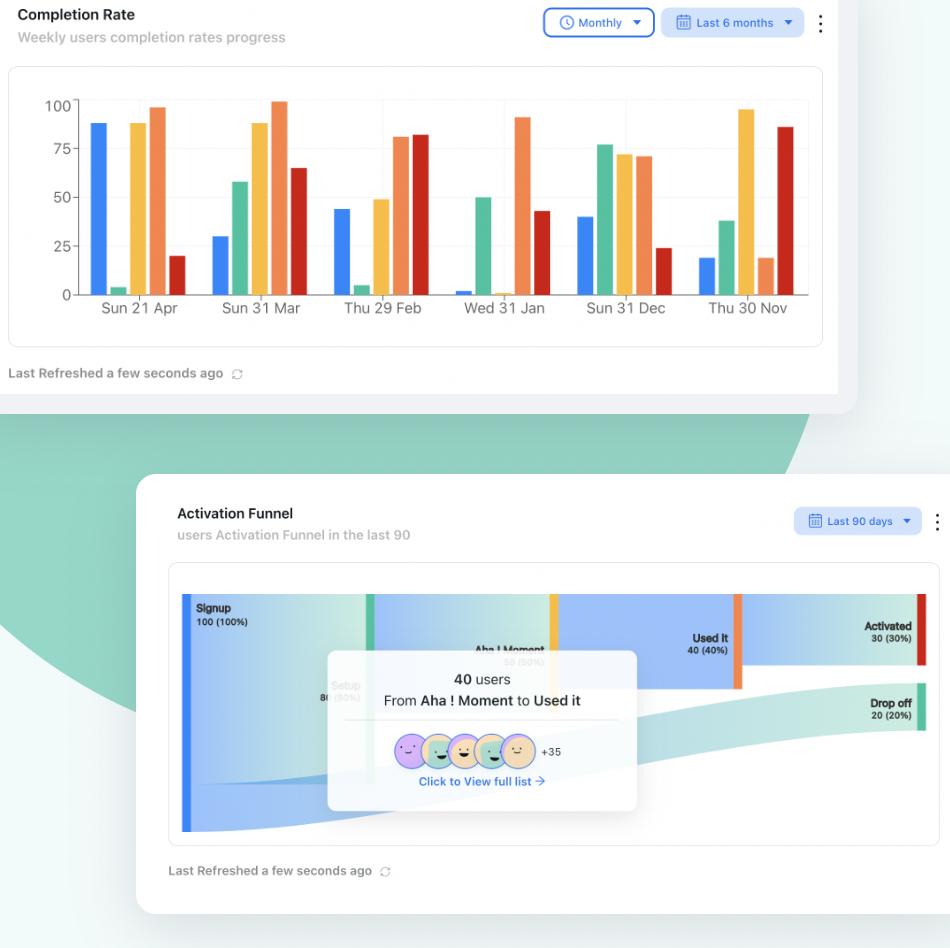
Track how users interact with your onboarding flows in real time. Monitor tour completion rates, checklist progress, and survey responses from a single analytics dashboard, no additional setup required. Available on the Business plan.
Kompassify Pricing
Kompassify offers a free plan and two paid tiers (Pro and Business), with pricing based on monthly active users (MAU). A 14-day free trial is available, no credit card required.
Free
- Up to 100 MAUs
- 1 team member
- Up to 2 product tours
- Onboarding checklist
- Notifications widget
- Kompassify branding
Pro
- Up to 5 team members
- Up to 20 product tours
- Multi-choice onboarding
- Notifications widget
- Onboarding progress bar
- Onboarding checklist
- User segmentation
- Multi-language onboarding
- No Kompassify branding
Business
- Unlimited team members
- Unlimited product tours
- Multi-choice onboarding
- Notifications widget
- Multiple onboarding progress bars
- Multiple onboarding checklists
- User segmentation
- Multi-language onboarding
- No Kompassify branding
- Product analytics
Kompassify vs. Userpilot: Full Feature Comparison
Feature comparison: Kompassify covers Userpilot's core product adoption and analytics capabilities at a transparent, accessible price point:
| Feature | Kompassify | Userpilot |
|---|---|---|
| Product Tours | ✓ All plans (free included) | ✓ All plans |
| Onboarding Checklists | ✓ All plans (free included) | ⚠ Growth plan only ($799/mo) |
| NPS & Surveys | ✓ All paid plans, no add-on | ⚠ Add-on on Starter; included on Growth |
| Product Analytics | ✓ Business plan ($249/mo) | ✓ All plans (Starter from $299/mo) |
| Session Replay | ✗ Not available | ⚠ Add-on on Growth+ |
| Resource Center | ✗ Not available | ⚠ Growth plan only |
| User Segmentation | ✓ Pro and Business plans | ✓ All plans |
| Multi-Language Support | ✓ Pro and Business plans | ⚠ Growth plan only |
| No-Code Builder | ✓ Visual editor, all plans | ✓ Visual editor, all plans |
| Mobile App Support | ✗ Web only | ⚠ Add-on |
| Free Plan | ✓ Up to 100 MAU | ✗ 14-day trial only |
| GDPR / EU Data Hosting | ✓ EU-based data storage | ✓ GDPR compliant |
| Starting Price | ✓ Free (paid from $129/mo) | ⚠ $299/month (2,500 MAU) |
#2 Pendo: Best for Deep Product Analytics
If you're switching away from Userpilot primarily because you want more powerful product analytics, Pendo is worth a serious look. It's the most analytics-heavy platform in the product adoption space, combining in-app guides with deep funnel analysis, retention reports, cohort analysis, session replay, and a native roadmapping tool.
The trade-off is pricing. Pendo has no public pricing page, and every plan requires going through a sales process, and community reports consistently place it at enterprise-level cost. For startups and SMBs, that makes it a difficult fit. But for mid-market and enterprise teams where analytics depth justifies the investment, Pendo is one of the most capable platforms available.
For a full breakdown of Pendo's features, pricing, and how it compares to other tools, see our dedicated Pendo alternatives guide.
-
In-App Guides & Walkthroughs
Build product tours, tooltips, lightboxes, and banners using a no-code visual editor. Pendo's guide builder is comprehensive but carries a steeper learning curve than most competitors.
-
Native Product Analytics
Pendo's analytics capabilities go deeper than most: feature usage tracking, page-level analytics, funnel analysis, path analysis, retention reports, and cohort segmentation are all available natively. This is where Pendo genuinely leads the market.
-
Session Replay
Included on Core and higher tiers, session replay lets you watch real user sessions to understand friction points and drop-off moments. One of the few platforms where session replay is a native, integrated feature rather than an add-on.
-
NPS & User Feedback
Collect in-app NPS scores and qualitative feedback. Unbranded NPS surveys require a Core plan or above, while branded surveys are available on the Base plan.
-
Product Roadmapping
Pendo includes a built-in roadmapping tool that connects user feedback to planned features, a capability not available in Userpilot or most of the other alternatives on this list.
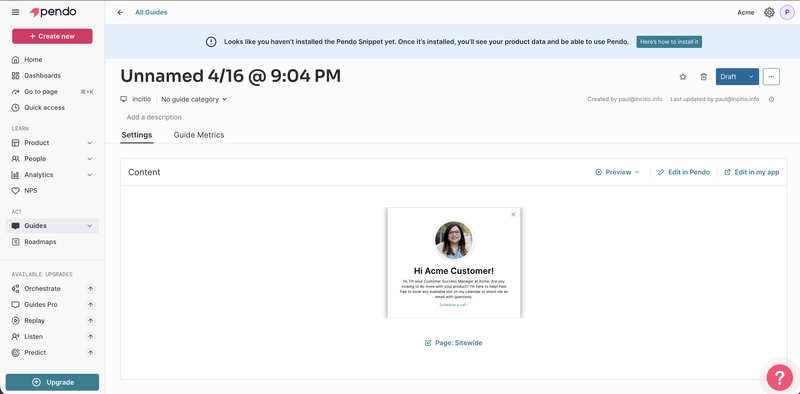
Pendo Pricing
Pendo does not publicly list its pricing. All plans require going through a sales process. Based on community reports and third-party procurement data, costs are enterprise-level, with most teams reporting annual contracts starting in the five-figure range. A free plan is available for up to 500 MAU with limited features.
#3 Appcues: Best for Mobile + Web Cross-Platform Onboarding
Appcues is a multi-channel user engagement platform focused on product-led growth. Its standout feature compared to the other alternatives on this list is native iOS and Android mobile app support, making it the best option if you need consistent onboarding across both web and mobile.
On the web side, Appcues covers flows, checklists, banners, hotspots, resource centers, NPS surveys, A/B testing, email notifications, and push notifications. The builder is no-code and well-regarded for being straightforward to use.
The main limitation is price. Appcues starts at $750/month billed annually, the most expensive option on this list. For teams that don't specifically need mobile support, Kompassify or UserGuiding offer comparable web features at a significantly lower price point.
-
Product Tours & Flows
Build multi-step onboarding flows with a no-code visual editor. Supports modals, tooltips, hotspots, slideouts, and announcement banners across web and mobile.
-
Native Mobile App Support
The only alternative on this list with native iOS and Android SDKs. If your product spans web and mobile, Appcues is the strongest option for consistent cross-platform onboarding.
-
Onboarding Checklists & Resource Center
Progressive checklists and an in-app resource center to give users on-demand access to guides and support materials without leaving your product, both included from the Essentials plan.
-
NPS & In-App Surveys
Collect user feedback at any point in the user journey with NPS surveys and custom survey forms. Trigger surveys based on user behavior, segment, or time in product.
-
A/B Testing
Test different onboarding flows and in-app messages to identify what drives activation and feature adoption. Available on the Grow plan.
Appcues Pricing
Appcues offers two main plans with transparent, publicly-listed pricing. A 14-day free trial is available, no credit card required.
Essentials
Billed annually
- Up to 3 team members
- In-app flows, tooltips, hotspots
- Onboarding checklists
- NPS surveys
- Basic analytics
- User segmentation
- Resource center
- 14-day free trial
Grow
Contact for pricing
- Everything in Essentials
- Native iOS & Android support
- A/B testing
- Email & push notifications
- HubSpot & Salesforce integrations
- Advanced targeting & segmentation
- Unlimited team members
Appcues vs. Userpilot: Feature Comparison
Feature comparison: Appcues and Userpilot overlap heavily on web features, but Appcues pulls ahead on mobile support while Userpilot leads on native analytics depth:
| Feature | Appcues | Userpilot |
|---|---|---|
| Product Tours | ✓ Flows, modals, tooltips, hotspots | ✓ Flows, guides, modals |
| Onboarding Checklists | ✓ Essentials plan included | ⚠ Growth plan only |
| NPS & Surveys | ✓ Essentials plan included | ⚠ Add-on on Starter |
| Native Product Analytics | ⚠ Basic on Essentials | ✓ Full analytics all plans |
| Session Replay | ✗ Not available | ⚠ Add-on on Growth+ |
| Mobile App Support | ✓ Native iOS & Android | ⚠ Add-on only |
| A/B Testing | ✓ Grow plan | ⚠ Growth plan only |
| Starting Price | ⚠ $750/month (annually) | ✓ $299/month |
#4 UserGuiding: Best for Teams That Want a Knowledge Base Bundle
UserGuiding is a no-code product adoption platform aimed at SMB and mid-market SaaS teams. It covers the standard onboarding feature set, product tours, checklists, tooltips, hotspots, NPS surveys, and user segmentation, but its differentiator is the extras: a standalone knowledge base, a product updates page, an AI assistant, and a resource center, all bundled into a single platform.
If your team is currently stitching together a separate help center tool alongside your onboarding platform, UserGuiding is worth evaluating as a consolidation play.
The main limitation is analytics depth. UserGuiding's analytics cover basic engagement data, tour views, completion rates, but don't match Userpilot's native funnel analysis, path analysis, or cohort reports. For analytics-heavy teams, it's a step down. For most content, success, and product teams focused on onboarding flows, it covers the essentials well.
-
Product Tours & Onboarding Flows
Build guided walkthroughs, tooltips, and hotspots using a no-code editor. Trigger flows based on user properties, URL, or behavior.
-
Onboarding Checklists
Interactive checklists to guide users through activation steps. Available on all paid plans, including the Starter tier, unlike Userpilot where checklists require a Growth plan upgrade.
-
Knowledge Base & Resource Center
UserGuiding includes a standalone public knowledge base and an in-app resource center. Useful for teams looking to unify support documentation and onboarding guidance in a single platform.
-
Product Updates Page
A public changelog-style product updates page to keep users informed about new features, a differentiator not available in most alternatives on this list.
-
AI Assistant
An in-app AI assistant that surfaces relevant help content based on user context. Available on all plans, including the free support tier.
UserGuiding Pricing
UserGuiding offers a free Support Essentials plan (knowledge base, resource center, AI assistant, no product tours or checklists) and three paid tiers. A 14-day free trial is available.
Starter
Up to 2,500 MAU
- Product tours & tooltips
- Onboarding checklists
- NPS surveys
- Resource center
- User segmentation
- Knowledge base
- AI assistant
Growth
Up to 10,000 MAU
- Everything in Starter
- Product updates page
- Advanced analytics
- A/B testing
- Custom domain
- Unlimited team members
Enterprise
Unlimited MAU
- Everything in Growth
- SSO & SCIM
- Custom roles & permissions
- Dedicated CSM
- Security review
UserGuiding vs. Userpilot: Feature Comparison
| Feature | UserGuiding | Userpilot |
|---|---|---|
| Product Tours | ✓ Starter plan included | ✓ All plans |
| Onboarding Checklists | ✓ Starter plan included | ⚠ Growth plan only |
| NPS & Surveys | ✓ Starter plan included | ⚠ Add-on on Starter |
| Native Product Analytics | ⚠ Basic engagement data | ✓ Full analytics, funnels, paths |
| Knowledge Base | ✓ Standalone knowledge base | ✗ Not available |
| Product Updates Page | ✓ Growth plan+ | ✗ Not available |
| Resource Center | ✓ All plans | ⚠ Growth plan only |
| Session Replay | ✗ Not available | ⚠ Add-on on Growth+ |
| Starting Price | ✓ $249/month (2,500 MAU) | ⚠ $299/month (2,500 MAU) |
#5 Intro.js: Best for Developer Teams That Want Full Code Control
Intro.js is an open-source JavaScript library for building product tours and interactive hints directly in code. It's the only developer-first option on this list, and the most lightweight. If your team has engineering capacity and wants full control over tour logic, styling, and triggers without a third-party dashboard, Intro.js is the cleanest fit.
The trade-off is everything beyond basic tours. There is no dashboard, no analytics, no checklists, no surveys, no segmentation, and no no-code editor. Every tour step is written in code. For product and customer success teams without engineering support, that makes it a non-starter. For developer-led products or internal tools where engineers control the roadmap, it can work very well.
-
Code-Based Product Tours
Define tour steps directly in JavaScript, pointing to DOM elements with tooltips and highlight effects. Full control over copy, styling, positioning, and timing.
-
Interactive Hints
Persistent hotspots and tooltip hints that users can trigger on demand, useful for feature discovery without forcing a guided tour.
-
Lightweight & Framework-Agnostic
Works with any JavaScript framework: React, Vue, Angular, or plain JS. No external dependencies, no snippet installation, no third-party data transfer.
-
Open-Source with Commercial Licenses
Free for non-commercial use under MIT license. Commercial licenses start at $9.99 one-time per project, effectively the lowest cost option on this list for teams that can build and maintain tours in code.
Intro.js Pricing
Non-Commercial
- Open-source (MIT license)
- Product tours & hints
- Framework-agnostic
- Community support
Commercial License
Per project
- Commercial use rights
- All open-source features
- No dashboard or analytics
- No checklists or surveys
- No no-code builder
Intro.js vs. Userpilot: Feature Comparison
| Feature | Intro.js | Userpilot |
|---|---|---|
| Product Tours | ✓ Code-based | ✓ No-code builder |
| Onboarding Checklists | ✗ Not available | ⚠ Growth plan only |
| NPS & Surveys | ✗ Not available | ⚠ Add-on on Starter |
| Product Analytics | ✗ Not available | ✓ All plans |
| No-Code Builder | ✗ Code only | ✓ Visual editor |
| User Segmentation | ✗ Not available | ✓ All plans |
| Dashboard | ✗ None | ✓ Full dashboard |
| Starting Price | ✓ Free (commercial from $9.99) | ⚠ $299/month |
How to Choose the Right Userpilot Alternative
The right choice depends on what specifically pushed you to look beyond Userpilot in the first place. Here's a quick decision framework:
💰 You want lower pricing
Kompassify starts free and has paid plans from $129/month, less than half the cost of Userpilot's Starter plan. You get product tours, checklists, NPS, and segmentation from day one.
📊 You need deeper analytics
Pendo leads the market on analytics depth: funnel analysis, retention, cohorts, and session replay are all native. Expect enterprise pricing to match.
📱 You need mobile support
Appcues is the only option on this list with native iOS and Android SDKs. Starting at $750/month, it's a significant investment, but the only real choice for cross-platform onboarding.
📚 You want a knowledge base too
UserGuiding bundles a standalone knowledge base, resource center, product updates page, and AI assistant alongside its onboarding features. Starts at $249/month.
🛠️ Your team prefers code control
Intro.js is free (for non-commercial use) and gives engineers complete control over tour logic and styling. No dashboard, no analytics. Just clean, framework-agnostic JavaScript.
🇪🇺 You need EU data hosting
Kompassify is GDPR-compliant with EU-based data storage, a critical requirement for European teams or any company with EU-based users.
- Map your must-have features: checklists, analytics, session replay, mobile, knowledge base. Identify which features drove you away from Userpilot and prioritize accordingly.
- Check which features each alternative includes on its entry plan, not just whether a feature exists, but at what tier. Several tools gate key features behind expensive upgrades.
- Run a free trial with your actual onboarding flows, the best way to evaluate is hands-on. Kompassify, Appcues, and UserGuiding all offer 14-day trials. Kompassify also has a permanent free plan for up to 100 MAU.
- Estimate your 12-month total cost: include any add-ons (session replay, mobile SDK, NPS) that your use case requires. The base plan price rarely tells the full story.
Frequently Asked Questions
Why are product teams looking for Userpilot alternatives?
The most common reasons are feature gating and pricing. Userpilot's Starter plan at $299/month excludes onboarding checklists, resource centers, in-app localization, and A/B testing, all of which require the Growth plan at $799/month. NPS surveys require an add-on on Starter. Session replay is an additional add-on on Growth plans and above. Teams that want a more complete feature set at a lower entry price, or who need a free plan for early-stage products, typically look elsewhere.
What is the best free alternative to Userpilot?
Kompassify offers the best free plan among Userpilot alternatives, supporting up to 100 Monthly Active Users with product tours, an onboarding checklist, and a notifications widget, no credit card required. Userpilot has no free plan at all. Intro.js is free and open-source for non-commercial use, but it's a developer library with no dashboard, analytics, or checklists.
Which Userpilot alternative is best for product analytics?
Pendo is the strongest option for product analytics, offering deep funnel analysis, path analysis, retention reports, cohort analysis, and session replay all natively. Kompassify includes built-in product analytics on its Business plan ($249/month), covering tour completion rates, checklist progress, and survey responses. For teams that need Userpilot-level analytics at a lower price, Kompassify's Business plan is the closest equivalent.
Which Userpilot alternative is closest in features and price?
Kompassify is the most feature-complete and accessible alternative. It covers the same core use cases as Userpilot, in-app product experience, product analytics, NPS surveys, segmentation, multi-language support, with a free plan for up to 100 MAU and paid plans starting at $129/month. The key difference is that Kompassify's Business plan at $249/month includes product analytics, checklists, and segmentation, features that Userpilot splits across two plan tiers at $299/month and $799/month.
What features should I look for in a Userpilot alternative?
At a minimum, look for product tours, onboarding checklists, user segmentation, and a no-code builder. For more impact: NPS surveys, in-app announcements, multi-language support, and product analytics. If you were using Userpilot primarily for session replay and funnel analysis, Pendo is the strongest alternative, but expect enterprise pricing. All five tools covered in this article include the core engagement features; they differ in analytics depth, mobile support, pricing transparency, and add-ons like knowledge bases or session replay.
Is Kompassify GDPR-compliant?
Yes. Kompassify is GDPR-compliant and hosts all data within the EU, an important consideration for European teams or companies with EU-based users.
Related comparisons
Evaluating other onboarding tools? See our 2026 side-by-side breakdowns:
- 5 Best UserGuiding Alternatives in 2026: pricing & features compared.
- 5 Best Pendo Alternatives in 2026: cheaper options with transparent pricing.
- 5 Best Product Fruits Alternatives in 2026: with deeper analytics and triggers.
- 5 Best Usetiful Alternatives in 2026, after the FullStory acquisition.