Usetiful was a popular tool among product adoption teams offering a solid set of core features at a
budget-friendly price.
However, it is no longer possible to create a new Usetiful account, and you are probably now looking for an
alternative.
You're in the right place. This article will cover the top 5 Usetiful competitors with a complete comparison of
their features and pricing to help you make the right choice.
Key Takeaways:
- Usetiful is no longer accepting new signups: Following its acquisition by FullStory on November 3, 2025, new Usetiful account creation has been disabled making it essential for teams to evaluate alternatives now.
- Kompassify is the closest alternative in features and price: It matches Usetiful's core feature set (product tours, onboarding checklists, NPS surveys, segmentation, multi-language support, no-code builder) with a free plan and paid tiers at $129/month (Pro) and $249/month (Business).
- Appcues is the best choice for mobile: It is the only alternative on this list with native iOS and Android support, though it is also the most expensive starting at $750/month billed annually.
- UserGuiding covers more ground than the basics: It adds a standalone knowledge base, product updates page, and AI assistant on top of core onboarding features, starting at $249/month. Worth considering if you need those extras though keep in mind that analytics are fairly basic and customization is more limited than some alternatives.
- Userpilot leads on analytics: It is the only tool with native product analytics, funnels, and session replay built in though advanced features require the $799/month Growth plan or above.
- Intro.js is the only developer-coded, open-source option: Free for non-commercial use and available from $9.99 (one-time) for commercial projects, but it lacks checklists, surveys, segmentation, and analytics.
Just before diving deeper, here is a table that summarizes the listed competitors, their features and their pricing:
| Usetiful | Kompassify | Appcues | UserGuiding | Userpilot | Intro.js | |
|---|---|---|---|---|---|---|
|
G2 Score |
4.7 |
5 |
4.6 |
4.7 |
4.6 |
23.1K (GitHub) |
|
Capterra Score |
4.7 |
4.7 |
4.6 |
4.7 |
4.6 |
23.1K (GitHub) |
|
Starting at |
Free |
Free |
$750 |
$249 |
$299 |
Free |
|
Product Tours |
✅ |
✅ |
✅ |
✅ |
✅ |
✅ |
|
Hotspots |
✅ |
✅ |
✅ |
✅ |
✅ | ❌ |
|
Checklists |
✅ |
✅ |
✅ |
✅ |
✅ | ❌ |
|
Resource Center |
✅ |
❌ |
❌ |
✅ |
✅ | ❌ |
|
NPS |
✅ |
✅ |
✅ |
✅ |
✅ | ❌ |
|
Surveys |
✅ |
✅ |
✅ |
✅ |
✅ | ❌ |
|
In-App Announcements |
✅ |
✅ |
✅ |
✅ |
✅ | ❌ |
| Knowledge Base |
✅ |
✅ | ❌ | ✅ | ❌ | ❌ |
| Session Replay | ❌ | ❌ | ❌ | ❌ | ✅ | ❌ |
| Product Analytics | ❌ | ✅ | ❌ | ❌ | ✅ | ❌ |
| Segmentation | ✅ | ✅ | ✅ | ✅ | ✅ | ❌ |
| In-App Localization | ✅ | ✅ | ✅ | ✅ | ✅ | ✅ |
What is Usetiful?
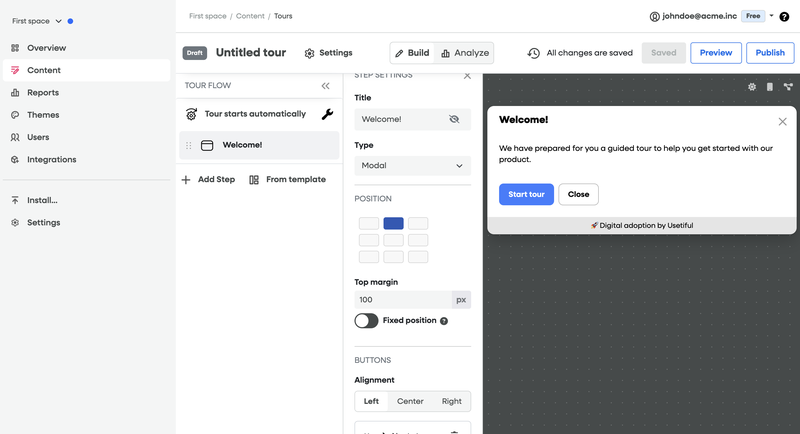
Usetiful is a user onboarding and product adoption platform founded in Estonia in 2019. Its main use cases are onboarding new users and introducing new features. Some of the features of the product are:
- In-app Product Tours and guides
- Onboarding checklists
- Hints and hotspots
- In-app announcements
- NPS and surveys
- Knowledge base
Digital adoption teams chose Usetiful for:
- Affordable pricing: Usetiful is best for budget-friendly user onboarding, offering a free Plan for companies with less than 500 monthly active users.
- Solid set of core features: Including unlimited product tours, onboarding checklists , NPS surveys , and tooltips
- No-code builder: Chrome extension with a visual builder allowing non-technical teams to create onboarding experiences without coding
- European data hosting: Estonia-based with GDPR compliance.
Why Consider an Alternative to Usetiful in 2026 ?
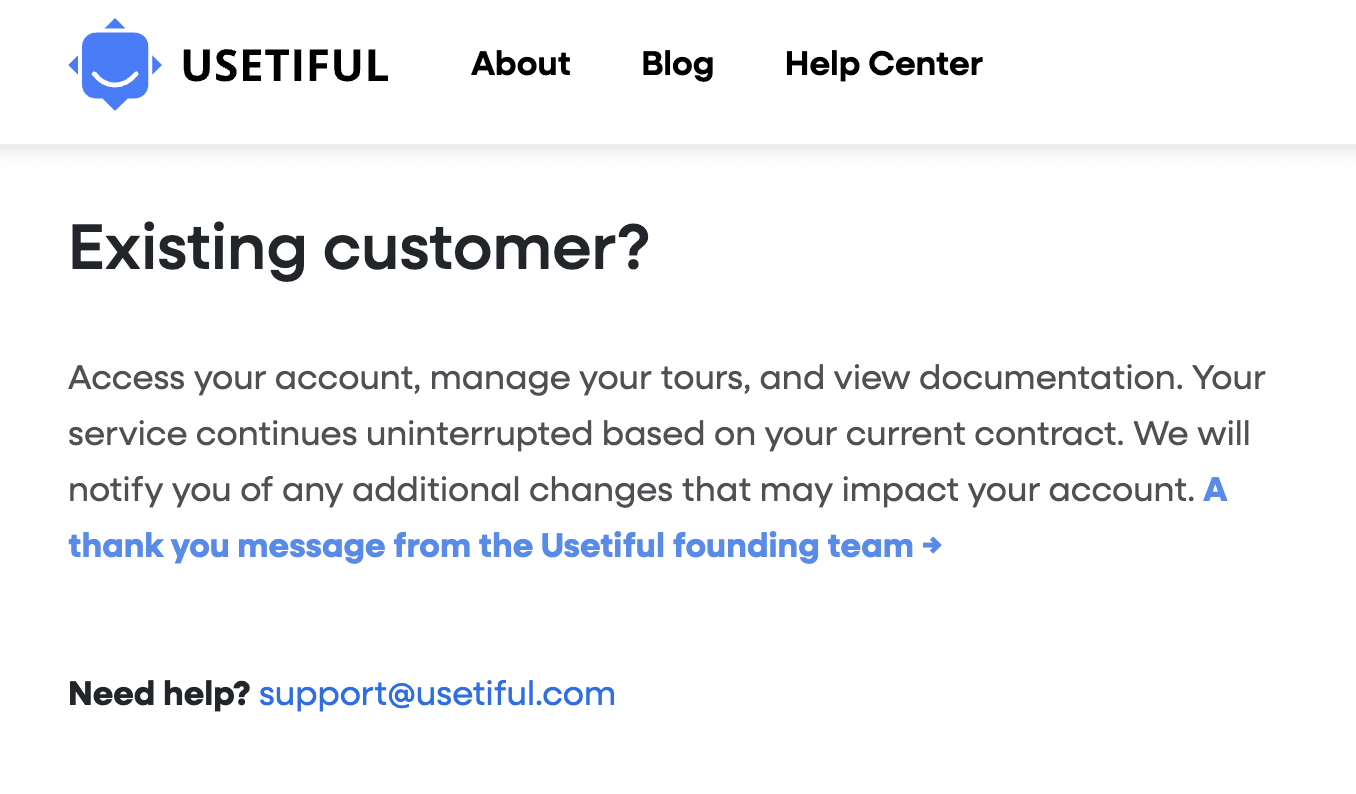
On November 3, 2025, Usetiful was acquired by FullStory, an analytics company, to expand their product capabilities. This acquisition has created significant impact for both new and existing users.
Impact for New Users
As of November 3, 2025, it is no longer possible to create a new Usetiful account. The evidence includes:
- The pricing section was removed from the header and footer of Usetiful.com
- The landing page displays a FullStory acquisition announcement banner
- Account creation forms now redirect to FullStory's platform
- No new trials or signups are being accepted as of November 3, 2025
Impact for Existing Users
Existing Usetiful users are seeking long-term alternatives to ensure stability and continuity of their digital adoption efforts. While Usetiful's team communicated that current contracts will be honored, historical patterns raise concerns:
- Post-acquisition price increases: According to Forbes, SaaS companies commonly raise prices 20-40% within 12-24 months after acquisition as buyers need to demonstrate ROI on their investment
According to Forbes analysis of software acquisitions, the financial logic behind price increases post-acquisition is driven by the need for acquirers to demonstrate ROI, especially under private equity ownership. This pattern makes proactive migration a strategic decision for long-term stability.
5 Top Alternatives to Usetiful
There’s no universal digital solution for every company’s unique product experience needs. Some businesses will find that Usetiful covers their needs to build their user onboarding and product adoption experiences, while others will require a more stable solution for their users. For those seeking a suitable alternative to Usetiful, consider these five competitors:
- Kompassify
- Appcues
- UserGuiding
- Userpilot
- IntroJs
#1 Kompassify
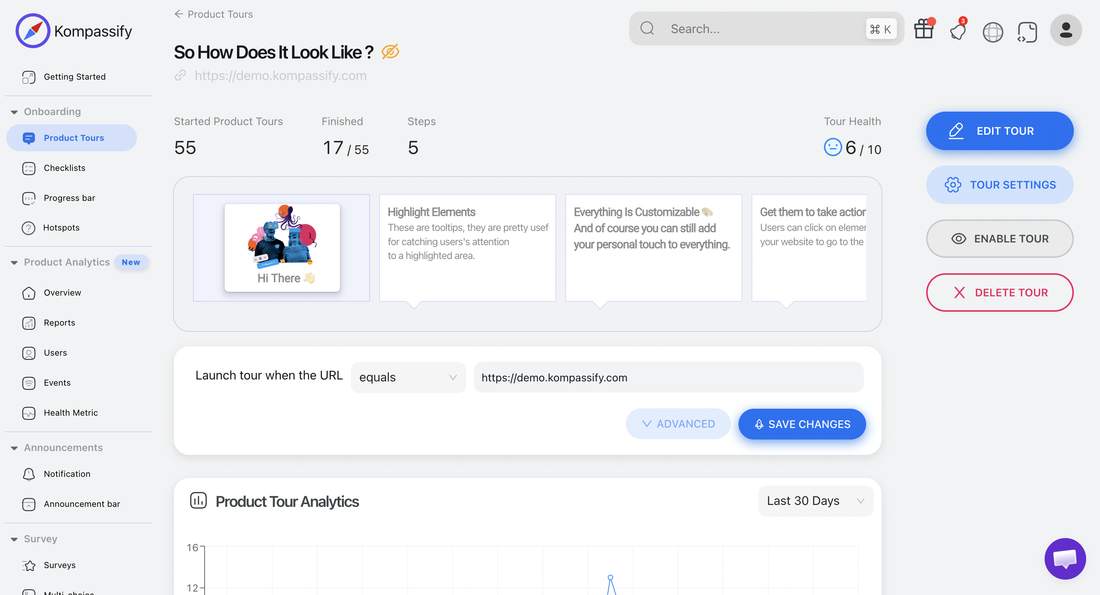
Kompassify’ in-app messages improve user experience and streamline customer journeys, whether you’re trying to drive new users straight to that pivotal moment of value or giving quiet context to complex features. Building these experiences requires no coding and can be customized to look just like they originated from your app, not a third-party tool. Kompassify is best for a comprehensive product adoption platform, with an intuitive no-code builder and diverse in-app and standalone features. However, its lack of native mobile app support can be a drawback for some companies.
-
Interactive Product Tours
Create engaging step-by-step product tours and walkthroughs that guide users through your product features with tooltips, modals, and hotspots. Unlimited tours on all plans.
-
User Onboarding Checklists
Progressive checklists that help users complete key actions and reach their "aha moment" faster. Track completion rates in real-time.
-
NPS Surveys
Measure user satisfaction and gather feedback at critical moments in the user journey with Net Promoter Score and CSAT surveys.
-
No-Code Builder
Intuitive visual editor that requires zero coding knowledge, identical to Usetiful's drag-and-drop approach. Average setup time: 2-3 hours.
-
No-Code Product Analytics
Track how users interact with your onboarding flows in real time. Monitor tour completion rates, checklist progress, and survey responses from a single analytics dashboard no additional setup required.
Kompassify pricing
Kompassify offers a free plan and two paid tiers (Pro and Business), with pricing based on Monthly Active Users (MAU). A 14-day free trial is available no credit card required.
Free
- Up to 100 MAUs
- 1 team member
- Up to 2 Product Tours
- Onboarding checklist
- Notifications widget
- Kompassify branding
Pro
- Up to 5 team members
- Up to 20 Product Tours
- Multi-choice Onboarding
- Notifications widget
- Onboarding Progress bar
- Onboarding checklist
- Segmentation
- Multi-language Onboarding
- No Kompassify branding
Business
- Unlimited team members
- Unlimited Product Tours
- Multi-choice Onboarding
- Notifications widget
- Multiple Onboarding Progress bars
- Multiple Onboarding checklists
- Segmentation
- Multi-language Onboarding
- No Kompassify branding
- Product Analytics
Kompassify vs Usetiful: Complete Feature Comparison
Feature-by-feature analysis: Kompassify offers identical capabilities to Usetiful across all core digital adoption features:
| Feature | Kompassify | Usetiful (Pre-Acquisition) |
|---|---|---|
| Product Tours | ✓ Up to 20 (Pro) · Unlimited (Business) | ✓ Unlimited tours, all plans |
| User Onboarding Checklists | ✓ 1 checklist (Pro) · Multiple checklists (Business) | ✓ Progressive checklists with milestones |
| NPS & Surveys | ✓ Built-in NPS & survey tools | ✓ Built-in surveys |
| No-Code Builder | ✓ Visual no-code editor (Chrome extension) | ✓ Visual builder |
| Multi-choice Onboarding | ✓ Pro & Business plans | ✓ Available |
| Notifications Widget | ✓ All plans (Free, Pro, Business) | ✓ Available |
| Onboarding Progress Bar | ✓ 1 bar (Pro) · Multiple bars (Business) | ✓ Available |
| User Segmentation | ✓ Pro & Business plans | ✓ Advanced targeting |
| Multi-language Support | ✓ Pro & Business plans | ✓ Multi-language support |
| Product Analytics | ✓ Business plan only | ✓ Real-time analytics |
| Remove Branding | ✓ Pro & Business plans (Free shows Kompassify branding) | ✓ Available on paid plans |
| Team Members | ✓ 1 (Free) · 5 (Pro) · Unlimited (Business) | ✓ Based on plan |
| Free Plan | ✓ Free forever up to 100 MAUs | ✗ No free plan |
| GDPR Compliance | ✓ EU-based, fully GDPR compliant, data in Europe | ✓ Estonia-based, GDPR compliant |
| Starting Price | ✓ $129/mo (Pro, 0–1,999 MAUs) | Discontinued |
| New Account Creation | ✓ Open for new customers | ✗ Disabled since November 3, 2025 |
#2 Appcues
Appcues is a multi-channel user engagement platform built for product and marketing teams who want to communicate with users both inside and outside the product. It stands out from most competitors with its native mobile app support a feature that's rare in this space.
Appcues is best for mobile onboarding, as many competitors don't offer this option. However, it has a learning curve and isn't the most budget-friendly solution especially if you need features that are only unlocked on higher tiers.
-
Flows and Product Tours
Modals, slideouts, and hotspots to create guided in-app experiences. Appcues' no-code builder is designed for non-technical users, making it easy for product managers and marketers to build and publish flows without developer support.
-
Mobile App Support
Native iOS and Android support sets Appcues apart from most alternatives on this list. If your product has a mobile component, Appcues is one of the few tools that can handle it natively.
-
Email and Push Notifications
Multi-channel communication is where Appcues shines. You can trigger behavior-based emails, push notifications, and mobile alerts keeping users engaged even when they're not inside your product.
-
Checklists, Banners, and Resource Centers
Standard onboarding features are all there, though some like checklists and resource centers are not included in the entry-level Start plan and require an upgrade.
-
A/B Testing and Event Tracking
Test different versions of your in-app experiences and track user interactions through the Event Explorer. Note that the Start plan caps event tracking at 20 events a significant limitation for growing teams.
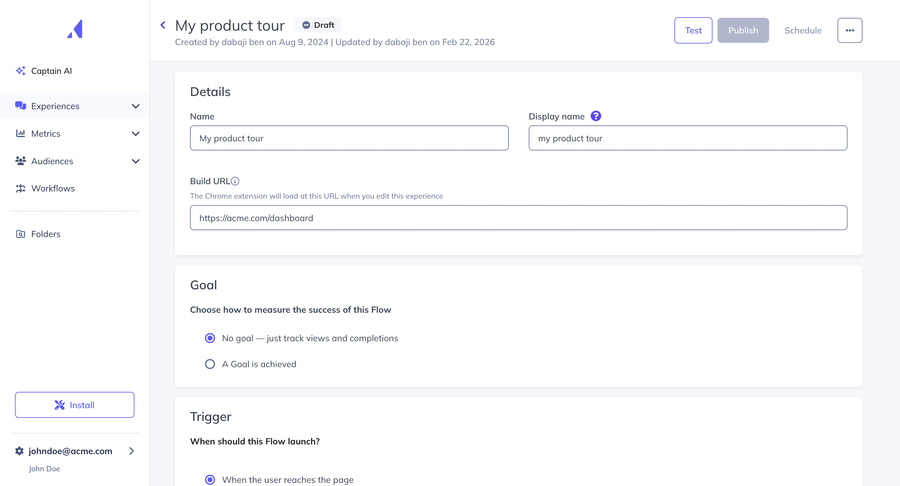
Appcues Pricing
Appcues offers two plans: start Grow at $750/month paid annually, and Enterprise with custom pricing all based on Monthly Tracked Users (MTU) starting at 1,000. The Start plan is very restrictive: checklists and resource centers are not included, event tracking is capped at 20 events, and push notifications and automated emails are add-ons. Even at the lowest tier, Appcues is one of the most expensive options on this list, and you'll likely need to upgrade quickly to get full value from the platform.
Appcues pricing
Appcues has 2 plans billed annually, priced based on Monthly Active Users (MAU) minimum 1,000 MAU:
Grow
Billed annually from 1,000 MAU
- Up to 50,000 MAU
- Up to 15 user licenses
- 100 published experiences
- All experience types
- Resource center & NPS
- All integrations (Salesforce, Slack, etc.)
- Appcues AI
- Email & push notifications (add-on)
- Mobile support (add-on)
Rises to $850/mo at 2,000 MAU
Enterprise
For large organizations
- Unlimited user licenses
- Unlimited experiences
- Localization support
- SSO & SAML
- Custom integrations
- Dedicated customer success manager
- Priority support
Appcues vs Usetiful: Feature Comparison
Feature-by-feature analysis: Appcues stands out with mobile support and multi-channel communication, but it's significantly more expensive and restricts key features on lower tiers:
| Feature | Appcues | Usetiful (Pre-Acquisition) |
|---|---|---|
| Product Tours | ✓ Flows, modals, slideouts, hotspots | ✓ Unlimited tours, all plans |
| User Onboarding Checklists | ⚠ Not included in Start plan | ✓ Progressive checklists, all plans |
| NPS & Surveys | ✓ NPS surveys included | ✓ Built-in surveys, all plans |
| No-Code Builder | ✓ Drag-and-drop, non-technical friendly | ✓ Visual builder |
| Tooltips & Hotspots | ✓ Pins and tooltips | ✓ Unlimited, customizable |
| Resource Center | ⚠ Not included in Start plan | ✗ Not available |
| Email & Push Notifications | ⚠ Available, but add-ons on Start plan | ✗ Not available |
| Mobile App Support | ✓ Native iOS & Android | ✗ Web only |
| A/B Testing | ✓ Built-in A/B testing | ✗ Not available |
| Event Tracking | ⚠ Capped at 20 events on Start plan | ✗ Not available |
| User Segmentation | ✓ Behavioral + property-based targeting | ✓ Advanced targeting |
| Multi-language Support | ✓ In-app localization | ✓ Multi-language support |
| Starting Price | ✗ $300/month (Start, 1,000 MTU) | ✓ $49/month (Starter) |
| New Account Creation | ✓ Open for new customers | ✗ Disabled since November 3, 2025 |
#3 UserGuiding
UserGuiding is a no-code product adoption platform that covers the core onboarding use cases product tours, checklists, surveys, and a resource center alongside some standalone extras like a knowledge base and product updates page. It's a solid option for SMB and mid-market SaaS teams looking to get started with in-app guidance without a heavy implementation lift.
That said, there are a few areas where it shows its limits: analytics stay fairly basic, customization options are more restricted than some competitors, and there's no native mobile app support it's a web-only platform. Pricing also scales with MAU, which can become a consideration as your user base grows.
-
Product Tours and Onboarding Checklists
Step-by-step guides, hotspots, tooltips, and interactive checklists to help users get to value faster. The no-code builder makes it easy to create and publish experiences without any developer support.
-
In-App Surveys and NPS
Collect user feedback directly inside your product with NPS surveys and custom survey forms. Segment your audience and trigger surveys based on user behavior or lifecycle stage.
-
Resource Center
A centralized in-app hub that brings together your guides, checklists, and support materials, giving users on-demand access to help without leaving your product.
-
Knowledge Base and Product Updates
UserGuiding includes a standalone knowledge base and product updates page both of which live outside your app and can be linked to your in-app resource center. It's a useful addition for teams looking to centralise their self-serve support, though teams with more demanding documentation needs may still want a dedicated tool.
-
AI Assistant
An automated support agent embedded directly in your product, with 50 free resolutions available on the free Support Essentials plan.
UserGuiding Pricing
UserGuiding's pricing scales with Monthly Active Users. The Starter plan begins at $249/month for up to 2,000 MAU. The Growth plan starts at $499/month for the same user count. Enterprise pricing is custom. Most features are available across plans. One thing to keep in mind: costs can add up as your MAU grows, so it's worth modelling out what you'd pay at your expected user volume before committing. UserGuiding also offers a free plan called Support Essentials, though it doesn't include product tours or onboarding checklists just the knowledge base, resource center, and AI assistant (50 resolutions/month).
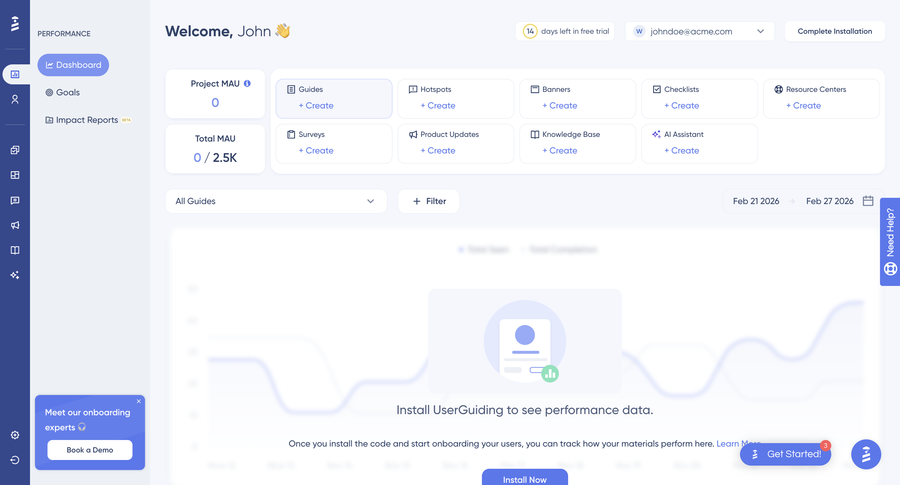
UserGuiding pricing
UserGuiding offers a free plan, but it only offers the Resource Center and it excludes all the product adoption features like product tours and checklists.
Support Essentials
- ✗ Product updates page
- ✗ Resource center
- ✗ Product tours & guides
- ✗ Onboarding checklists
- ✗ Hotspots & tooltips
- ✗ NPS & custom surveys
- ✗ Announcement modals
- ✓ Knowledge base
No product tours or checklists on this plan
Starter
- Product tours & guides
- Onboarding checklists
- Hotspots & tooltips
- NPS & custom surveys
- Announcement modals
- Resource center & AI assistant
- Reporting & segmentation
- Knowledge base + product updates
- 14-day free trial
Scales to $299/mo for 5,000 MAU
Growth
- Everything in Starter
- A/B testing & goal tracking
- Custom CSS
- In-app localization
- Premium integrations
- Advanced analytics & impact reports
Scales to $599/mo for 5,000 MAU
UserGuiding vs Usetiful: Feature Comparison
Feature-by-feature analysis: UserGuiding covers a similar range of features to Usetiful, and adds extras like a standalone knowledge base and AI assistant. Where it diverges is on price and for teams that outgrow basic analytics or need more customization, it may not be the last tool you reach for:
| Feature | UserGuiding | Usetiful (Pre-Acquisition) |
|---|---|---|
| Product Tours | ✓ Step-by-step guides, all plans | ✓ Unlimited tours, all plans |
| User Onboarding Checklists | ✓ Interactive checklists, all plans | ✓ Progressive checklists, all plans |
| NPS & Surveys | ✓ NPS + custom surveys, all plans | ✓ Built-in surveys, all plans |
| No-Code Builder | ✓ Visual builder, no dev required | ✓ Visual builder |
| Tooltips & Hotspots | ✓ Hotspots, tooltips included | ✓ Unlimited, customizable |
| Resource Center | ✓ In-app hub with guides & materials | ✗ Not available |
| Knowledge Base | ✓ Standalone knowledge base | ✗ Not available |
| Product Updates Page | ✓ Standalone changelog/release notes | ✗ Not available |
| AI Assistant | ✓ Built-in AI support agent | ✗ Not available |
| User Segmentation | ✓ Attribute + behavior-based targeting | ✓ Advanced targeting |
| Multi-language Support | ✓ In-app localization | ✓ Multi-language support |
| Mobile App Support | ✗ Web only | ✗ Web only |
| Starting Price | ⚠ $249/month (Starter, 2,000 MAU) | ✓ $49/month (Starter) |
| Free Plan | ✓ Support Essentials free plan | ✗ No free plan (pre-acquisition) |
| New Account Creation | ✓ Open for new customers | ✗ Disabled since November 3, 2025 |
#4 Userpilot
Userpilot is a product growth platform that goes beyond basic onboarding it combines in-app guidance with robust product analytics, session replay, and event tracking in a single tool. If you're a product team that wants to both guide users and deeply understand their behavior, Userpilot is worth looking at.
Userpilot is best for event tracking, session recording, and heatmaps. However, the cheaper plans do not include many of the features that make it stand out you'll need to upgrade or buy add-ons to use the product to its fullest potential.
-
In-App Engagement
Flows, walkthroughs, tooltips, hotspots, and checklists to guide users through your product. The no-code builder makes it accessible to non-technical teams, though some advanced customization still requires developer involvement.
-
Product Analytics
Funnels, paths, trends, retention, and cohort analysis all natively built in. Userpilot also supports no-code event tagging, so you can track user interactions without writing custom tracking code.
-
Session Replay
Session recording is available as an add-on for Growth and Enterprise plans, letting you watch exactly how users navigate your product and identify friction points.
-
NPS and Custom Surveys
Collect user feedback with NPS, CSAT, and fully custom surveys. Userpilot offers 30+ survey templates and a separate analytics dashboard to track results. Note that surveys are locked behind higher-tier plans.
-
Resource Center
A self-serve in-app help hub where users can find guides, checklists, and support materials without leaving your product. Available on the Growth plan and above.
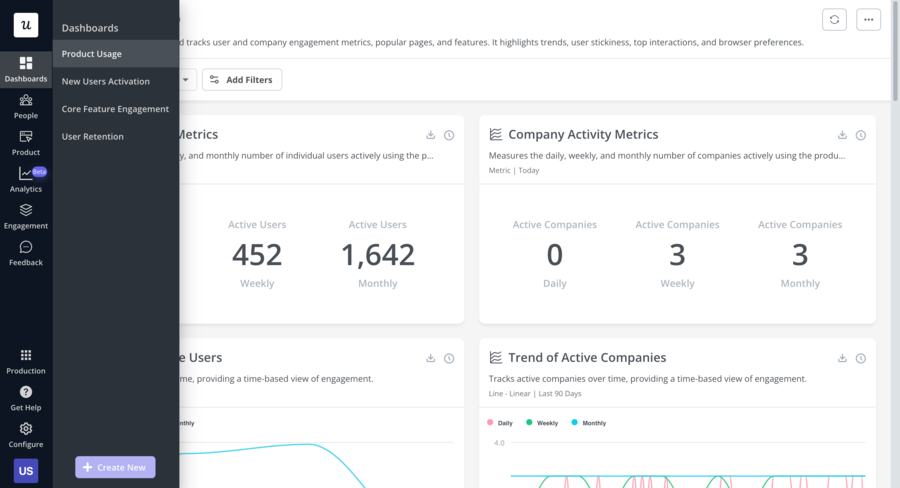
Userpilot Pricing
Userpilot offers three pricing tiers: Starter at $299/month (billed annually) for up to 2,000 MAU, Growth at $799/month, and Enterprise with custom pricing. The Starter plan covers basic in-app engagement and product analytics, but many of the more powerful features like session recordings, resource centers, and advanced surveys are only available on higher tiers or as paid add-ons. That makes Userpilot one of the pricier options on this list if you want access to the full feature set.
Userpilot pricing
Userpilot uses a 3-tier pricing structure based on Monthly Active Users (MAU):
Starter
Billed annually up to 2,000 MAU
- In-app flows, tooltips, hotspots
- Basic onboarding checklists
- NPS surveys
- Basic product analytics
- Event tracking
- User segmentation
- 14-day free trial
Note: Resource centers, A/B testing, and advanced surveys are not included
Growth
Billed annually MAU limit negotiated
- Everything in Starter
- Resource center
- Session replay (add-on)
- Advanced in-app surveys (30+ templates)
- A/B testing
- In-app localization
- HubSpot & Salesforce integrations
- Mobile app support (add-on)
Enterprise
For large-scale teams
- Everything in Growth
- Custom roles & permissions
- Security audits & compliance
- Dedicated customer success manager
- Unlimited MAUs
- Premium integrations
- Bulk data export/import
Userpilot vs Usetiful: Feature Comparison
Feature-by-feature analysis: Userpilot goes further than Usetiful on analytics and session replay, but gates many of its best features behind higher-tier plans:
| Feature | Userpilot | Usetiful (Pre-Acquisition) |
|---|---|---|
| Product Tours | ✓ Flows, walkthroughs, modals | ✓ Unlimited tours, all plans |
| User Onboarding Checklists | ⚠ Locked behind Growth tier | ✓ Progressive checklists, all plans |
| NPS & Surveys | ⚠ NPS is add-on on Starter; 30+ templates on Growth | ✓ Built-in surveys, all plans |
| No-Code Builder | ✓ No-code platform, some advanced features need dev | ✓ Visual builder |
| Tooltips & Hotspots | ✓ Tooltips, hotspots included | ✓ Unlimited, customizable |
| Resource Center | ⚠ Growth plan and above only | ✗ Not available |
| Product Analytics | ✓ Funnels, paths, trends, cohorts native | ✗ Not available |
| Session Replay | ⚠ Add-on for Growth/Enterprise only | ✗ Not available |
| User Segmentation | ✓ Advanced segmentation | ✓ Advanced targeting |
| Multi-language Support | ⚠ Localization on Growth plan only | ✓ Multi-language support |
| Mobile App Support | ✓ Web and mobile supported | ✗ Web only |
| Starting Price | ⚠ $299/month (Starter, 2,000 MAU) | ✓ $49/month (Starter) |
| New Account Creation | ✓ Open for new customers | ✗ Disabled since November 3, 2025 |
#5 Intro.js
Intro.js is a different kind of tool compared to everything else on this list. It's a lightweight, open-source JavaScript library that lets developers build step-by-step product tours and onboarding guides directly in code. There's no dashboard, no no-code builder, no analytics just a clean, flexible library you can drop into any web project.
Intro.js is best for creating lightweight, customizable product tours with coding. However, it lacks advanced features like analytics, segmentation, and surveys so teams looking for a full-featured adoption platform will need to pair it with other tools or build additional functionality themselves.
-
Step-by-Step Product Tours
Define guided walkthroughs that highlight specific UI elements, with customizable tooltips, modals, and navigation controls. Everything is configured in code, giving developers full control over behavior and design.
-
Interactive Hints
Add persistent hotspot-style hints to call out features or guide users to specific parts of your interface, without triggering a full walkthrough.
-
Lightweight and Developer-Friendly
Intro.js is designed to stay out of the way. It's easy to integrate, has a simple API, and doesn't require a third-party subscription or additional tracking scripts loaded into your product.
-
What's Missing
No checklists, no surveys, no NPS, no segmentation, no analytics, no resource center. If you need any of these features, you'll need to build them yourself or combine Intro.js with another tool. It's a tradeoff: maximum flexibility and control, at the cost of out-of-the-box functionality.
Intro.js Pricing
Intro.js is completely free and open-source for personal and non-commercial use. For commercial projects, you'll need a commercial license: the Starter license is $9.99/lifetime for one project, the Business license is $49.99/lifetime for five projects with one month of commercial support, and the Premium license is $299.99/lifetime for unlimited projects with 24/7 priority support. This makes Intro.js by far the most affordable option on this list though the trade-off is that everything else beyond basic tour functionality needs to be built by your team.
Intro.js pricing
Intro.js is free and open-source for personal and non-commercial use. Commercial licenses are a one-time lifetime payment:
Free
For open-source & non-commercial projects
- Full Intro.js library
- All core tour features
- AGPL open-source license
- Community support (StackOverflow)
- Regular product updates
Commercial use requires a paid license
Starter
For commercial use 1 project
- 1 project
- Lifetime license
- Regular product updates
- No commercial support included
Business
Most popular commercial option
- 5 projects
- 1 custom theme
- 1 month commercial support
- Regular product updates
- Lifetime license
Premium
For agencies & large teams
- Unlimited projects
- 3 custom themes
- 6 months commercial support
- 24/7 priority support
- Lifetime license
Intro.js vs Usetiful: Feature Comparison
Feature-by-feature analysis: Intro.js is lean and free, but it only covers the basics teams needing a full adoption platform will quickly hit its limits:
| Feature | Intro.js | Usetiful (Pre-Acquisition) |
|---|---|---|
| Product Tours | ✓ Step-by-step tours via code | ✓ Unlimited tours, all plans |
| Interactive Hints | ✓ Hotspot-style hints | ✓ Hints and hotspots |
| User Onboarding Checklists | ✗ Not available | ✓ Progressive checklists, all plans |
| NPS & Surveys | ✗ Not available | ✓ Built-in surveys, all plans |
| No-Code Builder | ✗ Code-only, requires developer | ✓ Visual builder, no dev required |
| Resource Center | ✗ Not available | ✗ Not available |
| Analytics | ✗ No native analytics | ✓ Real-time analytics |
| User Segmentation | ✗ Not available | ✓ Advanced targeting |
| In-App Announcements | ✗ Not available | ✓ Announcement modals |
| Multi-language Support | ✓ Customizable via code | ✓ Multi-language support |
| Customization | ✓ Full control via code | ✓ Custom CSS, theme builder |
| Pricing | ✓ Free (open-source); from $9.99/lifetime commercial | ✓ $49/month (Starter) |
| New Account Creation | ✓ Open-source, always available | ✗ Disabled since November 3, 2025 |
Conclusion: Which Usetiful Alternative Should You Choose?
Usetiful's acquisition by FullStory has closed the door on new signups, and waiting around to see what happens to the product isn't a strategy especially if you're actively onboarding users right now.
The good news is that the alternatives have never been better. Whether you need a like-for-like replacement at a similar price point or a more powerful platform with analytics and session replay, there's a solid option on this list for you.
Here's the short version to help you decide:
- If you want the closest match to Usetiful in features and price: go with Kompassify. It covers all the core bases product tours, onboarding checklists, NPS surveys, segmentation, multi-language support with a free plan to get started and paid plans from $129/month.
- If you need mobile app support: Appcues is the only option on this list with native iOS and Android support. Just be prepared for the pricing it starts at $750/month.
- If you want a broader feature set that includes a knowledge base, product updates page, and AI assistant: UserGuiding is worth a look. It's a capable platform for SMB and mid-market teams, though it's less suited to teams that need advanced analytics, deep customization, or mobile app support.
- If product analytics matter as much as in-app guidance: Userpilot is the one to look at. It's the only tool here that combines onboarding flows with native funnels, paths, retention analysis, and session replay.
- If you have developer resources and just need something lightweight: Intro.js gets the job done for basic product tours at minimal cost, though you'll be building and maintaining everything yourself.
No tool on this list is a perfect fit for every team it really comes down to your budget, your team's technical capacity, and how much of your product experience you want to own vs. configure. Take advantage of the free plans and free trials where they're available, and test with your actual product before committing.
Frequently Asked Questions
Why can't I sign up for Usetiful anymore?
Usetiful was acquired by FullStory on November 3, 2025. As part of the acquisition, new account creation was immediately disabled sign-up forms now redirect to FullStory's platform. Existing Usetiful customers are having their contracts honored for now, but no new trials or accounts are being accepted.
What is the best free alternative to Usetiful?
Kompassify offers a free plan that supports up to 100 Monthly Active Users and includes product tours, an onboarding checklist, and a notifications widget no credit card required. UserGuiding also has a free plan (called Support Essentials) covering a knowledge base, resource center, and AI assistant with 50 monthly resolutions. If you're a developer working on a non-commercial project, Intro.js is fully open-source and free.
Which Usetiful alternative is the most affordable for small teams?
Kompassify is the most accessible starting point on the paid side, with its Pro plan at $129/month and a free tier available. UserGuiding follows at $249/month (billed annually). Appcues and Userpilot are considerably more expensive and are better suited to teams with larger budgets.
Which alternative is best if I need mobile app support?
Appcues is the only tool on this list with native iOS and Android support. Most other alternatives including Kompassify, UserGuiding, and Usetiful itself are web-only. Userpilot does offer mobile support, but only as an add-on on its higher-tier plans.
Which Usetiful alternative is best for product analytics?
Userpilot is the strongest option here by a clear margin. It combines in-app onboarding flows with native funnels, cohort analysis, path tracking, retention reports, and session replay all in one platform. Kompassify also includes built-in product analytics, but these are available on the Business plan only.
Is Kompassify GDPR compliant?
Yes. Kompassify is GDPR compliant and hosts data within the EU which is an important consideration for European teams or any company with EU-based users.
Can existing Usetiful customers keep using it?
For now, yes. Existing Usetiful customers are having their contracts honored following the FullStory acquisition. However, the long-term product direction and pricing are uncertain historically, SaaS acquisitions result in pricing increases and product changes within 12 to 24 months. It's worth evaluating alternatives sooner rather than later.
What features should I look for in a Usetiful replacement?
At a minimum, look for product tours, onboarding checklists, tooltips and hotspots, user segmentation, and a no-code builder. If you want to go further, NPS surveys, in-app announcements, multi-language support, and built-in analytics will give you considerably more leverage over your onboarding and product adoption efforts. All five alternatives covered in this article include the core features where they differ is in pricing, analytics depth, mobile support, and extras like knowledge bases or session replay.
Related comparisons
Evaluating other onboarding tools? See our 2026 side-by-side breakdowns:
- 5 Best UserGuiding Alternatives in 2026: pricing & features compared.
- 5 Best Pendo Alternatives in 2026: cheaper options with transparent pricing.
- 5 Best Userpilot Alternatives in 2026, picks under $299/mo.
- 5 Best Product Fruits Alternatives in 2026, with deeper analytics and triggers.