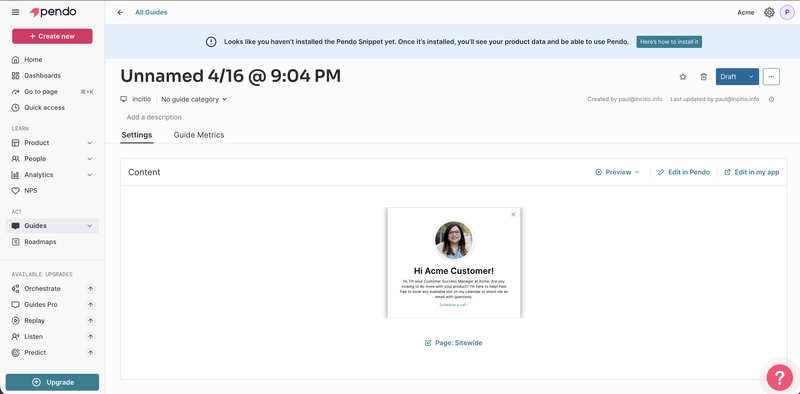
Pendo has been a go-to platform for enterprise product teams for years and for good reason. It combines in-app guidance, product analytics, and user feedback in one place.
But there's a problem most teams run into quickly: you can't find out what Pendo actually costs without going through a lengthy sales process. And once you get the quote, it's often a shock.
Community reports are full of teams sharing sticker shock after their first sales call multi-year commitments, enterprise-level price tags, and basic features locked behind higher tiers. It's consistently one of the most discussed pain points in product communities.
If that's not in your budget or you simply want to know what you're paying before you commit this article covers the top 5 Pendo alternatives with full feature and pricing breakdowns.
Key Takeaways:
- Pendo's main drawback is pricing opacity: No public pricing page, sales-gated quotes, and enterprise-level annual contracts make Pendo inaccessible for most startups and SMBs.
- Kompassify is the most accessible full-feature alternative: It covers the same core use cases as Pendo in-app product experience, product analytics, NPS surveys, segmentation, multi-language support with a free plan for up to 100 MAU and paid plans starting at $129/month.
- Userpilot leads on analytics depth: Native funnels, paths, cohort analysis, retention reports, and session replay make it the closest alternative to Pendo for analytics-heavy teams. Starts at $299/month.
- Appcues is the best choice for mobile: It's the only alternative on this list with native iOS and Android support. Starting at $750/month, it's built for teams with multi-channel onboarding needs.
- UserGuiding adds knowledge base and AI assistant: A solid no-code option for SMB and mid-market SaaS teams that want onboarding plus a standalone knowledge base and product updates page. Starts at $249/month.
- Intro.js is the only developer-first open-source option: Free for non-commercial use, commercial licenses from $9.99 one-time. No dashboard, analytics, checklists, or surveys just code-based product tours.
Before diving in, here's a full comparison table summarizing all five alternatives, their features, and pricing:
| Pendo | Kompassify | Userpilot | Appcues | UserGuiding | Intro.js | |
|---|---|---|---|---|---|---|
Capterra Score |
4.6 |
4.7 |
4.5 |
4.8 |
4.7 |
N/A |
G2 Score |
4.4 |
4.8 |
4.6 |
4.6 |
4.7 |
23.1K (GitHub) |
Starting Price |
$15k+/year (custom) |
Free |
$299/mo |
$750/mo |
$249/mo |
Free |
Transparent Pricing |
❌ |
✅ |
✅ |
✅ |
✅ |
✅ |
Product Tours |
✅ |
✅ |
✅ |
✅ |
✅ |
✅ |
Onboarding Checklists |
✅ |
✅ |
✅ |
✅ |
✅ |
❌ |
NPS Surveys |
⚠ Add-on / higher tier |
✅ |
✅ |
✅ |
✅ |
❌ |
Product Analytics |
✅ |
✅ (Business plan) |
✅ |
⚠ Basic |
⚠ Basic |
❌ |
Session Replay |
✅ (Core+) |
❌ |
⚠ Add-on (Growth+) |
❌ |
❌ |
❌ |
User Segmentation |
✅ |
✅ |
✅ |
✅ |
✅ |
❌ |
No-Code Builder |
⚠ Steep learning curve |
✅ |
✅ |
✅ |
✅ |
❌ |
Mobile App Support |
✅ |
❌ |
⚠ Add-on |
✅ |
❌ |
❌ |
Free Plan |
✅ Up to 500 MAU |
✅ Up to 100 MAU |
❌ |
❌ |
⚠ No product tours |
✅ Non-commercial |
Why Product Teams Are Looking for Pendo Alternatives
Pendo is a genuinely capable platform. If you're at an enterprise with a product analytics budget, it delivers. But for a large share of product teams, the core issue isn't features it's pricing.
The Pricing Problem
Pendo has no public pricing page. Every plan requires going through a sales process. And the numbers that come out the other end can be surprising.
Based on community reports and third-party procurement data, Pendo is consistently priced at enterprise-level most mid-market teams report paying significantly more than expected once they go through the sales process. For startups and growing SaaS teams, that's hard to justify.
"Pendo quoted me a significant amount just to use their webhook... I am a startup. I don't have that kind of budget for this."
"It costs us a substantial amount per month even with a 3-year long-term contract, which often tend to come with discounts."
And it's not just the starting price. Multiple users have reported being forced into plan upgrades as their MAU counts grew, with costs jumping significantly overnight. Features like unbranded NPS surveys, webhooks, and session replay are often locked behind higher tiers or add-ons that aren't included in base quotes.
Other Common Complaints
Pricing opacity is the biggest driver of teams switching away from Pendo, but it's not the only one. Based on G2 reviews and community feedback, here are the other pain points that come up repeatedly:
- Steep learning curve: The guide builder and analytics dashboards are often described as confusing, especially for new users. Basic customizations like adjusting a feedback widget can require CSS or HTML knowledge.
- Data accuracy concerns: "Data inaccuracy" is one of the top five complaints on G2, with many users reporting discrepancies between Pendo's analytics and other tracking tools.
- Slow, glitchy UI: Users frequently mention lag and unresponsive elements when navigating dashboards or setting up guides.
- Rigid contracts: Year-long contracts with limited flexibility at renewal some teams report being told only annual extensions are possible when trying to wind down.
If any of these resonate, the alternatives below are all worth considering.
Top 5 Pendo Alternatives for 2026
#1 Kompassify
Kompassify is a no-code product adoption platform that covers the same core use cases as Pendo in-app product experience, product analytics, and user feedback at a fraction of the cost. It's built for SaaS teams that want a capable, fully-featured platform without enterprise pricing or a sales-gated process.
Unlike Pendo, Kompassify has a free plan (up to 100 monthly active users), transparent pricing published on its website, and paid plans starting at $129/month. There's no need to book a demo or wait for a quote. You can sign up, install the snippet, and have your first product tour live in a couple of hours.
On the feature side, Kompassify matches Pendo's key product experience capabilities product tours, onboarding checklists, NPS surveys, tooltips, hotspots, user segmentation, and multi-language support while adding native product analytics on the Business plan.
-
Product Tours & Walkthroughs
Build step-by-step guided tours with a visual no-code editor no developer required. Create modals, tooltips, hotspots, and announcement banners to guide users through any flow. Average setup time: 2–3 hours.
-
Onboarding Checklists
Progressive checklists that help users complete key actions and reach their "aha moment" faster. Track completion rates in real time and trigger follow-up tours based on checklist progress.
-
NPS & In-App Surveys
Measure user satisfaction and collect feedback at critical moments in the user journey with Net Promoter Score and CSAT surveys. All plans include NPS no add-on required.
-
User Segmentation
Target specific user groups with tailored onboarding experiences based on user properties, behavior, or lifecycle stage. Available on Pro and Business plans.
-
Multi-Language Support
Deliver onboarding in your users' language with built-in localization support. No extra configuration or third-party integration needed.
-
No-Code Product Analytics
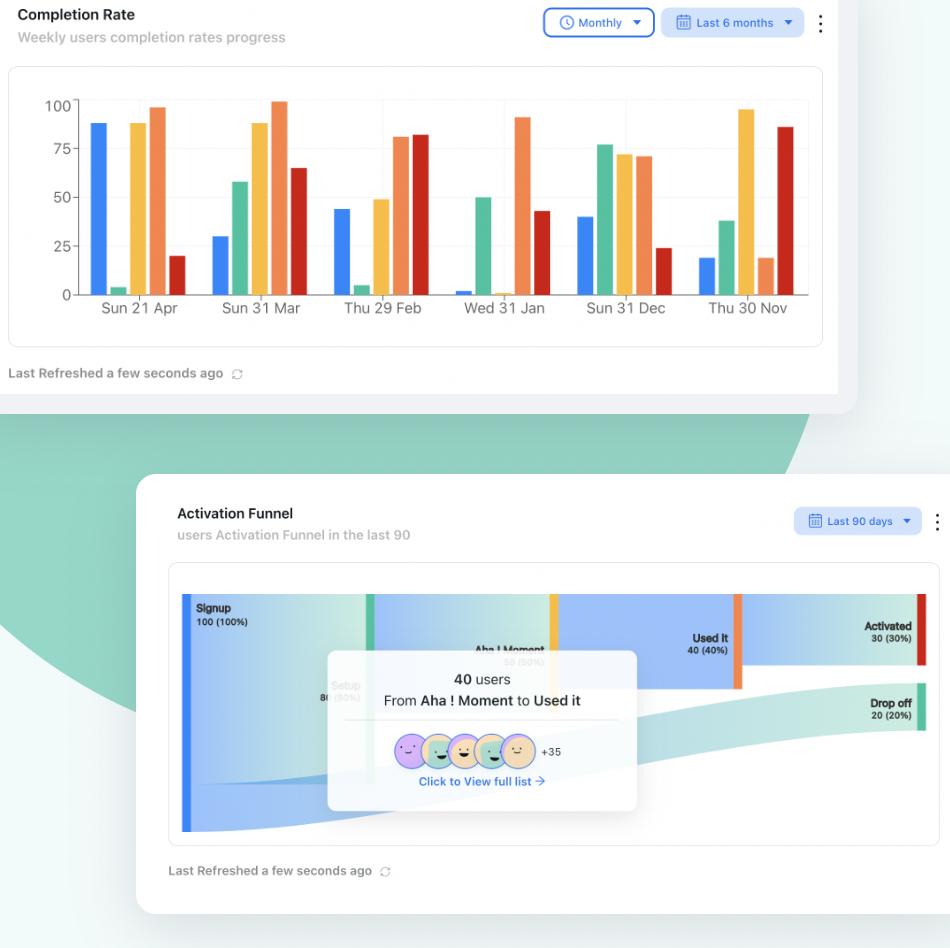
Track how users interact with your onboarding flows in real time. Monitor tour completion rates, checklist progress, and survey responses from a single analytics dashboard no additional setup required. Available on the Business plan.
Kompassify Pricing
Kompassify offers a free plan and two paid tiers (Pro and Business), with pricing based on monthly active users (MAU). A 14-day free trial is available no credit card required.
Free
- Up to 100 MAUs
- 1 team member
- Up to 2 product tours
- Onboarding checklist
- Notifications widget
- Kompassify branding
Pro
- Up to 5 team members
- Up to 20 product tours
- Multi-choice onboarding
- Notifications widget
- Onboarding progress bar
- Onboarding checklist
- User segmentation
- Multi-language onboarding
- No Kompassify branding
Business
- Unlimited team members
- Unlimited product tours
- Multi-choice onboarding
- Notifications widget
- Multiple onboarding progress bars
- Multiple onboarding checklists
- User segmentation
- Multi-language onboarding
- No Kompassify branding
- Product analytics
Kompassify vs. Pendo: Full Feature Comparison
Feature comparison: Kompassify covers Pendo's core product experience and analytics capabilities at a transparent, accessible price point:
| Feature | Kompassify | Pendo |
|---|---|---|
| Product Tours | ✓ Up to 20 (Pro) · Unlimited (Business) | ✓ Available on all paid plans |
| Onboarding Checklists | ✓ 1 (Pro) · Multiple (Business) | ✓ Available on paid plans |
| NPS & Surveys | ✓ Included on all plans | ⚠ Branded NPS on Base; unbranded requires Core+ |
| Product Analytics | ✓ Built-in on Business plan | ✓ Available, but Core+ required for full depth |
| Session Replay | ✗ Not available | ⚠ Requires Core plan or above |
| No-Code Builder | ✓ Visual no-code editor (Chrome extension) | ⚠ Available but steep learning curve; CSS/HTML often needed |
| User Segmentation | ✓ Pro and Business plans | ✓ Available on paid plans |
| Multi-Language Support | ✓ Pro and Business plans | ⚠ Available at higher tiers |
| Mobile App Support | ✗ Web only | ✓ iOS and Android supported |
| Free Plan | ✓ Up to 100 MAU, no credit card required | ⚠ Free for 500 MAU guide creation locks above limit |
| Transparent Pricing | ✓ Public pricing, no sales call required | ✗ Sales-gated, custom quotes only |
| Starting Price | ✓ Free · $129/month (Pro) · $249/month (Business) | ✗ Free-$15,000–$142,000+/year (custom quote) |
#2 Userpilot
Userpilot is a product growth platform that combines in-app guidance with native product analytics. If the reason you were considering Pendo was its analytics depth funnels, user paths, retention reports Userpilot is the closest alternative that also keeps costs transparent and accessible.
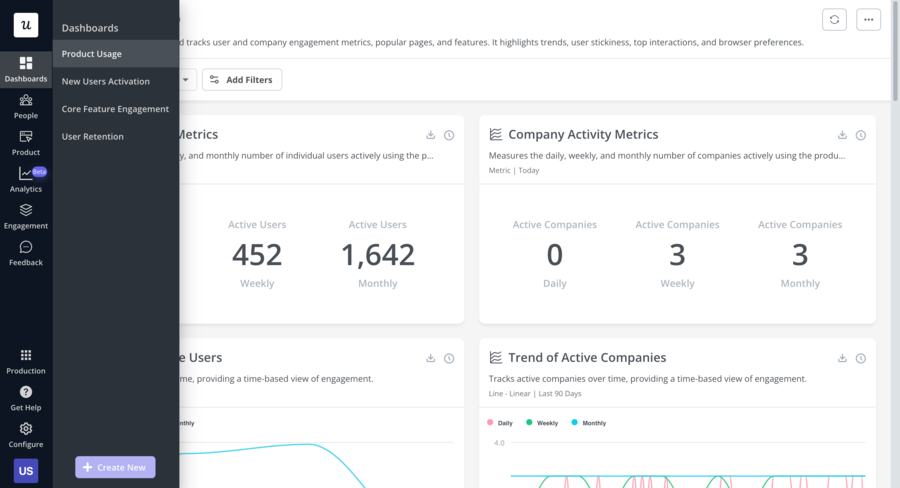
On the analytics side, Userpilot includes native funnels, path analysis, trend tracking, retention analysis, and cohort reports. Session replay is available as an add-on on the Growth plan. On the engagement side, it covers flows, tooltips, hotspots, modals, onboarding checklists, NPS surveys, and a resource center (on higher tiers).
The main trade-off compared to Pendo: Userpilot's more advanced features resource center, advanced surveys, A/B testing, session replay, localization are gated behind the Growth plan at $799/month. If you're on the Starter plan at $299/month, you're working with a leaner feature set.
-
In-App Flows & Guidance
Build product tours, modals, tooltips, hotspots, and slideouts with a no-code editor. Trigger experiences based on user behavior, segment, or lifecycle stage.
-
Native Product Analytics
Track feature adoption with funnels, user path analysis, trend reports, and cohort retention all native to the platform, no third-party integration needed.
-
Onboarding Checklists
Progressive checklists to drive users toward activation milestones. Note: checklists are only available on the Growth plan and above.
-
NPS & In-App Surveys
NPS is available as an add-on on the Starter plan; 30+ survey templates are included in the Growth plan. More flexible than Pendo, where unbranded NPS requires an upgrade.
-
Session Replay
Session replay is available as a paid add-on on the Growth plan and above useful for teams moving away from Pendo's Core tier specifically for this feature.
Userpilot Pricing
Userpilot offers three plans with transparent, publicly-listed pricing based on monthly active users.
Starter
Billed annually, up to 2,000 MAU
- In-app flows, tooltips, hotspots
- Basic onboarding checklists
- NPS surveys (add-on)
- Basic product analytics
- Event tracking
- User segmentation
- 14-day free trial
Note: Resource center, A/B testing, and advanced surveys not included
Growth
Billed annually, MAU limit negotiable
- Everything in Starter
- Resource center
- Session replay (add-on)
- Advanced in-app surveys (30+ templates)
- A/B testing
- In-app localization
- HubSpot & Salesforce integrations
- Mobile app support (add-on)
Enterprise
For large teams
- Everything in Growth
- Custom roles & permissions
- Security audits & compliance
- Dedicated Customer Success Manager
- Unlimited MAUs
- Premium integrations
- Bulk data export/import
Userpilot vs. Pendo: Feature Comparison
Feature comparison: Userpilot goes further than Pendo on analytics transparency and pricing clarity, but gates several key features behind higher tiers:
| Feature | Userpilot | Pendo |
|---|---|---|
| Product Tours | ✓ Flows, guides, modals | ✓ Available on all paid plans |
| Onboarding Checklists | ⚠ Growth plan only | ✓ Available on paid plans |
| NPS & Surveys | ⚠ NPS add-on on Starter; 30+ templates on Growth | ⚠ Branded NPS on Base; unbranded requires Core+ |
| Native Product Analytics | ✓ Funnels, paths, trends, cohorts all plans | ✓ Available; deeper features require Core+ |
| Session Replay | ⚠ Add-on for Growth/Enterprise | ⚠ Requires Core plan or above |
| Resource Center | ⚠ Growth plan only | ✓ Available on paid plans |
| User Segmentation | ✓ Behavior and property-based targeting | ✓ Advanced segmentation |
| Transparent Pricing | ✓ Public pricing, no sales call required | ✗ Sales-gated, custom quotes only |
| Starting Price | ✓ $299/month (Starter, 2,000 MAU) | ✗ Free-$15,000–$142,000+/year (custom quote) |
#3 Appcues
Appcues is a multi-channel user engagement platform focused on product-led growth. Its standout feature compared to the other alternatives on this list is native iOS and Android mobile app support making it the best option if you need onboarding across both web and mobile.
On the web side, Appcues covers flows, checklists, banners, hotspots, resource centers, NPS surveys, A/B testing, email notifications, and push notifications. The builder is no-code and well-regarded for being straightforward to use.
The main limitation is price. Appcues starts at $750/month (billed annually), making it the most expensive option on this list. For teams that don't specifically need mobile support, alternatives like Kompassify or Userpilot offer comparable web features at a significantly lower price point.
-
Product Tours & Flows
Build multi-step onboarding flows with a no-code visual editor. Supports modals, tooltips, hotspots, slideouts, and announcement banners across web and mobile.
-
Native Mobile App Support
The only alternative on this list with native iOS and Android SDKs. If your product spans web and mobile, Appcues is the strongest option for consistent cross-platform onboarding.
-
Onboarding Checklists & Resource Center
Progressive checklists and an in-app resource center to give users on-demand access to guides and support materials without leaving your product.
-
NPS & In-App Surveys
Collect user feedback at any point in the user journey with NPS surveys and custom survey forms. Trigger surveys based on user behavior, segment, or time in product.
-
A/B Testing
Test different onboarding flows and in-app messages to identify what drives activation and feature adoption. Built into the Grow plan.
Appcues Pricing
Appcues offers two main plans with transparent, publicly-listed pricing. A 14-day free trial is available.
Essentials
Billed annually
- Up to 3 team members
- In-app flows, tooltips, hotspots
- Onboarding checklists
- NPS surveys
- Basic analytics
- User segmentation
- 14-day free trial
Growth
For scaling teams
- Everything in Essentials
- Unlimited team members
- A/B testing
- Advanced analytics
- Resource center
- Email & push notifications
- Native mobile (iOS & Android)
- Priority support
Appcues vs. Pendo: Feature Comparison
Feature comparison: Appcues matches Pendo on core in-app guidance features and beats it on pricing transparency, while Pendo retains an advantage in analytics depth:
| Feature | Appcues | Pendo |
|---|---|---|
| Product Tours | ✓ Flows, modals, tooltips, hotspots | ✓ Available on all paid plans |
| Onboarding Checklists | ✓ Available on Essentials and Growth | ✓ Available on paid plans |
| NPS & Surveys | ✓ Included on all plans | ⚠ Branded NPS on Base; unbranded requires Core+ |
| Product Analytics | ⚠ Basic no native funnels or path analysis | ✓ Deep analytics available on Core+ |
| A/B Testing | ✓ Built in on Growth plan | ✗ Not available |
| Mobile App Support | ✓ Native iOS and Android | ✓ iOS and Android supported |
| Email & Push Notifications | ✓ Available on Growth | ✗ Not available |
| Transparent Pricing | ✓ Public pricing, no sales call required | ✗ Sales-gated, custom quotes only |
| Starting Price | ⚠ $750/month (Essentials) | ✗ Free-$15,000–$142,000+/year (custom quote) |
#4 UserGuiding
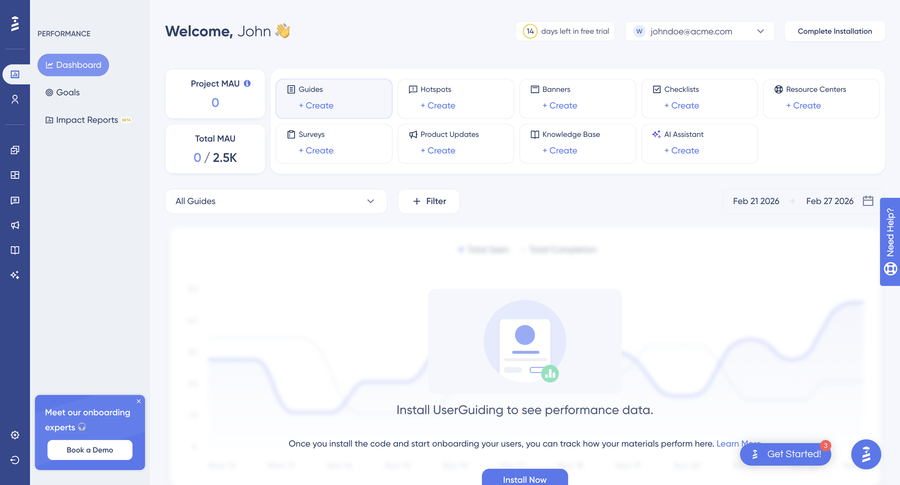
UserGuiding is a no-code product adoption platform that covers the core onboarding use cases product tours, checklists, surveys, and a resource center plus some standalone extras like a knowledge base, a product updates page, and an AI assistant. It's a solid option for SMB and mid-market SaaS teams looking to get started with in-app guidance without heavy implementation effort.
Compared to Pendo, UserGuiding's analytics are more limited and customization options are more constrained. It doesn't offer session replay or deep funnel analysis. But for teams that don't need that level of analytics depth and were looking at Pendo primarily for its in-app guidance capabilities, UserGuiding is a capable and far more affordable alternative.
-
Product Tours & Onboarding Checklists
Step-by-step guides, hotspots, tooltips, and interactive checklists to help users reach value faster. The no-code builder lets you create and publish experiences without developer support.
-
In-App Surveys & NPS
Collect user feedback directly in your product with NPS surveys and custom survey forms. Segment your audience and trigger surveys based on user behavior or lifecycle stage.
-
Resource Center
A centralized in-app hub that brings together your guides, checklists, and support materials giving users on-demand access to help without leaving your product.
-
Knowledge Base & Product Updates
UserGuiding includes a standalone knowledge base and product updates page both external to your app and linkable from your in-app resource center. A useful addition for teams looking to centralize self-serve support.
-
AI Assistant
An automated support agent embedded directly in your product, with 50 free resolutions per month on the free Support Essentials plan.
UserGuiding Pricing
UserGuiding's pricing scales with monthly active users. The Starter plan begins at $249/month for up to 2,000 MAU. UserGuiding also offers a free Support Essentials plan but note this does not include product tours or onboarding checklists, only the knowledge base, resource center, and AI assistant.
Support Essentials
- ✗ Product tours & guides
- ✗ Onboarding checklists
- ✗ Hotspots & tooltips
- ✗ NPS & custom surveys
- ✗ Announcement modals
- ✓ Knowledge base
- ✓ Resource center
- ✓ AI assistant (50 resolutions/mo)
No product tours or checklists on this plan
Starter
- Product tours & guides
- Onboarding checklists
- Hotspots & tooltips
- NPS & custom surveys
- Announcement modals
- Resource center & AI assistant
- Reporting & segmentation
- Knowledge base + product updates
- 14-day free trial
Scales to $299/month for 5,000 MAU
Growth
- Everything in Starter
- A/B testing & goal tracking
- Custom CSS
- In-app localization
- Premium integrations
- Advanced analytics & impact reports
Scales to $599/month for 5,000 MAU
UserGuiding vs. Pendo: Feature Comparison
Feature comparison: UserGuiding covers Pendo's core in-app guidance features and adds extras like a knowledge base and AI assistant, while Pendo retains an advantage in analytics depth and mobile support:
| Feature | UserGuiding | Pendo |
|---|---|---|
| Product Tours | ✓ Guides, tooltips, hotspots, modals | ✓ Available on all paid plans |
| Onboarding Checklists | ✓ Available on Starter and Growth | ✓ Available on paid plans |
| NPS & Surveys | ✓ Included on Starter and Growth | ⚠ Branded NPS on Base; unbranded requires Core+ |
| Knowledge Base | ✓ Standalone knowledge base included | ✗ Not available |
| AI Assistant | ✓ Built-in AI support agent | ✗ Not available |
| Product Analytics | ⚠ Basic reporting; no native funnels or path analysis | ✓ Deep analytics available on Core+ |
| Session Replay | ✗ Not available | ⚠ Requires Core plan or above |
| Mobile App Support | ✗ Web only | ✓ iOS and Android supported |
| Transparent Pricing | ✓ Public pricing, no sales call required | ✗ Sales-gated, custom quotes only |
| Starting Price | ✓ $249/month (Starter, 2,000 MAU) | ✗ Free-$15,000–$142,000+/year (custom quote) |
#5 Intro.js
Intro.js is an open-source JavaScript library for building lightweight product tours and interactive hints. It's the most developer-focused option on this list and the most affordable.
If you were using Pendo primarily for basic product tours and you have developer resources available, Intro.js can cover that use case at minimal cost. But it's a significant step down in scope: there's no dashboard, no analytics, no checklists, no NPS surveys, no segmentation, and no no-code builder. Every tour is hand-coded and maintained by your engineering team.
It's best suited for early-stage teams with tight budgets, open-source projects, or internal tooling where the full feature set of a dedicated product adoption platform isn't needed.
-
Code-Based Product Tours
Build step-by-step guided tours and interactive hints entirely in JavaScript. Full control over design and behavior but requires developer implementation and maintenance.
-
Lightweight & No Vendor Lock-In
As an open-source library, Intro.js has no external dependencies, no usage limits, and no subscription. Free for non-commercial projects; commercial licenses from $9.99 one-time.
Intro.js Pricing
Intro.js is free for non-commercial use and open-source projects. Commercial licenses are available as a one-time purchase.
Non-Commercial
- Full open-source library
- Non-commercial & open-source projects only
- All tour and hint features
- Community support
Commercial License
- Commercial use
- Per-developer license
- All library features
Intro.js vs. Pendo: Feature Comparison
Feature comparison: Intro.js covers only the most basic product tour use case. It's a library, not a platform no analytics, no surveys, no checklists, and no no-code tooling:
| Feature | Intro.js | Pendo |
|---|---|---|
| Product Tours | ✓ Code-based step-by-step tours | ✓ Available on all paid plans |
| Interactive Hints | ✓ Hotspot-like hints | ✓ Hints and hotspots |
| Onboarding Checklists | ✗ Not available | ✓ Available on paid plans |
| NPS & Surveys | ✗ Not available | ⚠ Available (with tier restrictions) |
| No-Code Builder | ✗ Code only developer required | ⚠ Available but steep learning curve |
| Product Analytics | ✗ No native analytics | ✓ Core strength of the platform |
| User Segmentation | ✗ Not available | ✓ Advanced segmentation |
| Customization | ✓ Full control via code | ✓ Custom CSS/JS on higher tiers |
| Starting Price | ✓ Free (non-commercial) · $9.99 one-time (commercial) | ✗ Free-$15,000–$142,000+/year (custom quote) |
Conclusion: Which Pendo Alternative Should You Choose?
Pendo is a capable platform but its opaque pricing, enterprise-scale contracts, and steep learning curve make it a poor fit for most product teams outside of large organizations with dedicated budgets. The good news is that the alternatives have never been better.
Whether you're looking for a like-for-like replacement with transparent pricing or a focused tool that covers just the features you actually need, there's a strong option on this list for you.
Here's a quick decision guide:
- If you want the same core features as Pendo in-app product experience, product analytics, and a free plan to start: Choose Kompassify. It covers all the key bases product tours, onboarding checklists, NPS surveys, segmentation, multi-language support, and product analytics with transparent pricing starting at $0/month (free for up to 100 MAU) and paid plans from $129/month.
- If product analytics is just as important as in-app guidance: Userpilot is the right tool. It's the only alternative here that natively combines onboarding flows with funnels, path analysis, retention reports, cohorts, and session replay at a publicly listed price starting at $299/month.
- If you need mobile app support: Appcues is the only option on this list with native iOS and Android SDKs. Be prepared for the price starting at $750/month but if cross-platform onboarding is a requirement, it's the best choice.
- If you want a broader feature set with a knowledge base, product updates page, and AI assistant: UserGuiding is worth a look. It's a solid platform for SMB and mid-market teams that need more than just in-app flows though it's less suited for teams that need deep analytics or mobile support.
- If you have developer resources and just need basic product tours: Intro.js handles the job at minimal cost, though you'll need to build and maintain everything yourself.
No tool on this list is a perfect fit for every team it ultimately comes down to your budget, your team's technical capacity, and how much of your product experience you want to own versus configure. Use the free plans and trials where available, and test with your actual product before committing.
Frequently Asked Questions
Why are product teams looking for Pendo alternatives?
Pendo's biggest drawback is its pricing model. There's no public pricing page all plans require going through a sales process to get a quote. Based on community reports and third-party procurement data, Pendo is consistently priced at enterprise-level, with most mid-market teams reporting they paid significantly more than expected. Features like unbranded NPS surveys, webhooks, and session replay are often add-ons or locked behind higher tiers. For startups and SMBs, this makes Pendo a difficult sell especially when alternatives offer comparable features at a fraction of the cost.
What is the best free alternative to Pendo?
Kompassify offers a free plan with up to 100 monthly active users including product tours, an onboarding checklist, and a notifications widget no credit card required. UserGuiding also has a free plan (Support Essentials) with a knowledge base, resource center, and AI assistant with 50 monthly resolutions, though it doesn't include product tours or checklists. For developers on non-commercial projects, Intro.js is fully open source and free.
Which Pendo alternative is best for product analytics?
Userpilot is the strongest option for teams that need analytics depth. It offers native funnels, path analysis, trend tracking, cohort retention reports, and session replay (as an add-on) all alongside its in-app guidance features. Kompassify also includes built-in product analytics on its Business plan, making it a good choice for teams that want analytics without the enterprise price tag.
Which alternative is best if I need mobile app support?
Appcues is the only alternative on this list with native iOS and Android support. Most of the others including Kompassify and UserGuiding are web-only. Userpilot offers mobile support as an add-on on its Growth plan and above.
What is the most affordable Pendo alternative for small teams?
Kompassify is the most accessible starting point free for up to 100 MAU, with a Pro plan at $129/month and a Business plan at $249/month. UserGuiding follows at $249/month (Starter, billed annually). Userpilot starts at $299/month, and Appcues at $750/month. Intro.js is free for non-commercial projects with a $9.99 one-time commercial license.
Does Pendo have a real free plan?
Pendo has a free tier, but it's limited to 500 monthly active users. Once you exceed that limit, guide creation, survey creation, and segment creation all lock and reports start sampling randomly from 500 users rather than showing your full data. Most teams outgrow the free tier within a few months of production use. Kompassify's free plan (up to 100 MAU) is more limited in volume, but fully functional and without hard feature blocks at the limit.
What features should I look for in a Pendo replacement?
At a minimum, look for product tours, onboarding checklists, tooltips and hotspots, user segmentation, and a no-code builder. For more impact: NPS surveys, in-app announcements, multi-language support, and product analytics. If you were using Pendo primarily for session replay and funnel analysis, Userpilot is the closest alternative at a transparent price. All five tools covered in this article include the core engagement features they differ in analytics depth, mobile support, pricing transparency, and extras like knowledge bases or session replay.
Is Kompassify GDPR-compliant?
Yes. Kompassify is GDPR-compliant and hosts data within the EU an important consideration for European teams or companies with EU-based users.
Related comparisons
Evaluating other onboarding tools? See our 2026 side-by-side breakdowns:
- 5 Best UserGuiding Alternatives in 2026, pricing & features compared.
- 5 Best Userpilot Alternatives in 2026, picks under $299/mo.
- 5 Best Product Fruits Alternatives in 2026, with deeper analytics and triggers.
- 5 Best Usetiful Alternatives in 2026, after the FullStory acquisition.