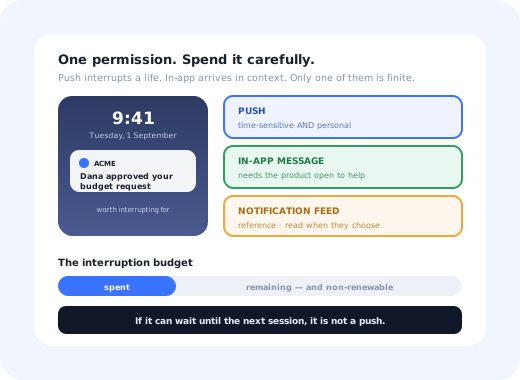
Every other channel forgives you. An ignored email sits in an inbox. An in-app message that missed its moment is dismissed and forgotten. A push notification that annoys someone gets the whole channel switched off, permanently, in one tap, on an operating-system screen where your product has no say and no second prompt.
That asymmetry is the entire discipline. Push is not a louder version of your other messaging; it is a small, non-renewable budget of interruptions that the user granted you, and the job is to spend it only on things that were worth interrupting for.
This guide covers how the permission actually works, the routing rule that keeps push separate from in-app messaging, what a message that gets tapped looks like, how often you can send, what to measure, and the failure patterns that quietly kill a push programme long before anyone notices.
Key Takeaways
- The permission is one-shot. A user who declines the system prompt is effectively out of the channel for good, so prime it before you trigger it.
- The routing rule: if it can wait until the next session, it is not a push. It is an in-app message or a feed item.
- Triggered beats scheduled. A message sent when something became true is relevant by construction.
- Cap frequency per user, not per campaign. Users experience the total, not your campaign structure.
- Categories beat a single switch. Someone who can mute one type will not mute all of them.
- Opt-out rate is the real KPI. Tap-through measures the message; opt-out measures the damage.
What a Push Notification Actually Is
Push notification: definition
A push notification is a message displayed by the operating system outside your product (on a lock screen, in a notification centre, or as a desktop banner) and delivered whether or not your app is open. On mobile it travels through the platform's push service; on the web it requires a service worker and an explicit permission grant. Its defining property is the permission model, not the format: granted once, revocable in one tap, and rarely reconsidered.
Two consequences follow from that definition, and most push mistakes are a failure to take them seriously:
The recipient is in a meeting, on a train, or asleep. Nothing about the moment is yours to assume, which is why relevance has to come from an event, not a schedule.
Users do not reply "please stop". They disable notifications, and you lose every future message including the genuinely urgent ones. There is no recovery flow for that.
Push vs In-App Messages: The Routing Decision
Most teams do not have a push problem. They have a routing problem: messages that belonged inside the product were sent as push because push felt more important. The distinction is simple and it holds up under pressure.
Only the top-left quadrant justifies spending permission.
The in-app half of this diagram is where most SaaS messaging actually belongs, and it is covered in depth in our guides to in-app messaging and in-app notifications and feeds. Push is the narrow channel at the top; it should feel narrow.
The test that settles arguments: would this message be worth a colleague tapping the recipient on the shoulder? If not, it is not worth a lock-screen interruption either, however important it feels on the campaign calendar.
The Permission Problem: Earning the Opt-In
Everything downstream depends on a single dialog you cannot restyle, cannot A/B test, and in practice cannot show twice. Asking for it on first launch, before the user knows what your product does, let alone what you would send, is the most expensive default in the category.
The pattern that works is a two-step opt-in: your own message first, the system prompt only for people who already said yes.
The priming step is repeatable and free. The system prompt is neither.
Three details make the priming step work:
-
Ask at a moment that proves the value
Immediately after the user does something whose result they will want to know about: starting a long-running job, configuring an alert, inviting a teammate. The request explains itself, which is the only argument that reliably works.
-
Say exactly what you will send
"We will notify you when an export finishes" earns a yes. "Enable notifications to stay up to date" earns a no, because the user correctly reads it as permission to send anything, forever.
-
Offer categories, not one switch
Alerts, mentions, product updates. Someone who can turn off the noisy category keeps the useful one. An all-or-nothing switch converts one bad campaign into a total loss.
Priming messages are ordinary in-app messages triggered by behaviour, which is the same machinery as onboarding triggers; the only difference is what the yes leads to.
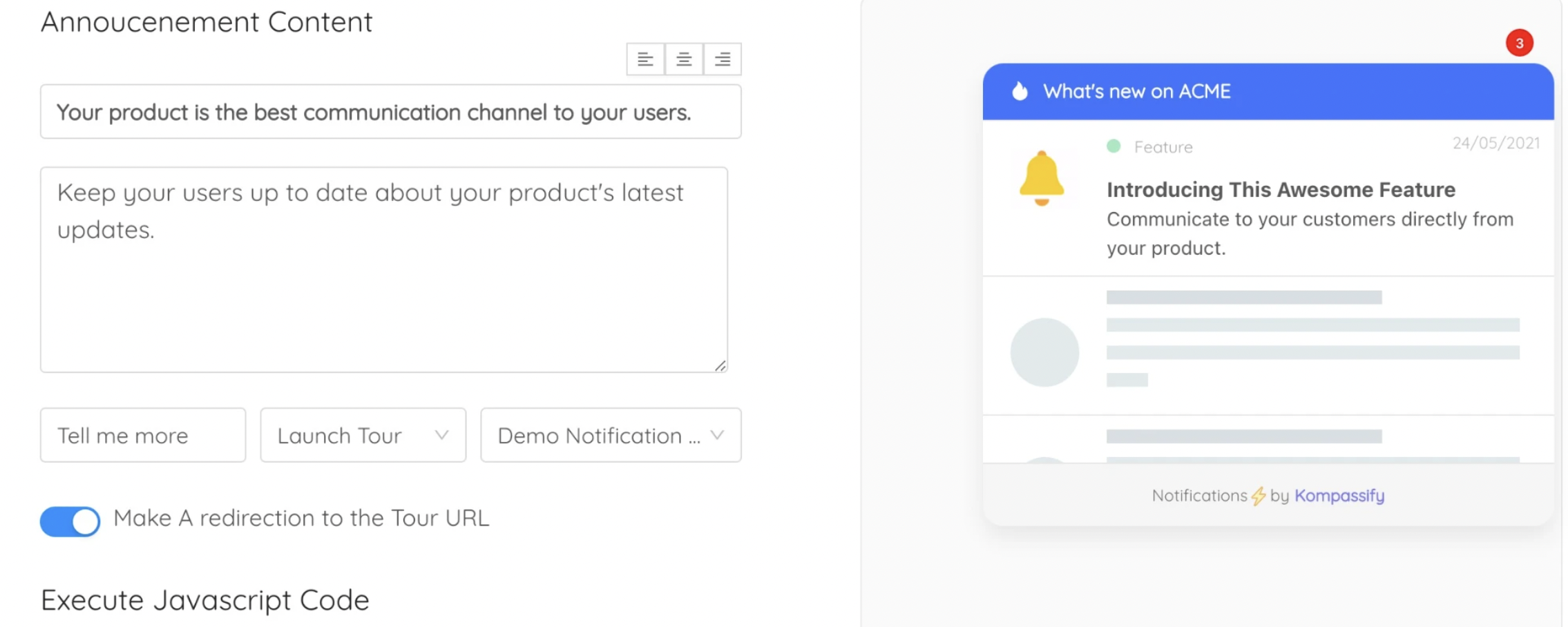
The priming step lives inside the product, where you control the wording and can ask again later.
Anatomy of a Push That Gets Tapped
A push notification is read in about a second, on a lock screen, truncated. The constraint is brutal enough that the structure is almost fixed:
| Part | Job | Rule of thumb |
|---|---|---|
| Title | Say what happened | Front-load the noun. Assume everything after roughly forty characters is invisible. |
| Body | Add the one detail that decides whether to act now | Who, what, how much. Not a second sentence of persuasion. |
| Deep link | Land on the thing, not the home screen | A tap that lands on a dashboard has wasted the notification. |
| Actions | Let the user finish without opening the app | Approve, snooze, mark read, only where the action is genuinely one step. |
✅ Reads like this
- "Dana approved your budget request"
- "Export ready: 4,812 rows"
- "Nightly sync failed at 02:14"
- "3 people replied to your comment"
❌ Not like this
- "You have a new notification"
- "Don't miss out on what's new this week!"
- "👋 Long time no see, come back?"
- "Important update regarding your account" (about nothing important)
Notice what the left column has in common: every one names a specific thing that changed. That is the whole craft. A notification is a fact, not a pitch, the same discipline that separates useful UX microcopy from filler.
Timing, Frequency and Quiet Hours
The single largest gain available in push is not copy. It is moving from scheduled campaigns to event triggers, sending because something became true, rather than because Tuesday arrived.
- Trigger on the event. A finished job, a mention, a threshold crossed, an approval waiting. Relevance is structural, not editorial.
- Use the recipient's timezone. Not your office's. A scheduled send that respects local time is a different message from the same send at 3am.
- Keep quiet hours. Overnight sends earn opt-outs, not opens, and for anything genuinely urgent, the user usually already configured an alert.
- Cap per user, not per campaign. Three campaigns each "only sending twice a week" is six interruptions to the person on the receiving end.
- Batch what can be batched. Five comments on one document is one notification, not five. Batching is the cheapest goodwill in the channel.
- For B2B, prefer working hours. Consumer benchmarks about evening peaks do not transfer to software people use at work.
One structural fix beats a dozen tuning experiments: a frequency cap applied per user across every campaign, owned by one person. Without it, each team optimises its own send schedule and the user experiences the sum, which nobody is measuring.
What to Measure
Push analytics default to flattering numbers. These are the ones that tell you something:
Share of eligible users who granted permission, split by where you asked. This is where priming proves itself, and it is the ceiling on everything else.
Granted minus revoked, uninstalled and expired tokens. The gap between "subscribers" and reachable users is usually much bigger than teams expect.
Per notification type, never blended. One transactional alert can carry a whole programme's average while every campaign underneath it is ignored.
Did the tap lead to the action the notification implied? A high tap-through into a dead end is a worse result than being ignored.
The most important number in push, and the one most often missing from the dashboard. Track it per campaign and per week against volume.
The number the recipient actually experiences. Rising sends with flat outcomes is the signature of a channel being burned.
Read them together with the rest of your engagement picture rather than in a push-only dashboard; the framing in our guide to user engagement metrics applies directly, and the re-engagement use case has its own subtleties in winning back inactive users.
Six Ways Push Programmes Die
-
Asking on first launch
The permission is spent before the product has demonstrated anything. Everything downstream is capped by that one decision, and it cannot be retaken.
-
Treating push as a marketing channel
Campaign calendars generate sends whether or not anything happened. The channel drifts from "something you need to know" to "something we need you to see", and users respond accordingly.
-
No frequency owner
Three teams each sending "just a couple a week" produces a stream nobody designed. Frequency has to be capped centrally, per user, or it is not capped.
-
All-or-nothing preferences
Without categories, a single irrelevant campaign costs you every future notification to that user, including the transactional ones they actually rely on.
-
Deep links that land nowhere
Tapping "Dana approved your request" and arriving at a home screen teaches the user that tapping is not worth it. This is the fastest way to train a population to ignore you.
-
Never measuring the opt-out
Tap-through goes in the report; mutes and revocations do not. The programme looks stable right up until the reachable audience has quietly halved, and by then it is not recoverable.
Doing the In-App Half Properly
Work through the routing matrix honestly and most of the message list moves out of push: feature announcements, onboarding guidance, tips, surveys, changelog entries, nudges toward an unfinished setup. Those belong where the user is already working, and they are the messages that do the most for adoption, because they arrive with the interface they refer to right there on screen.
That is the half Kompassify covers: in-app announcements, tooltips, checklists and surveys, targeted by segment and behaviour, built in a visual editor rather than a release. Including the priming message that earns the push permission in the first place, and the feature announcements that never belonged in a lock screen.
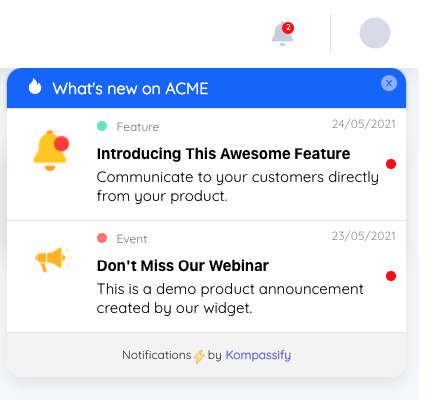
Everything that can wait for the next session belongs here, not on a lock screen.
Send less, land more
Kompassify lets product, onboarding and customer success teams run the in-app half: announcements, guides, checklists and surveys, targeted by segment, with adoption data on each one and no engineering ticket. Free up to 100 monthly active users, plans from $129/month, GDPR-compliant and EU-hosted.
Start for free →The One-Sentence Version
Push is a finite permission, so prime it before you ask for it, spend it only on messages that are both time-sensitive and personal, cap frequency per user rather than per campaign, and send everything else in-app where it arrives with the context that makes it useful.
Frequently Asked Questions
What is a push notification?
A push notification is a message the operating system displays outside your product, on a lock screen, in a notification centre, or as a desktop banner, delivered whether or not the app is open. On mobile it arrives through the platform's push service; on the web it needs a service worker and an explicit permission grant. The defining property is not the format but the permission model: the user grants access once, can revoke it permanently in one tap, and rarely reconsiders. That makes push the only messaging channel where a bad month costs you the channel itself rather than a single ignored message.
What is the difference between push notifications and in-app messages?
Push reaches users who are not in your product; in-app messages reach users who are. That single difference decides everything else. Push interrupts someone's day, so it must be worth the interruption and it must be about something time-sensitive or personal: an approval waiting, a job finished, an account at risk. In-app messages arrive when the user is already in context, so they can afford to teach, announce and guide, and they cost nothing in permission. The routing rule that keeps teams honest: if the message can wait until the next session, it is not a push.
How do you increase push notification opt-in rates?
Do not ask on first launch. The system permission prompt can only be shown once in practice, and a user who declines is effectively gone from the channel for good. Prime it instead: wait for a moment where notifications obviously benefit the user: they just invited a teammate, started a long-running job, set up an alert. Then show your own in-app explanation of exactly what you will send and how often, and only trigger the system prompt for people who say yes there. Offer granular categories rather than all-or-nothing, and make the settings easy to find, because a user who can mute one type will not mute all of them.
What is the best time to send push notifications?
The best time is when the message became true, not a slot in a calendar. Event-triggered notifications, the report finished, the approval landed, the deploy failed, outperform scheduled campaigns because they are relevant by construction. Where you do schedule, respect the recipient's local timezone rather than yours, keep quiet hours overnight, and cap the number of sends per user per week rather than per campaign, since the user experiences the total, not your campaign structure. For B2B software, working hours in the recipient's timezone is a far better default than the evening peaks quoted in consumer benchmarks.
How many push notifications is too many?
The honest answer is per-product rather than a universal number, and it is discovered from opt-out rates rather than chosen in advance. Track the share of users who disable notifications each week against how many sends they received, and you will see the point where the curve bends. That is your ceiling, and it is usually lower than marketing expects. Two structural rules help more than any number: cap frequency per user rather than per campaign, and split categories so people can silence the noisy type without silencing the useful one.
Do push notifications work for B2B SaaS?
For a narrow set of messages, yes: anything genuinely time-sensitive and personal, such as an approval blocking someone else's work, a failed job, or an alert the user configured themselves. For everything else, B2B products are usually better served by in-app messaging and a notification feed, because the user's attention is already inside the product during working hours and the interruption budget is spent on their colleagues, not on you. Feature announcements, onboarding guidance and education almost never justify a push; they justify a message shown the next time the user is in the product, where you can also show them what to do next.