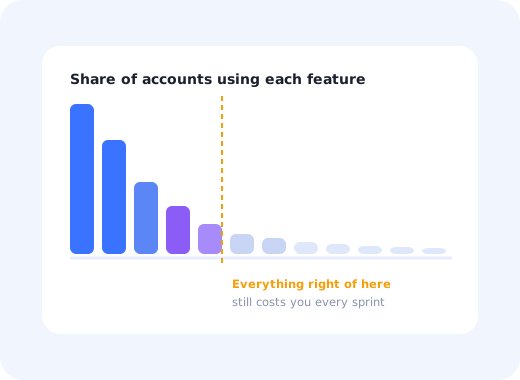
No team decides to build a bloated product. It happens one reasonable yes at a time: a request from the largest account, a checkbox a deal depended on, an option added because two customers disagreed and nobody wanted to choose.
Three years later the settings page has forty rows, the onboarding tour has twelve steps because there is that much to explain, and the feature usage chart has a long tail of capabilities that a handful of accounts touch and every sprint still pays for.
This guide covers what feature bloat is, why products accumulate it, how to measure it in your own data, what it actually costs, and the four ways out, only one of which involves deleting anything.
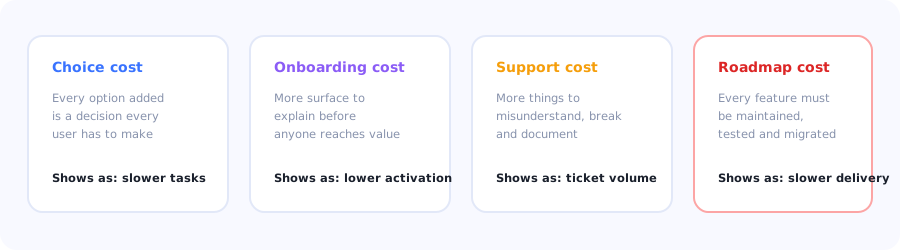
Four costs, paid every sprint, by a product that has stopped being able to say no.
Key Takeaways
- Feature bloat is capability that costs more than it returns, in attention, onboarding, support and maintenance.
- It is caused by a missing process, not by bad decisions. Most products have a way to add features and no way to remove them.
- Measure it with the usage distribution: the long tail of features under a few per cent adoption is your bloat inventory.
- Not every unused feature is bloat. Some are undiscovered, and the fix for those is guidance rather than removal.
- Progressive disclosure beats deletion in most cases: keep the capability, remove it from the default path.
- Defaults are the cheapest simplification available: a good default removes a decision without removing an option.
What is feature bloat?
Feature bloat definition: the accumulation of features, options and settings whose combined cost (in user attention, onboarding complexity, support load and engineering maintenance) exceeds the value they return. It is not a count of features: a product with a hundred well-organised capabilities can be simpler to use than one with twenty presented badly.
That last point is what makes bloat hard to argue about. The problem is rarely the existence of a capability; it is its presence on the default path, competing for attention with the thing most users came to do.
Why products accumulate it
- Requests are easier to say yes to than to evaluate. A named customer asking for something specific always outweighs an abstract argument about coherence.
- Deals create features. A capability promised to close one contract becomes permanent surface area for every user who follows.
- Options resolve disagreements. When the team cannot decide, a setting ships instead, and the decision is transferred to every user forever.
- Nothing is ever removed. Most products have a process for adding and none for retiring, so the ratchet only turns one way.
- Power users are the loudest. Feedback volume comes disproportionately from the top decile, whose priorities are not the median user's; see the power users guide.
How to measure it
Bloat is an argument until you put a distribution on the table. Four measures make it concrete:
| Measure | How to get it | What it tells you |
|---|---|---|
| Feature usage distribution | Share of active accounts using each feature in 90 days | The long tail below a few per cent is the inventory |
| Time to first action | Median seconds from load to first meaningful click | Rising over releases means the interface is getting harder to read |
| Settings touched | Share of accounts that ever change each setting | Settings nobody changes should be defaults |
| Support topics per release | New ticket categories after each launch | A feature generating questions rather than usage |
Low usage is not proof of bloat. A feature can be unused because nobody knows it exists, a discovery problem with a completely different fix. Before proposing removal, check whether users who are shown the feature adopt and keep using it. If they do, you have a feature discovery problem; if they try it and never return, you have bloat.
What it costs
The choice cost
Every option is a decision imposed on every user who encounters it, including the ones who did not need it. This is the least visible cost and the largest: it shows up as slower tasks, more hesitation and more cognitive friction, never as a complaint that says "too many options".
The onboarding cost
The more surface there is, the more there is to explain before anyone reaches value, which is how twelve-step tours are born. Bloat converts directly into a longer path to activation, and it is the reason onboarding redesigns often fail: the flow is not the problem, the product it has to describe is.
The support cost
Every capability is something that can be misunderstood, misconfigured or broken by an unrelated change. The support load of a feature does not scale with its usage; it scales with its existence.
The roadmap cost
Everything shipped has to be maintained, tested, migrated and considered in every future design. This is the tax that makes teams slower each year for reasons nobody can point at in a single sprint.
Four ways out
Set a default instead of an option
Move capability off the default path
Split by role instead of by preference
Retire what nothing depends on
1. Set a default instead of an option
The cheapest simplification available, and the least controversial: for every setting, check what proportion of accounts ever change it. If almost nobody does, the option can become a default with an advanced override, and every user stops paying the choice cost.
2. Move capability off the default path
Progressive disclosure keeps the feature and removes it from the first-run experience: advanced settings behind a section, depth introduced when behaviour shows the user has the problem it solves. This resolves most bloat complaints without a deprecation announcement; the mechanics are in the progressive onboarding guide.
3. Split by role instead of by preference
Much of what looks like bloat is several products sharing one interface: an admin view, an analyst view and a daily-user view, all rendered at once. Segmenting the experience by role removes surface for each person without removing anything from the product. User segmentation covers how to define those groups.
4. Retire what nothing depends on
The genuine deprecation case: near-zero usage, no strategic dependency, and users who tried it and did not return. Announce it in-app to the accounts affected rather than in a changelog nobody reads, offer the alternative path, and give a real window. Removing capability is a communication problem more than a technical one; our guide to release notes covers how to frame the change.
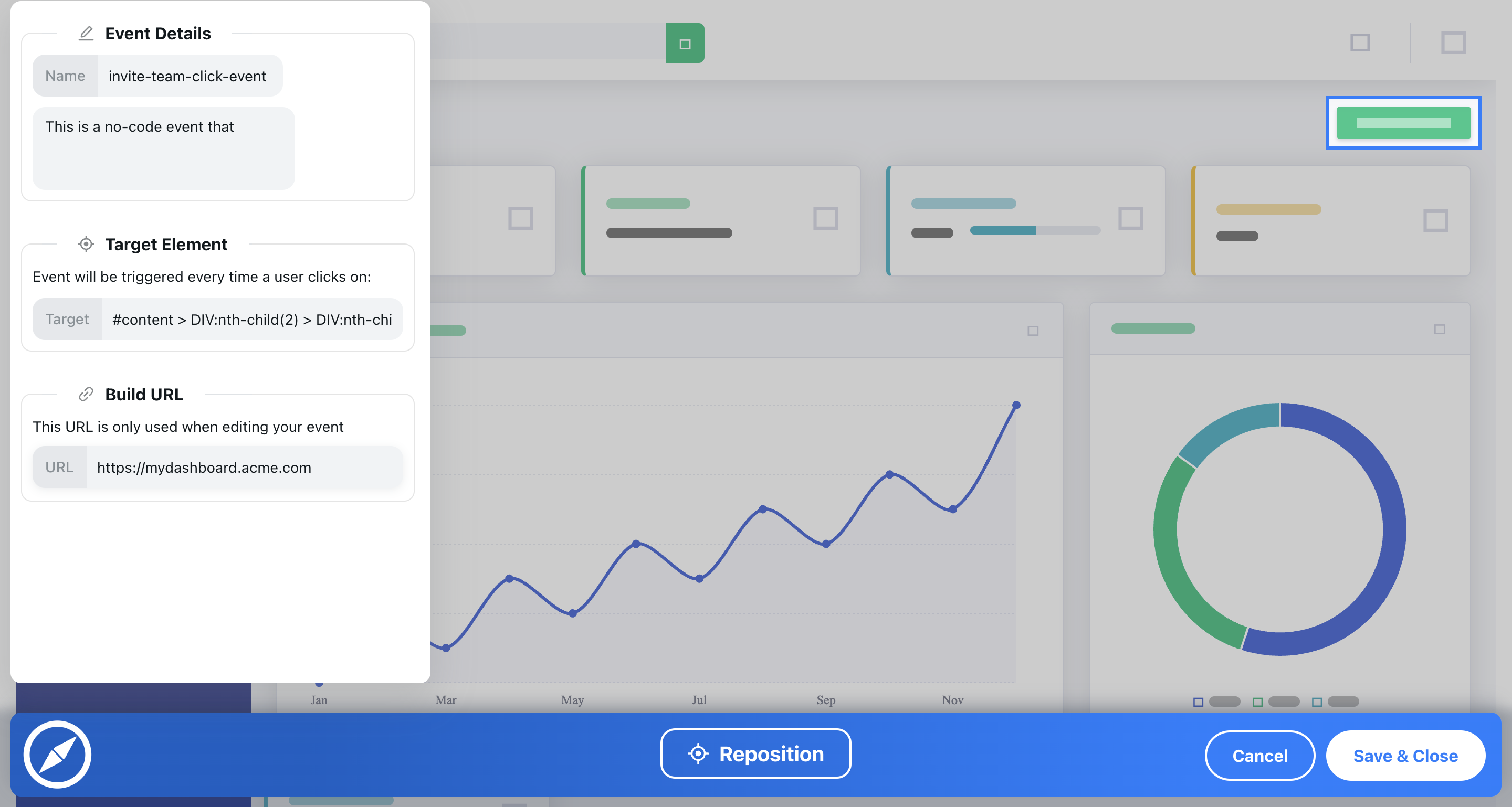
The distribution ends the argument faster than any opinion in the room.
How to stop it coming back
Bloat returns unless something structural changes. Three habits do most of the work:
-
Ask what a feature replaces
Every proposal should name what it makes redundant, or explain why nothing does. A roadmap with no removals is a roadmap that is still accelerating.
-
Set an adoption bar before you build
Agree the usage a feature must reach within two quarters and review it. Features that miss the bar go behind disclosure or get retired, by prior agreement rather than by argument.
-
Weight requests by segment size
Count how many accounts a request actually affects before it enters the roadmap. The loudest voice and the largest population are rarely the same.
Do's and don'ts
✅ Do
- Put the usage distribution on the table
- Separate undiscovered from unwanted
- Turn rarely-changed settings into defaults
- Use progressive disclosure before deletion
- Split the interface by role
- Set an adoption bar before building
- Announce removals in-app to affected accounts
❌ Don't
- Count features and call it a diagnosis
- Delete something users simply never found
- Ship a setting because the team disagreed
- Let one large account define the interface
- Fix a twelve-step tour by rewriting the tour
- Retire a feature in a changelog only
- Treat simplification as a one-off project
Managing complexity with Kompassify
Not every simplification requires shipping code. A large part of perceived bloat is a targeting problem: too much shown to too many people at once.
- Get the distribution from product analytics: feature usage by account and segment.
- Test discovery before deprecation with a targeted tooltip or hotspot on the feature in question.
- Shorten the first run to one task with a focused product tour, and let the rest arrive later.
- Route by role with a multi-choice step so each persona sees its own path.
- Communicate changes to affected accounts with the announcement widget.
Kompassify is a no-code digital adoption platform for SaaS teams: tours, checklists, tooltips, announcements, surveys and analytics in one place. Free up to 100 monthly active users, paid plans from $129/month, GDPR-compliant with EU hosting.
Make a big product feel small
Show each user the part of the product they need, guide the rest into view when it becomes relevant, and measure what actually gets used.
Start for Free →Frequently Asked Questions
What is feature bloat?
Feature bloat is the accumulation of features, options and settings whose combined cost in user attention, onboarding complexity, support load and engineering maintenance exceeds the value they return. It is not simply a count of features: a product with a hundred well-organised capabilities can be simpler to use than one with twenty presented badly. The problem is usually not that a capability exists but that it sits on the default path, competing for attention with the task most users came to do.
What causes feature bloat?
A missing process rather than bad decisions. Customer requests are easier to accept than to evaluate, because a named account asking for something specific always outweighs an abstract argument about coherence. Features promised to close individual deals become permanent surface area. Options get shipped when a team cannot agree, transferring the decision to every user forever. And most products have a process for adding capability and none for retiring it, so the ratchet only turns one way.
How do you measure feature bloat?
Four measures make it concrete. The feature usage distribution, meaning the share of active accounts using each feature over ninety days, where the long tail below a few per cent is your inventory. Time to first meaningful action, which rising across releases indicates the interface is getting harder to read. The share of accounts that ever change each setting, since settings nobody changes should be defaults. And new support ticket categories after each launch, which reveal features generating questions rather than usage.
Is an unused feature always bloat?
No, and confusing the two leads to deleting things that were merely undiscovered. A feature can be unused because nobody knows it exists, which is a discovery problem with a completely different fix. The test is what happens when users are shown it: if they adopt it and keep using it, you have a discovery problem solvable with in-app guidance; if they try it once and never return, you have bloat.
How do you fix feature bloat without deleting features?
Three of the four routes require no deletion. Turn rarely-changed settings into sensible defaults with an advanced override, which removes the decision without removing the option. Use progressive disclosure to move capability off the default path, keeping it available but introducing it when behaviour shows the user has the problem it solves. And split the interface by role, since much of what looks like bloat is several products sharing one screen. Deprecation is reserved for capability with near-zero usage and no strategic dependency.
What does feature bloat cost?
Four things. A choice cost, imposed on every user who encounters an option including those who did not need it, which shows up as slower tasks rather than as complaints. An onboarding cost, because more surface means more to explain before anyone reaches value, which is how twelve-step tours are born. A support cost that scales with a feature's existence rather than its usage. And a roadmap cost, since everything shipped must be maintained, tested and considered in every future design.
How do you prevent feature bloat?
Change the process rather than running a one-off cleanup. Require every proposal to name what it makes redundant or explain why nothing does. Agree an adoption bar before building, with a review at two quarters where features that miss it go behind disclosure or get retired by prior agreement rather than by argument. And weight incoming requests by the number of accounts they actually affect, because the loudest voice and the largest population are rarely the same group.
Why does simplifying onboarding not fix a bloated product?
Because the onboarding flow is describing the problem rather than causing it. When a product has a large default surface, the tour grows to explain it, and rewriting the tour leaves the surface unchanged. The order that works is the reverse: reduce what a new user must confront by setting defaults, deferring advanced capability and splitting by role, and the onboarding flow that describes the remaining product will be short as a consequence.