
The likelihood of a user continuing to use a product increases once they become aware of its positive effect on their daily life. And they will most likely leave searching for a better option if they don't fully understand it.
The ultimate goal of any business is to produce a product that will leave the consumer feeling as if they must have it. Every successful product strives to create that feeling, whether prototyping software for designers or a tool for sales teams.
How can you guarantee that your customers will have a satisfying experience while learning to use your product? The answer is user onboarding.
Read on to learn everything there is to know about onboarding new users. You will understand what user onboarding is, why it is crucial, and some tactics successful businesses use to maximize the experience for new users.
Key Takeaways
- 80% of users abandon products they don't understand. Poor onboarding is the number one reason new users churn within the first 30 to 90 days.
- First impressions are permanent. Once a user leaves frustrated, re-engaging them through email or paid channels rarely works. Nail the first session.
- Know your users deeply. The best onboarding experiences are built on a clear understanding of who your users are and what outcome they're trying to achieve.
- Guide, don't overwhelm. Effective onboarding focuses users on the 1–2 actions most likely to create lasting value, not a tour of every feature.
- Checklists and product tours drive activation. Interactive, in-app guidance consistently outperforms static documentation and email sequences.
- Test and iterate continuously. There is no perfect onboarding flow. The teams that win are the ones that measure drop-off and improve it relentlessly.
What is User Onboarding?
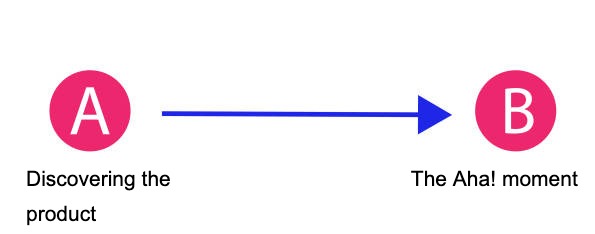
New users go through a process called "user onboarding," which helps them learn how to use an application effectively. The term "user onboarding" refers to the process by which a new user is introduced to a product or service and guided through the following steps toward becoming a successful customer.
Why is User Onboarding so Important for Your Business?
80% of users sign up for a product, experiment with it for a little while, and then abandon ship.
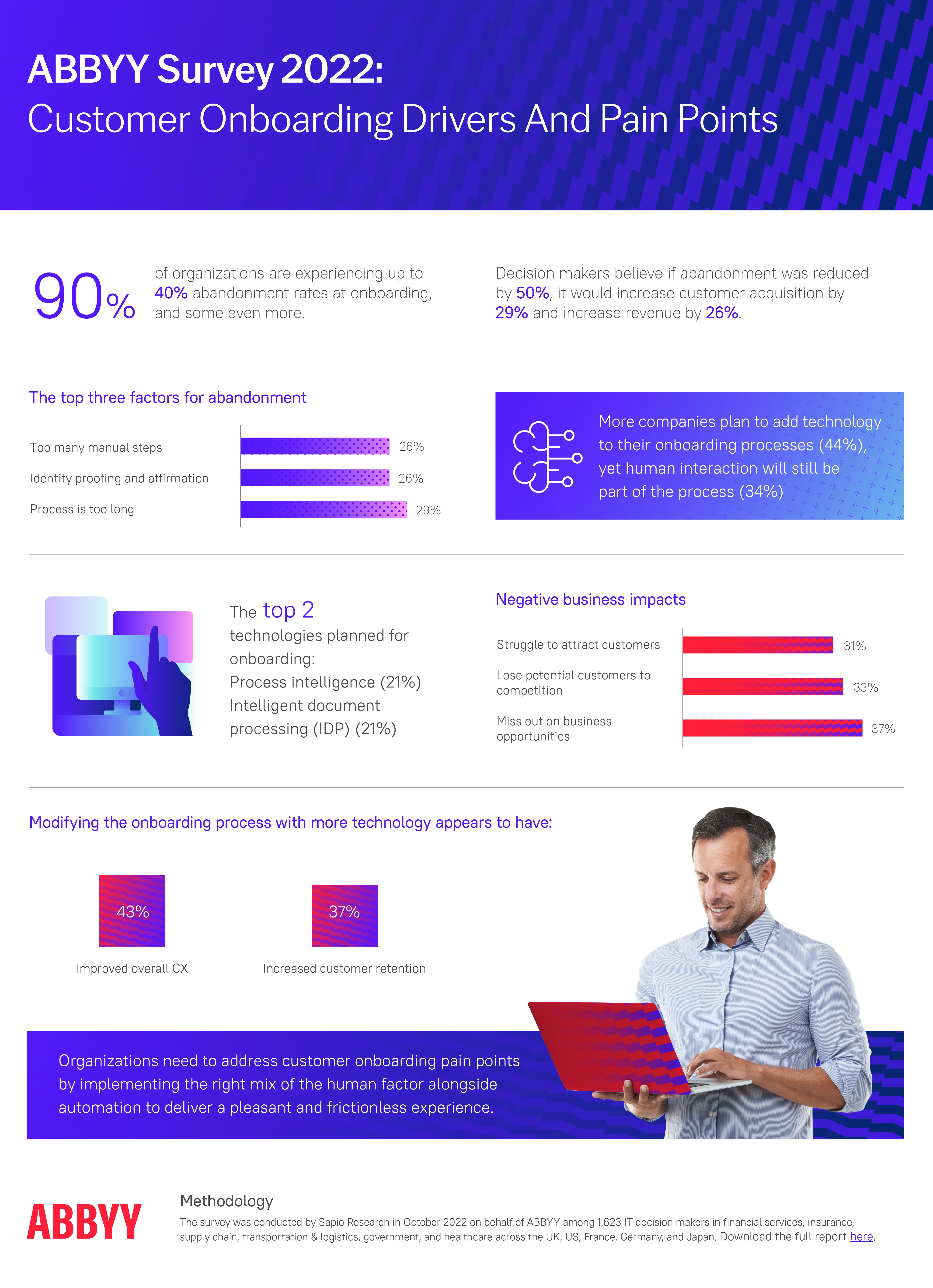
In this case, the company may try to re-engage the user through channels such as email marketing, but they rarely work.
It happens when the consumer has no idea how or why the product will improve their lives. They can easily find something else to use instead of wasting time figuring out how to use your product, as plenty of other options are available. Because first impressions matter, gaining their loyalty again is next to impossible.
Sales teams, for instance, may look for a new tool if their current one does not provide adequate lead management capabilities.
When your customers see your product, they'll be concerned about how it works and what they should do first. If they become confused or frustrated, the simplest solution is to discontinue and try something else. No matter how hard you work to get them there, poor onboarding will make your marketing investments ineffective.
If you have a smooth user onboarding process, people will quickly learn what your product is for and how it functions. They won't have to look elsewhere if they come to see you as the solution to their problems. Instead, they will incorporate your product into existing processes.
The first-session fork: guided users reach value and stay, confused users abandon, and 80% of sign-ups take the abandonment path.
As a result, you can expect reduced customer churn rates, improved customer retention, increased earnings, expanded customer satisfaction, and more positive review and word-of-mouth.

The Importance of User Onboarding for SaaS
Sixteen Ventures found that if customers don't see the value in using your service on their first try, they will likely stop doing so within 30 to 90 days. Most software as a service businesses rely on recurring subscription revenue, so keeping existing customers is essential to growth.
First impressions influence a customer's decision to keep using a product. Put some thought into the onboarding process and demonstrate a genuine interest in your customer's success. You'll increase the likelihood that they'll become regular users and eventually raving fans of your brand.
Other benefits include:
1. Eliminate Decision Paralysis
Because of the complexity of most SaaS offerings, users may feel overwhelmed when logging into the service for the first time. Helping users take that first step is the primary focus of eliminating the burden of making a decision.
2. Educate and Engage Users
About 20% of your customers have used a service like yours before, so they will have no trouble picking up the nuances of your SaaS using the principles of the Pareto principle. The remaining 80% are usually an uninitiated audience that you will need to educate and convince of your product's value.
3. Retain Customers
Once customers have figured out how to use the product to their advantage, they are more likely to keep doing so.
4. Attract More Customers
Customers are more likely to spread the word about your business if your service is straightforward and helpful to them. 84% of B2B decision-makers rely on referrals as their first step in the buying process, compelling evidence to prioritize onboarding, as reported by the Edelman Trust Barometer.
The 4 Stages of an Effective User Onboarding Process
1. Encourage Users to Take Specific Actions
You should plan your onboarding around the steps most likely to result in users activating your product. If you find that users who link their Google Drive to your product are more likely to continue using it after the first month, you should prioritize this during the onboarding process.
2. Prioritize Onboarding in Your Product
Your onboarding can't just focus on one thing, even if that one thing is the goal. Make sure you've given users all the information they need before you jump into the meat of the experience.
3. Add New UI Where it is Most Needed
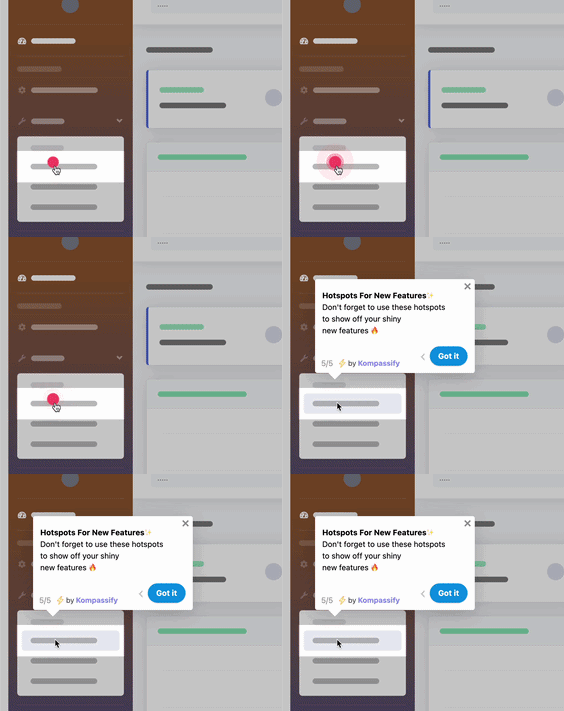
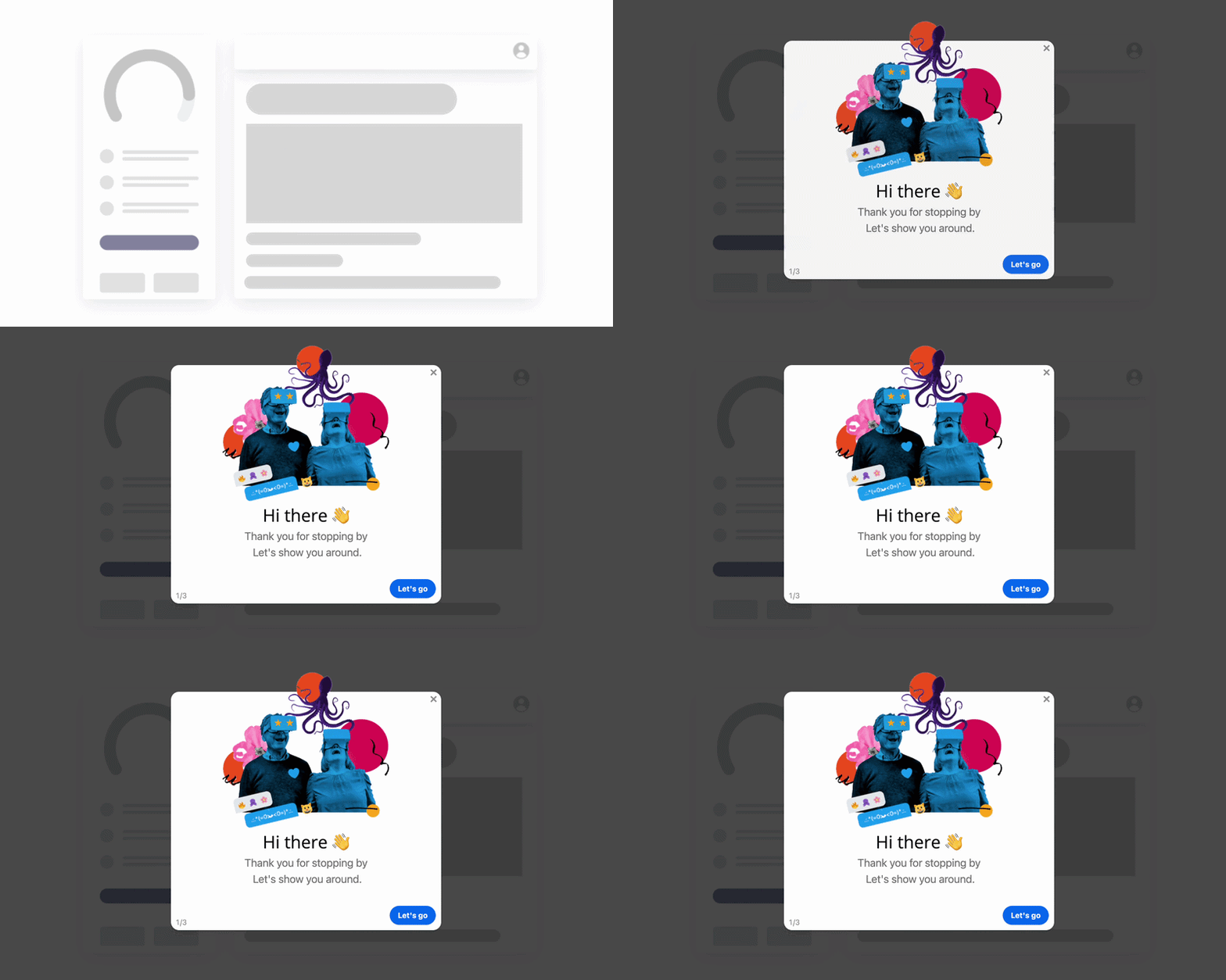
Use user interface patterns to clarify any content that may be difficult for new users to grasp. It may be in the form of a modal that explains a feature, a tooltip that explains how to use a button, or a hotspot that prompts them to take action.
4. Analyze And Adjust
There is no flawless onboarding process, and even the most well-designed ones are constantly being improved. User research and split testing will help you determine how to make your product's onboarding process even more efficient.
The four stages of an effective onboarding process form a loop: guide users to the actions that matter, then measure and refine; no flow is ever finished.
What Makes a Good User Onboarding Experience?
1. Intimate Knowledge of Your Customers
Although every one of your customers is unique, they all bought from you because they hoped your product would improve their lives somehow. Validate your users' faith in your product during the onboarding process.
Consider the clients who have been with you for more than 90 days. Learn from the habits of customers who did not renew their subscriptions.
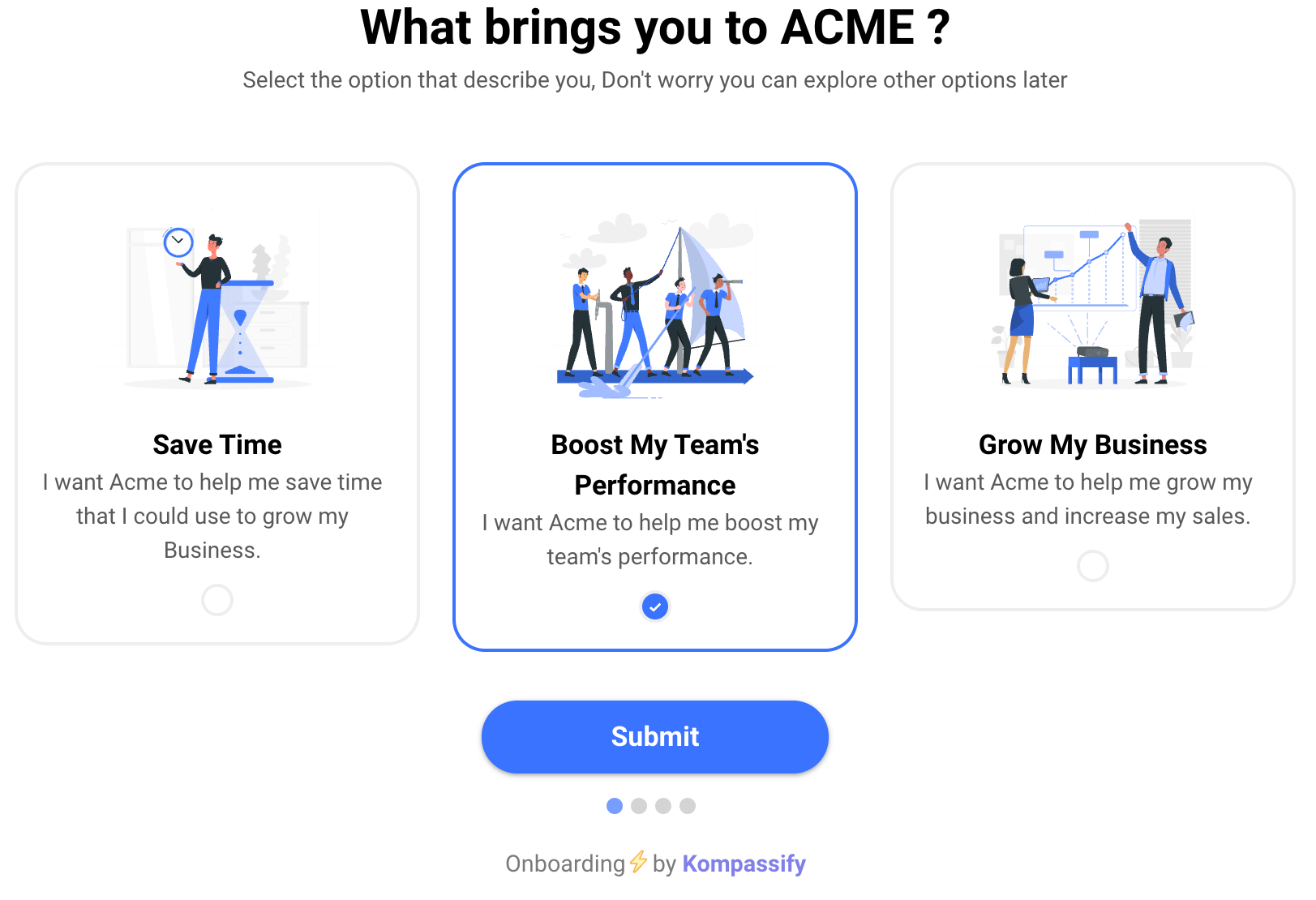
Collect direct user feedback through conversations, emails, and in-app surveys if you don't have enough data to use a product analytics tool. Examine the commonalities among their comments and use what you learn to enhance the new hire experience. Customers' preferences and usage patterns will evolve, so it's important to monitor feedback to adapt accordingly constantly.
2. Convincing UX Copy
User experience copy serves as the roadmap for the product's journey through the hands of the customer. Make your user experience copy more engaging by following these guidelines:
- Use concise and straightforward copy.
- Be consistent with the terms you use.
- Avoid the passive voice.
- Avoid technical jargon whenever possible.
3. Testing And Experimentation
Rather than relying on intuition, you can use the results of tests and experiments to inform your decision-making. The line between a good idea and a bad one can be challenging to discern when your gut reaction is influenced by your biases. By testing, you can ensure you deliver what the user wants rather than what you assume they want.
The best way to learn how to improve the customer onboarding process is to test your assumptions. If you think a feature keeps free trial users from upgrading, you can enable or disable it. Apply what you learn from analyzing the data, whether it's to change the current implementation or to try something new.
With the help of an A/B testing tool, you can fine-tune your onboarding user interface and routines. Try out more features that keep users engaged in your app to see how they affect the onboarding process. More information than ever will be at your disposal to improve the onboarding process for your users.
3 Examples of Great User Onboarding
The best way to understand what a great onboarding experience looks like is to study the companies that do it consistently well. These three examples demonstrate specific principles worth learning from.
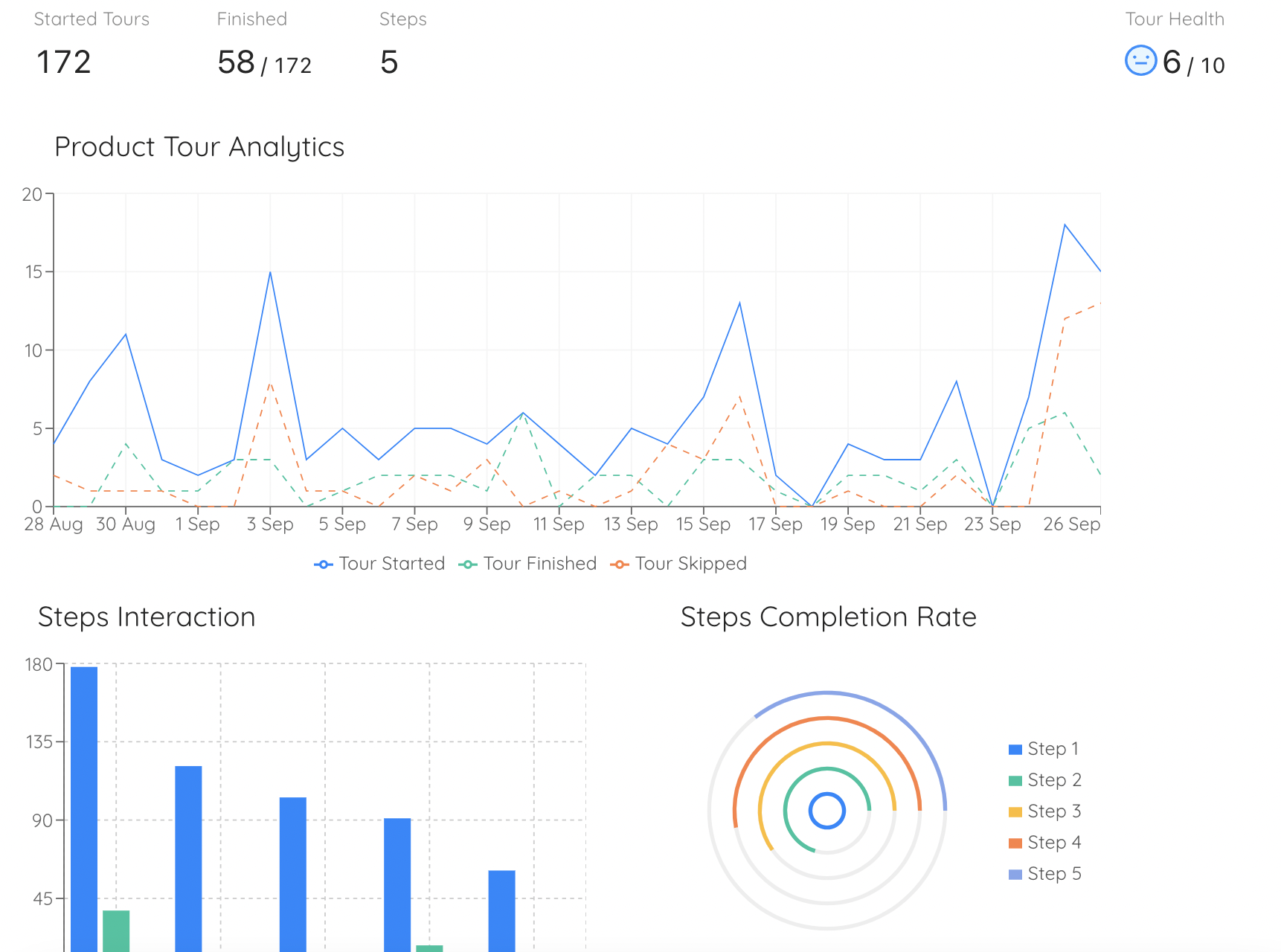
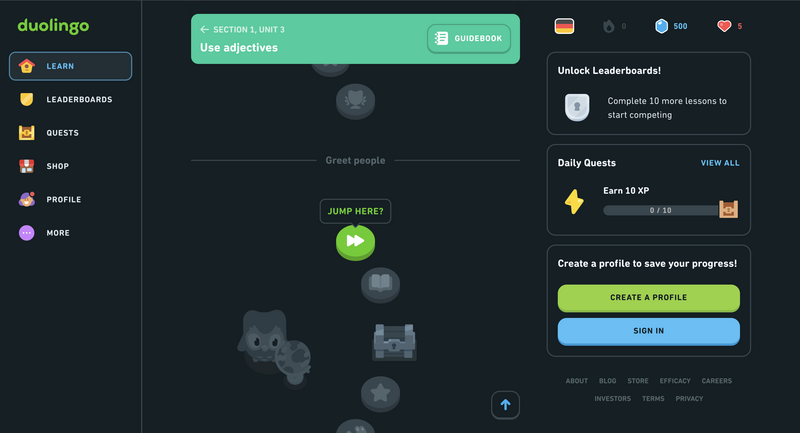
Duolingo's onboarding process is unique in that it begins with the actual product and concludes with a signup form rather than the other way around.
Users can delay creating an account until they are forced to do so to continue using the service. Its onboarding flow uses personas and progress bars to lead visitors through a brief translation exercise of their choosing, demonstrating how quickly and easily they can learn a new language before asking them to commit to the product by signing up.
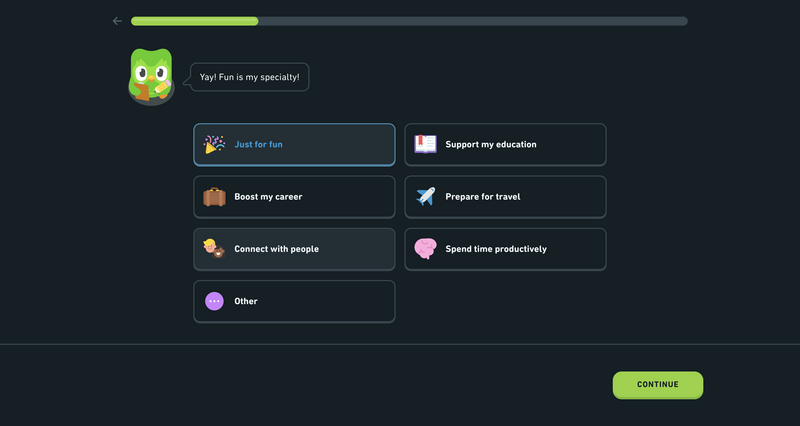
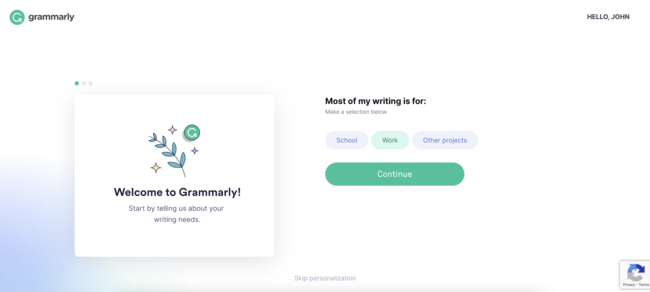
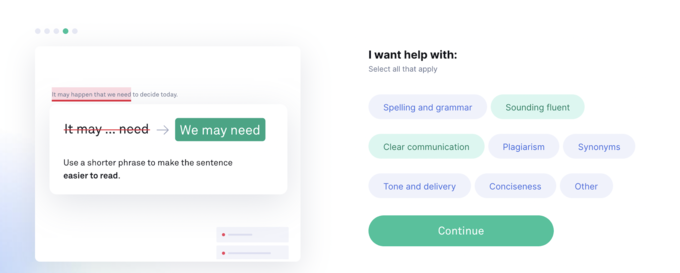
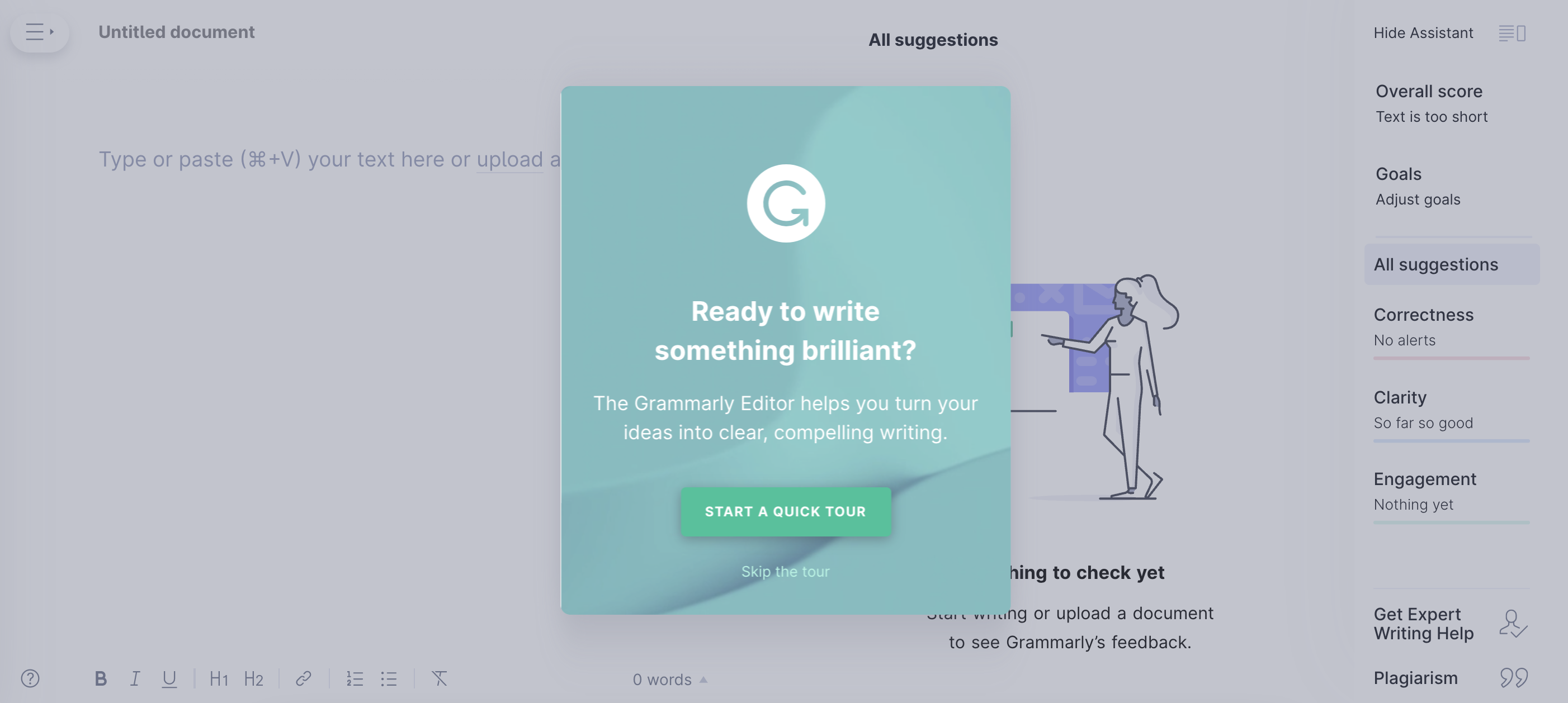
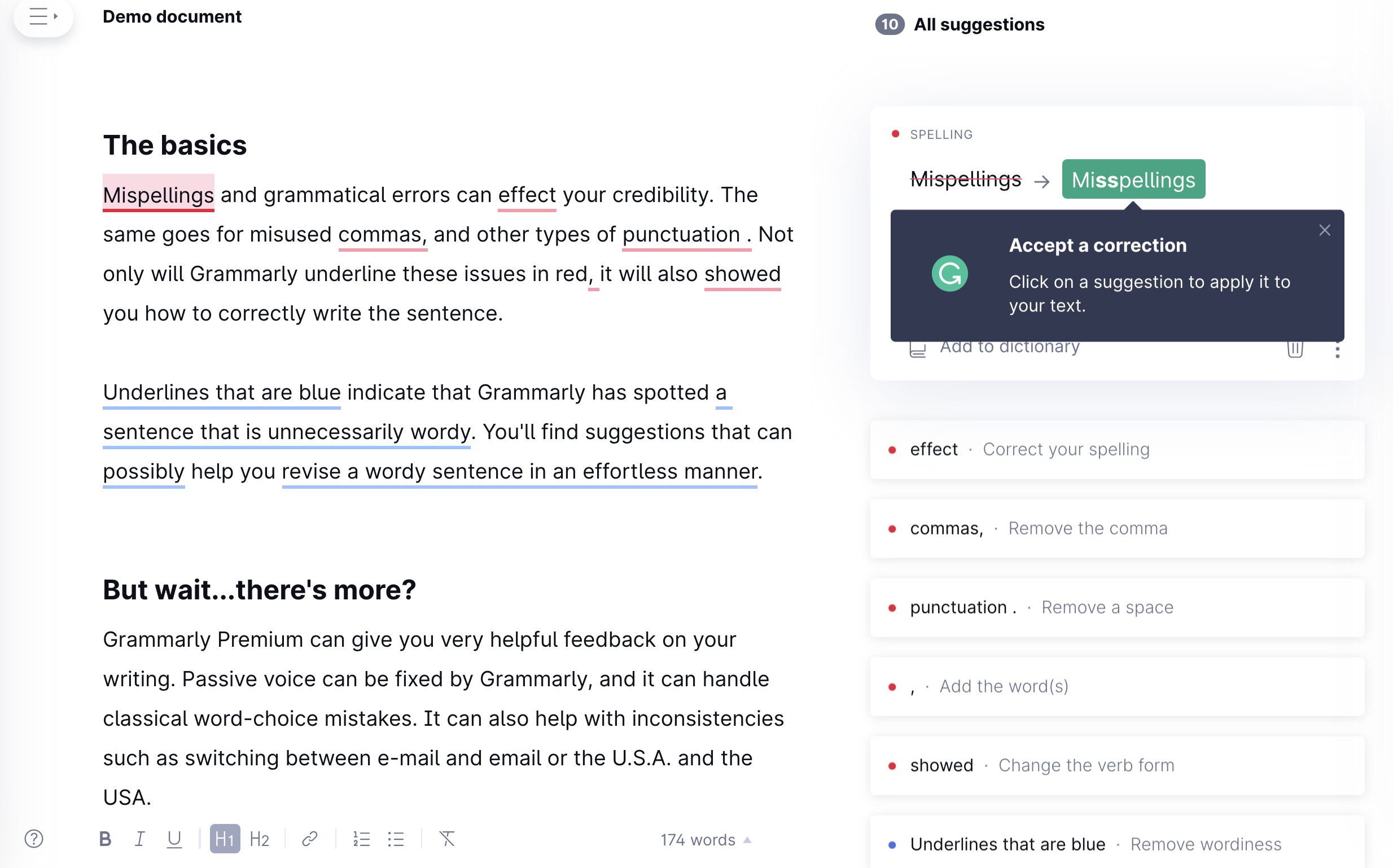
You can think of Grammarly as your private writing assistant. In-line suggestions help users with spelling, grammar, word choice, and more. An onboarding-specific demo document highlighting these features is provided so users can learn more at their own pace.
The onboarding process in Grammarly is just as well designed as the rest of the app. Its demo documentation guides users through the tool's features in a safe, hands-on setting through discovery and exploration.
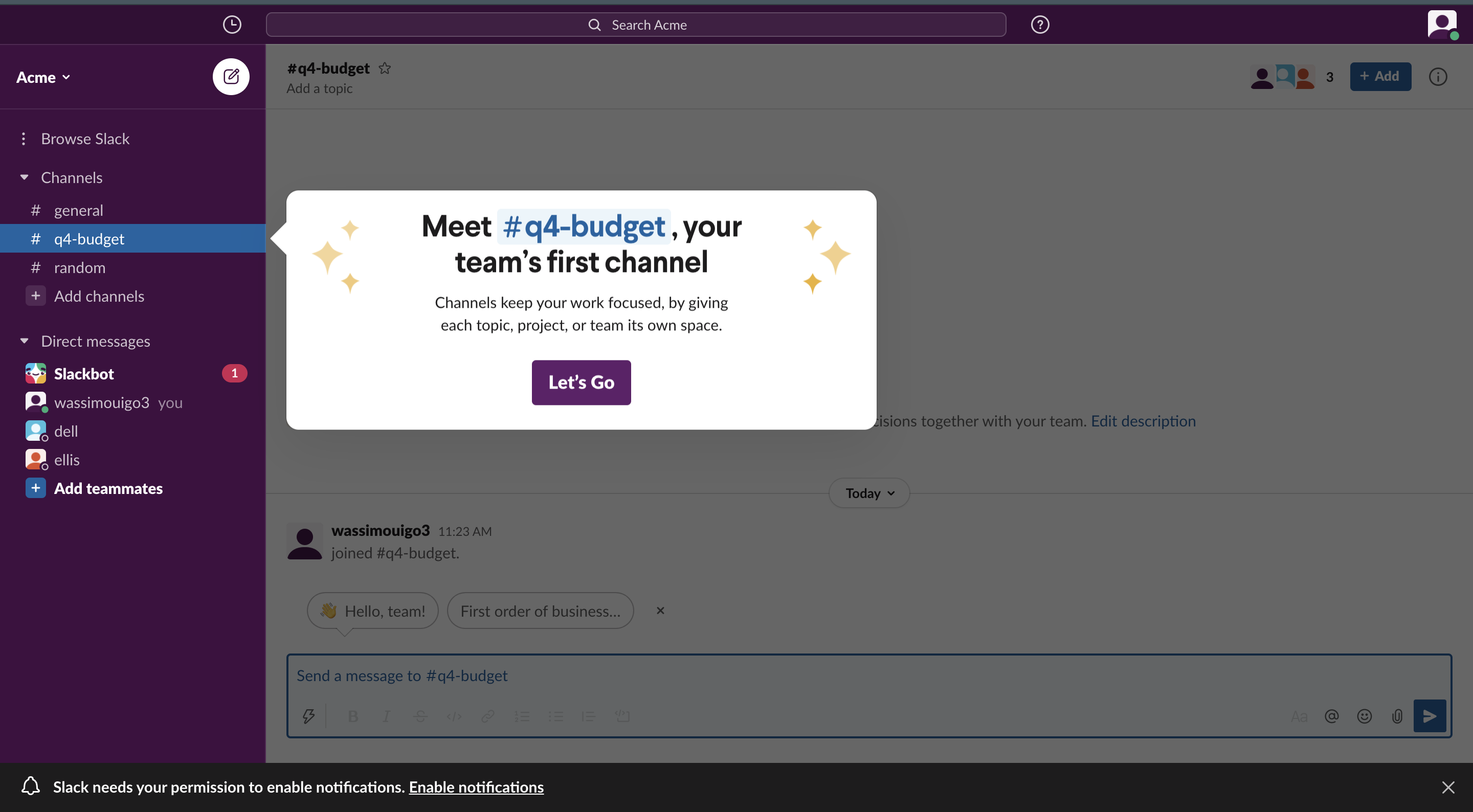
The ever-popular team-messaging app Slack does a fantastic job of introducing itself to new users by effectively using empty states and the app's primary feature, messaging.
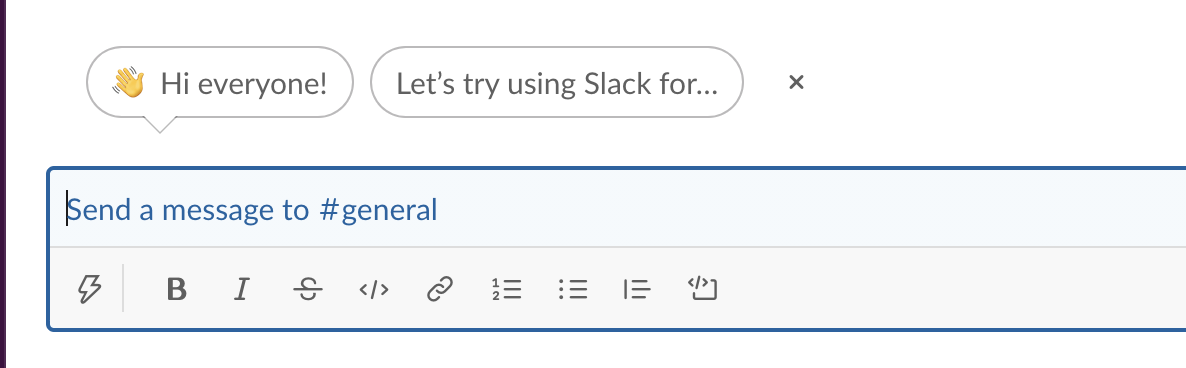
Signing up for Slack is easy, and the initial welcome message is "Ta-da!" After that, it eases users into the messaging and channel user interfaces so they can get acclimated. Product tours in Slack use empty states, the chatbot mascot Slackbot, and tooltips to introduce new users to the app's fundamental features.
Slack's new user experience results from years of development and testing. They've eliminated many fillers and gotten to the point in the most recent update. As a result, they created a minimal, contextual onboarding experience that aided users in learning the interface and getting up to speed as quickly as possible.

What is a Client Onboarding Software?
Using user onboarding software, you can help onboard your customers with problem-solving skills and advanced features that ease the customer journey and adaptation process. Customer retention, churn rate, and support costs can all be improved with high-quality client onboarding software because it will facilitate the swift removal of pain points and, in turn, improve the quality of service provided to customers.
You can choose from three distinct varieties of client onboarding programs. They vary marginally in terms of approaches, resources, and tactics, and you can choose to stick with one that is most suitable for the nature of your enterprise.
1. Interactive On-Screen Guidance
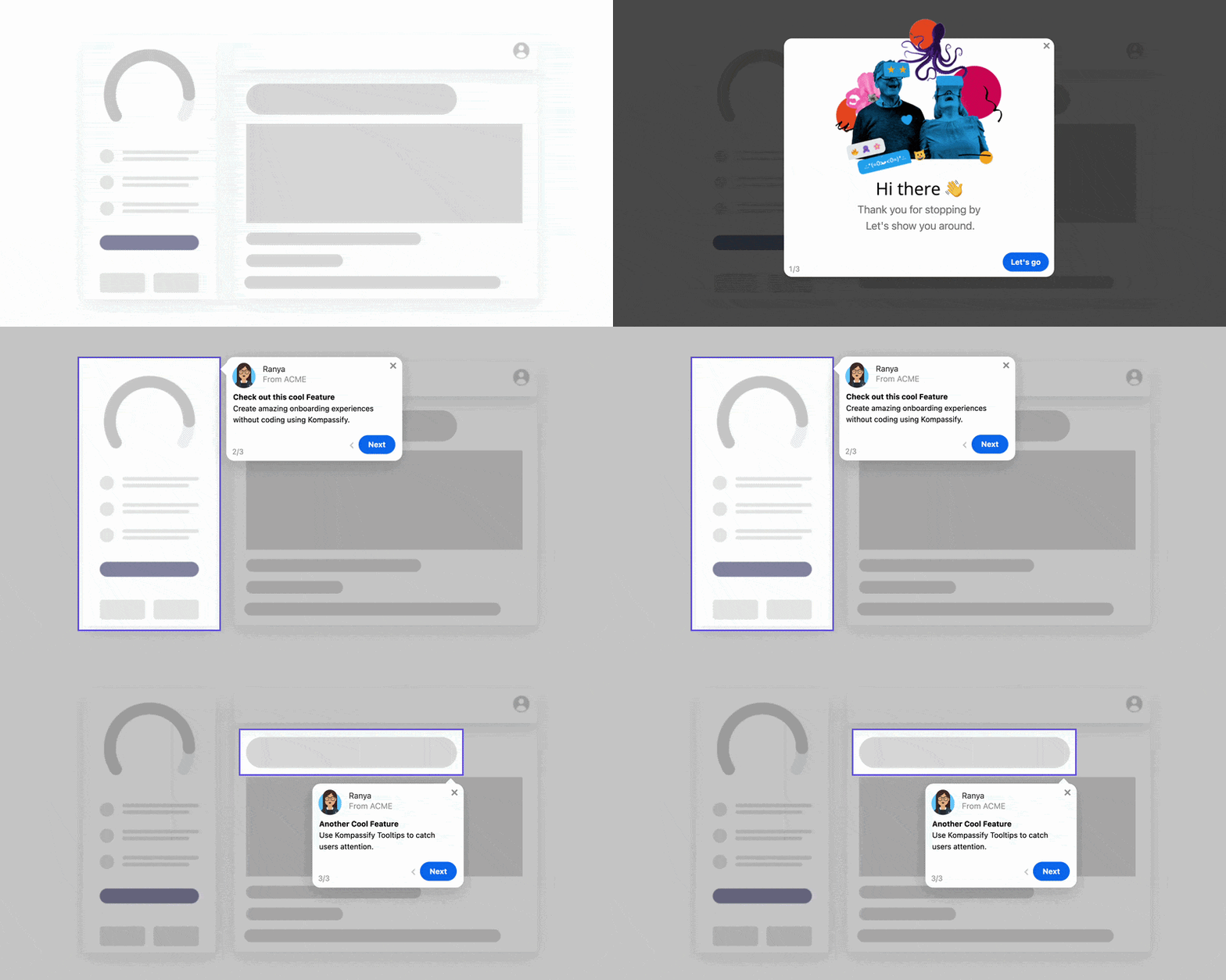
Inviting the client to be an active participant in the learning process from the start, as an interactive guide does, is a fantastic onboarding technique that leads to significantly higher levels of engagement.
If you use a strategy with this level of interactivity, you can quickly turn your customers' otherwise dull learning experience into one they will remember and benefit from.
The good news is that it is possible to create a fully customized user onboarding experience with the help of platforms like Kompassify, and you won't need to write any code to do it.
2. Learning Management Systems
Using a web-based LMS, you can easily automate the training of your customers and your staff. As a software application, they are useful primarily for the automation, tracking, reporting, and provision of any educational courses, training programs, or learning processes you provide.
Their goal is to improve learning and development departments so they can more effectively deliver high-quality instruction to their designated student body, resulting in increased productivity and profitability for the business. Using a learning management system (LMS), you can centralize your course materials and make them easily accessible to every learner with just a few clicks.
To better serve your audience, you can group them into subsets corresponding to their job titles or departments. After that, it's simple to test or quiz your students on a single topic and monitor their progress.
3. Wikis And Knowledge Bases
Knowledge base software, also known as help center software, is an in-depth resource that facilitates managing and disseminating your audience-focused content. It's like a digital filing cabinet full of details about your business and its offerings.
Having to wait on salespeople or contact customer support when you have questions can be incredibly inconvenient. Still, a knowledge base allows you to provide helpful troubleshooting content like how-to articles, video tutorials, documents, presentations, and frequently asked questions (FAQs) that team members and clients can use for as long as they want.
How to Choose a User Onboarding Software
1. Pricing
The SaaS model, under which most user onboarding tools operate, has the advantage that your payment is based on your actual usage. As a general rule, you can find free options. If your onboarding volume fluctuates or changes on a seasonal basis, you should avoid signing long-term contracts that don't give you much room for maneuver.
2. Friction
User onboarding software, at its best, would make the entire registration process seamless. There's a delicate balance between providing more options and overwhelming your customers. While some tools may provide invaluable insights, they may also significantly impact your website's performance.
3. Integration
Planning is essential before deploying any new tool. Are we looking at downtime? How much of the developers' time will it take to run it? In this case, a no-code tool like Kompassify would be the way to go.
4. ROI
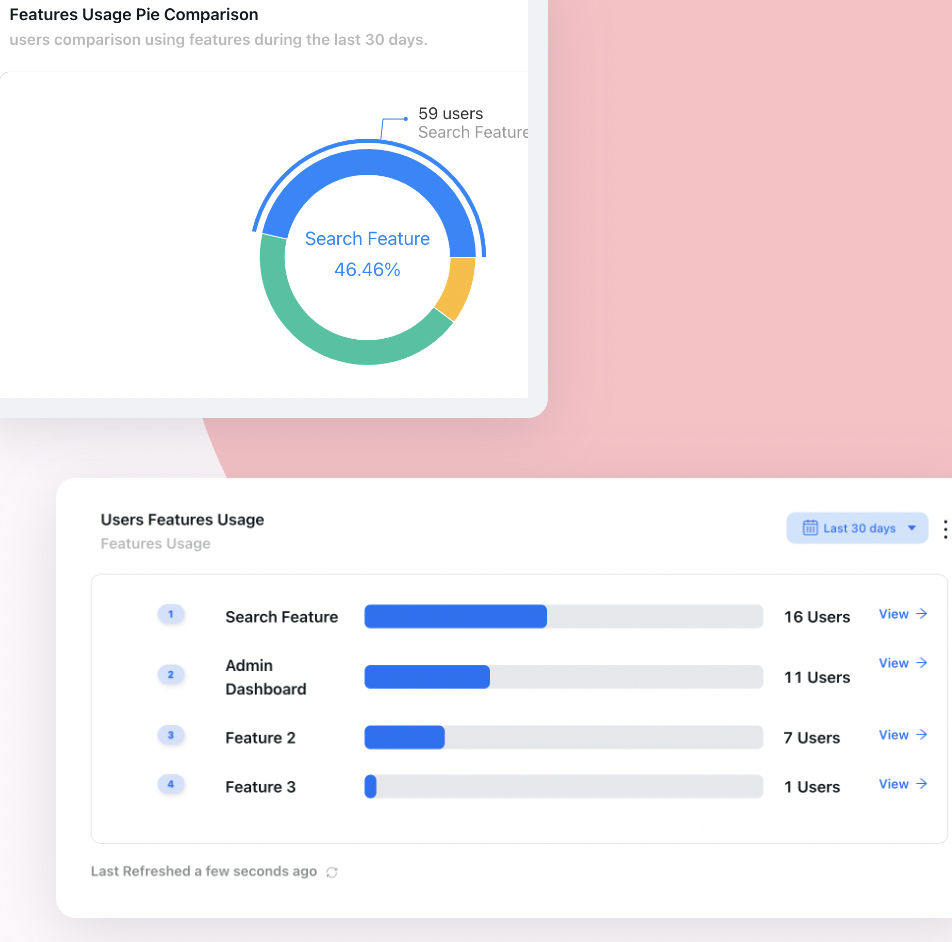
Finally, it is crucial to assess your user onboarding resources' performance routinely. How well do they follow through on what they say they will do? Do you feel like you've gotten your money's worth? Use a product analytics tool to track activation and feature adoption over time.
User Onboarding Checklists
Why Are User Onboarding Checklists Important
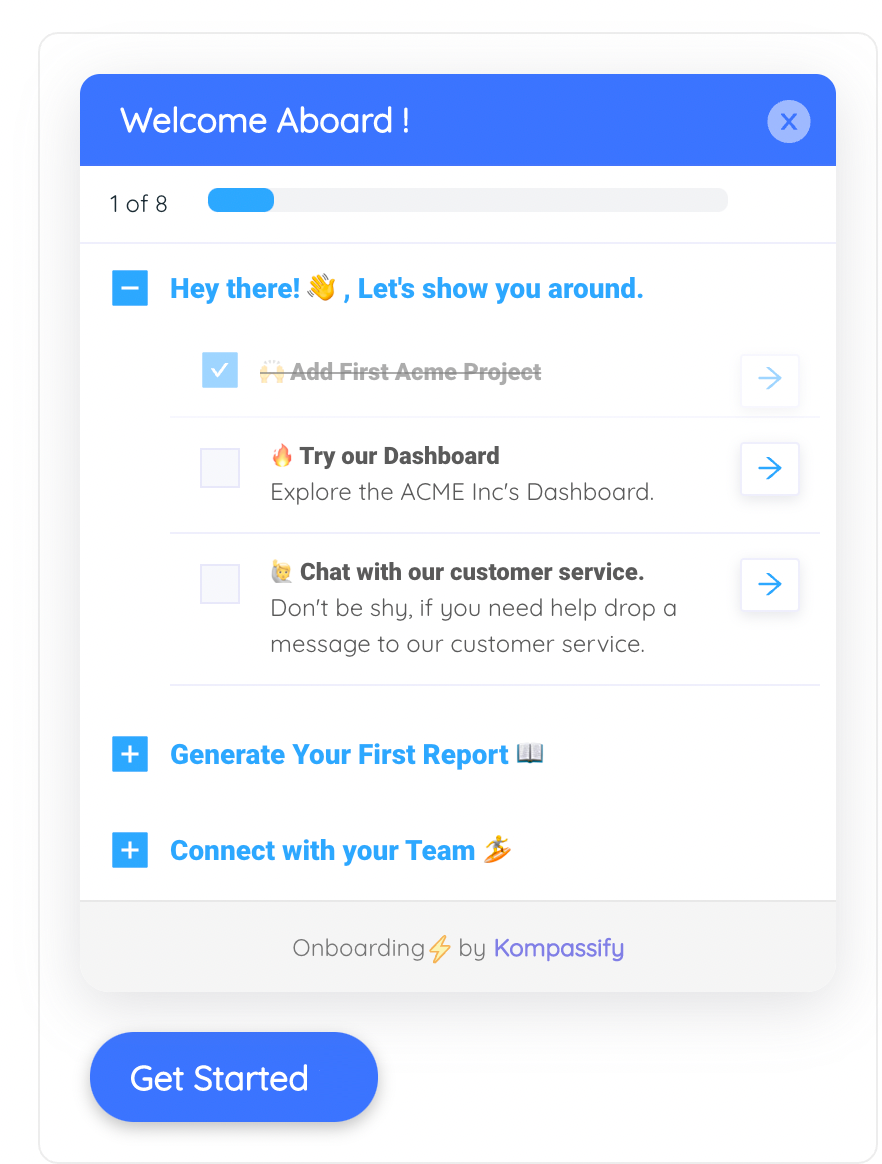
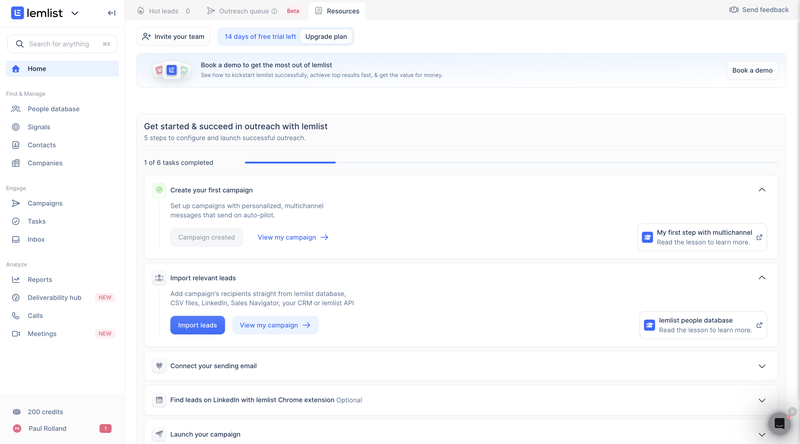
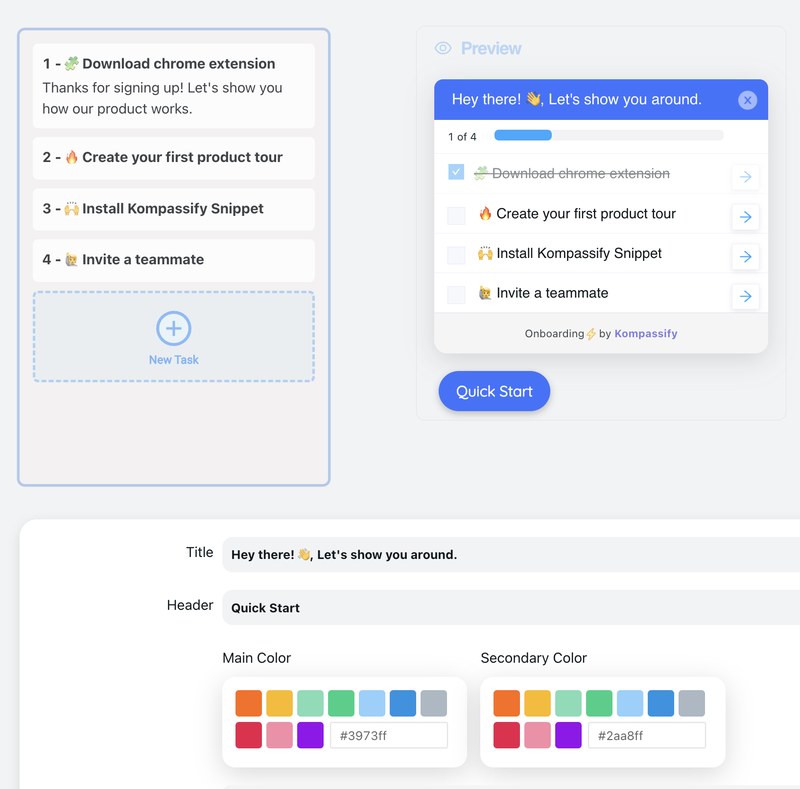
The purpose of an onboarding checklist is to help new users get off to a good start. It's a checklist of things the user needs to do as part of the onboarding process, and as they're done, the list gets marked off so the user can see how far along they are.
If the user has a series of steps they must perform in a specific order, you can list the steps in numerical order. However, tasks your users don't need to accomplish in a particular sequence can also be listed, allowing them to work through the items at their own pace while still feeling confident that they didn't overlook anything important.
You can use checklists alone or in tandem with other tools. You could include actions like watching a feature tutorial on the list, and a tooltip would appear when the user hovers over the item. A checklist can be a unified method of linking several different educational tools.
You can use links to take users to the precise location where they need to complete a task. You can also make animations to indicate where the user needs to go to finish a task. Checklists tend to be most effective for easily navigable products. The user should be able to read the list and glance at the screen to finish the process.
Interactive walkthroughs could be the primary onboarding technique for products with more complex navigation systems.
However, checklists are practical onboarding tools because they leverage the human tendency to seek rewards. We are more likely to stay the course once we've taken the first step, and a checklist can serve as a helpful reminder that you've already started down that path. Making progress on a list can also be rewarding in itself.
Onboarding Checklists Best Practices
1. Keep it Simple
Your onboarding checklist should streamline your laborious procedure so new users can get up and running in minutes. Prioritize no more than two or three primary triggers. It's crucial to keep in mind that new users know nothing about your product; easy-to-follow instructions are more likely to get users to activate.
2. Use Progress Bars
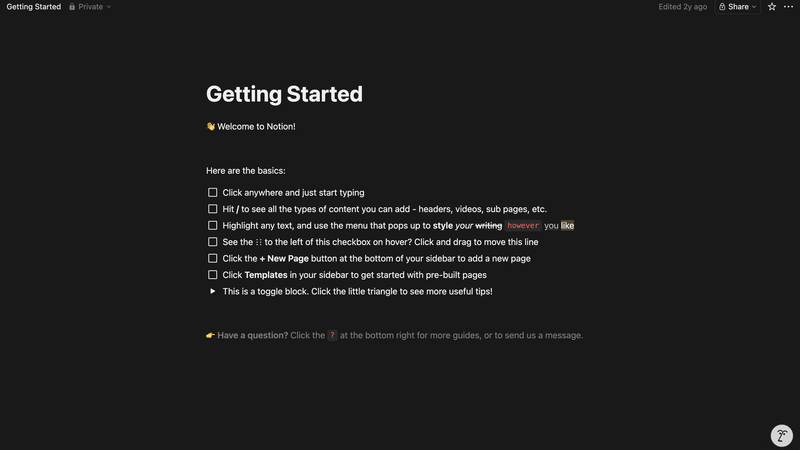
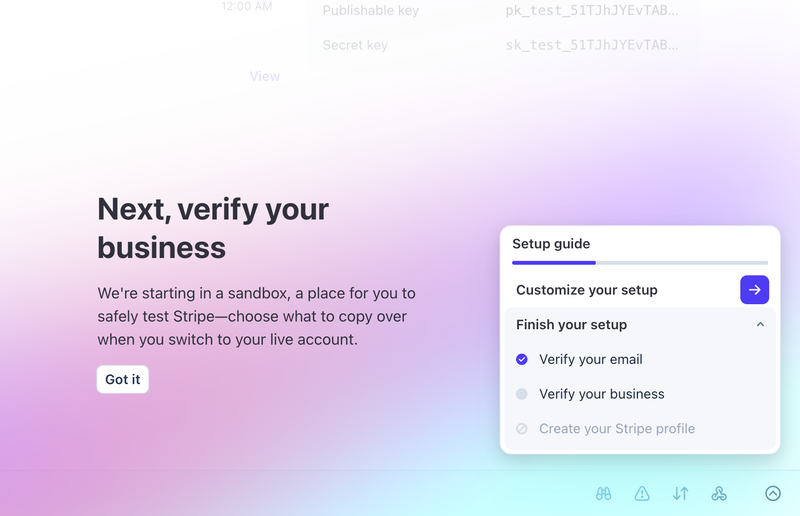
Users may feel threatened by an extensive onboarding checklist. A progress bar is an excellent addition to keep the checklist fresh in the user's mind and encourage them to finish it. When they see that 70% of the checklist items have already been completed, they will be likelier to follow through and finish the entire thing.
3. Gamify Your Onboarding Checklist
A user onboarding checklist may feel like a series of errands. Thankfully, gamification can remedy that by turning the onboarding process into a fun activity. Badges, scorecard points, and ranks are all ways to add gaming elements to your onboarding checklist. When a user accomplishes a goal, they are rewarded, whether with experience points, a badge, or a new difficulty level.
4. A/B Test Your Copy
What readers take away from your copy is entirely up to you, which can increase the percentage of new users who finish their onboarding checklist. You can learn which version of the copy performs best by testing various iterations.
Get readers to do something by directing their attention to a call-to-action in your copy. Since a checklist has limited space for explanation, specificity and accuracy are paramount. Show them the advantages; this will help them see why they should care.
Build Your User Onboarding Without Writing a Single Line of Code
Kompassify gives you product tours, onboarding checklists, tooltips, hotspots, and in-app feature announcements: everything you need to onboard new users and keep them activated, without touching your codebase.
Start for Free →Frequently Asked Questions
What is user onboarding?
User onboarding is the process of guiding new users through an application so they understand its value and learn how to use it effectively. A well-designed onboarding experience reduces confusion, accelerates time-to-value, and increases the likelihood that users will become long-term customers.
Why is user onboarding important for SaaS?
SaaS businesses rely on recurring subscription revenue, which means retaining customers is as important as acquiring them. Research shows that if customers don't see the value in a product within 30 to 90 days, they are likely to churn. A strong onboarding experience is the primary lever for closing the gap between sign-up and activation, which directly impacts retention and lifetime value.
What are the most important metrics to track in user onboarding?
The key metrics to track are: activation rate (percentage of new users who reach the "aha moment"), time to value (how long it takes users to experience the core benefit), feature adoption rate (percentage of users who use key features), and churn rate in the first 30 to 90 days. Together, these give a clear picture of whether your onboarding process is working.
What makes a good onboarding checklist?
A good onboarding checklist is short (no more than 3 to 5 steps), focused on actions that lead users to the core value of the product, includes a visible progress indicator, and uses clear, action-oriented copy. Gamification elements like progress bars and completion rewards further increase engagement and completion rates.
What is the best user onboarding software?
The best user onboarding software depends on your product and team. Key criteria include: ease of implementation (no-code tools like Kompassify avoid developer dependency), the ability to create product tours, checklists, tooltips, and hotspots, built-in product analytics to measure activation, and pricing that scales with your usage. No-code tools are generally the fastest path to a polished onboarding experience.
How do I know if my onboarding process is working?
The clearest signal is your activation rate: what percentage of users who sign up complete the core onboarding steps and reach the product's core value? Beyond that, track churn in the first 30 to 90 days and compare it against users who completed onboarding versus those who did not. Users who complete onboarding consistently have lower churn rates. Running A/B tests on specific onboarding steps will help you identify where drop-off happens and what changes improve completion.